

Key Takeaways
- Granola captures meetings without a visible bot. It runs locally on your device, so nobody on the call knows it's there.
- The hybrid note-taking model (your notes plus AI summary) produces better output than fully automated tools, but you need to actively participate.
- Pricing starts free with unlimited meeting notes; only the last 30 days stay visible until you upgrade to Business at $14/month.
- If you need action items from calls to become tracked tasks, and one morning brief across your meetings, email, and calendar, Kai handles that chain in one place.
Verified 2026-09-03 against the official pricing page.
Granola AI is a meeting notepad that transcribes your calls without sending a bot into the room, and it's free to start. That bot-free design is the whole pitch. After running it as our daily driver for months before switching to Kai, the feature that actually earned its keep wasn't the polished AI summary, it was one-click capture of the unplanned call you never put on your calendar.
Most AI note-takers solve the wrong problem: they record everything with a visible bot and build transcript libraries nobody reads. Granola AI bets the opposite way, that your tool should be invisible and should work with your own notes instead of replacing them. For how it compares head-to-head with the leading bot-based recorder, see our Fathom vs Granola comparison. The bot-free tools people shortlist against it get the same treatment in Bluedot vs Granola and in our Wispr Flow Notetaker review.
It's a smart bet. But after digging into the product, user feedback, and what's actually included at each price tier, the answer to "is Granola AI worth it?" depends heavily on what needs to happen outside the notes app once the meeting ends. Here's the full breakdown.
Granola AI at a glance
| Detail | Info |
|---|---|
| What it is | Bot-free AI meeting notepad |
| Best for | Professionals who take their own notes and want AI to fill in the gaps |
| Platforms | Mac, Windows, iOS, Android, plus an Apple Watch app |
| Free plan | Unlimited meeting notes; history older than 30 days needs a paid plan |
| Paid plans | $14/user/mo (Business), $35/user/mo (Enterprise) |
| Key differentiator | No bot joins your call; transcription runs locally |
| Top limitation | No audio recording or playback (granola.ai) |
What is Granola AI?
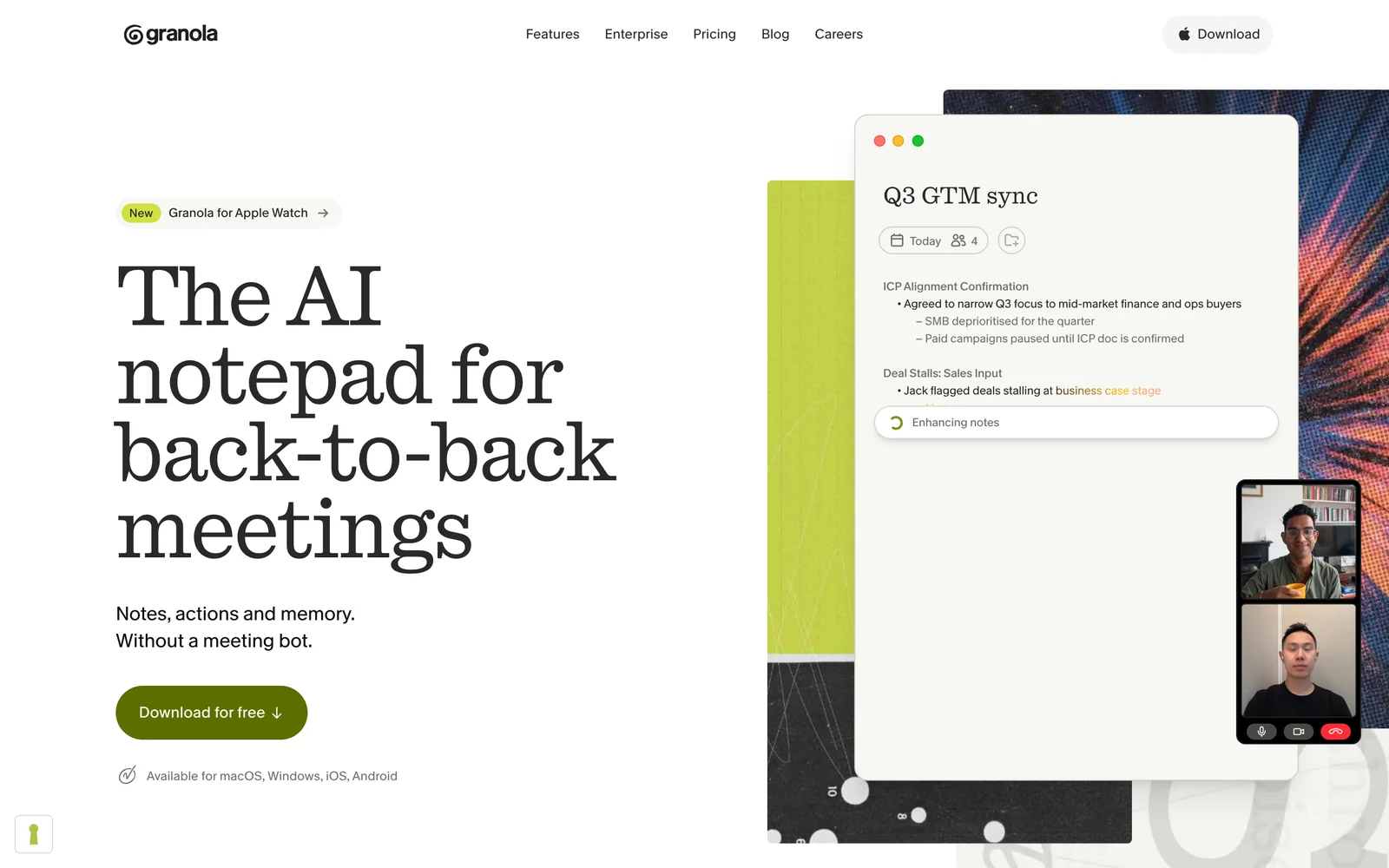
Granola AI is an AI meeting notepad that transcribes your calls without joining as a bot participant. Instead of recording audio or video, it captures the transcript locally on your device and combines it with whatever notes you take during the meeting.
The result is a "hybrid" summary: part your own thinking, part AI-generated context. It's positioned as the privacy-friendly alternative to tools like Otter AI and Fathom that require a visible bot in the meeting room.
Who is Granola AI best for?
Ideal users:
- Consultants and sales reps who are in 3-5+ meetings daily and need quick, structured recaps without a bot making clients uncomfortable
- Executives and founders who want meeting intelligence but care about the optics of recording
- Note-takers who want AI backup: you already take notes, but want AI to catch what you missed
Who should look elsewhere:
- Anyone whose work lives in a task manager: action items reach Asana, Jira, or Linear only through Zapier, on the Business plan
- Teams needing audio playback: there's no recording, so you can't verify transcription accuracy
- People who want zero-effort capture: Granola works best when you actively take notes alongside the AI
Granola AI key features
Bot-free transcription
This is Granola's flagship feature and the reason most people try it. Unlike Otter AI or Fireflies, Granola doesn't send a bot participant into your meeting. It captures audio at the system level on your device, transcribing in the background.
It stopped being exclusive on August 5, 2026, when Wispr Flow shipped a bot-free notetaker built into its dictation app, which we tested on seven real calls. Wispr even offers one-click import of your Granola notes. Granola still wins on maturity and reach: four platforms against the Mac-only Notetaker we tested, and a jot-and-enhance model with years of polish behind it. But "no bot" is now a category standard, not a reason to pick Granola over the field.
We ran Granola as our daily driver for months before switching to Kai. The moment that sold us was the one-click capture of unplanned calls. Someone pings you on Slack, you hop into a quick Meet, and Granola starts recording without you scheduling anything in advance. In practice, that's the feature most other note-takers miss: the meeting that wasn't on your calendar is usually the one with the decision you'll forget. The multi-language summaries also held up across our mixed French/English calls, which most competitors drop to English-only.
The practical difference is real: no awkward "who's the bot?" moments, no participants declining to speak freely. One Reddit user put it clearly:
“I use Granola on my Mac and love it. Why? It has seamlessly logged onto all my meetings without sending a bot. And the transcription is great. I find myself referring to the notes a lot.”
Reddit user, r/PKMSThe tradeoff: because there's no recording, you can't replay audio to verify what was said. If the transcription gets a number wrong (and users report it does), there's no way to double-check.
 Tip
TipGranola detects meetings automatically through your calendar integration (Google Calendar or Outlook). You don't need to manually start it before each call.
Hybrid note-taking
This is where Granola diverges from every other meeting tool. Instead of giving you a fully automated summary and calling it done, Granola merges your notes with the AI-generated transcript.
You type notes during the meeting (bullet points, key decisions, thoughts), and afterward Granola weaves them together with what it captured. The output feels more like your meeting notes, enhanced, rather than a generic AI summary.
It's a genuinely different approach. But it means Granola's output quality depends partly on how much you put in. If you sit silently and take no notes, you get a standard AI transcript. The magic happens when you meet it halfway.
Customizable templates
Granola lets you define how your meeting notes should be structured. You can create templates for different meeting types (sales calls, 1:1s, standups, client reviews), so the AI formats its output to match your workflow.
Pre-built templates cover common formats, and you can build your own. This is useful if you're sharing notes with a team that expects a consistent structure.
AI chat
After a meeting, you can ask Granola questions about what was discussed. "What did Sarah say about the timeline?" or "Summarize the budget discussion." It works within a single meeting and across your meeting history.
 Note
NoteThe AI chat feature queries your stored transcripts using natural language. It's helpful for finding specific moments in past meetings, especially when you can't remember which call covered a topic.
Multi-language support
Granola lists multi-language support on every plan, the free one included, though it doesn't publish a supported-language count. If you're running calls across regions, this removes the need for separate tools per language. The quality varies by language. English and major European languages work best.
Shared folders
Teams can create shared folders for meeting notes, organizing by project, client, or department. It's basic collaboration (shared visibility into notes) rather than a full team workspace. Useful for keeping sales call notes in one place or sharing client meeting recaps.
Granola AI additional features
Beyond the core feature set, Granola includes a few extras:
- Calendar integration: syncs with Google Calendar and Outlook to auto-detect meetings and pull in attendee info
- Briefs (since May 2026): a short pre-meeting brief before external calls, built overnight from your past notes, your Gmail if you connect it, and web research
- Gmail follow-up drafts: the Gmail integration drafts follow-up emails automatically after meetings, ready to review and send
- MCP integration (Business plan): connects Granola across applications for broader workflow automation
- CRM integrations: HubSpot, Attio, and Affinity connections on Business and Enterprise plans
- Notion and Slack push: send meeting notes directly to Notion pages or Slack channels
- SOC 2 compliance: enterprise-grade security with GDPR-compliant data processing
Granola AI integrations & API
Granola's integration list has grown. On the Business plan, you get:
- CRM: HubSpot, Attio, Affinity
- Email: Gmail, which drafts follow-up emails automatically after your meetings, ready to review and send
- Productivity: Notion, Slack, Zapier
- Calendar: Google Calendar, Outlook Calendar
- AI tools: ChatGPT, Claude, and Cursor through Granola's MCP connector
API access is included in Business ($14/user/mo). Earlier versions of this review said it was Enterprise-only; that changed, and the pricing page now lists it under Business, with Enterprise adding admin controls over sharing and API use.
Still missing: native task manager integration. Meeting action items reach Asana, Jira, Linear, or ClickUp only through Zapier, and nothing tracks them after the handoff, the part Kai runs natively into an action items inbox. This is the workflow gap that made us switch, and a limitation users flag too.
Granola AI mobile app
Granola covers mobile properly now: an iOS app, an Android app since July 1, 2026, and an Apple Watch app since July 28, 2026 that starts a note with a tap on your wrist. The phone apps handle meeting notes on the go, phone call transcription, and in-person conversations, walking 1:1s and coffee chats included. Combined with the Mac and Windows desktop apps, Granola covers nearly every professional setup.
Worth knowing if you're cross-checking reviews: the ranked ones haven't caught up, and not because they're old. The tl;dv comparison this page cites was refreshed on August 3, 2026, a month after Android shipped, and still lists Granola as "Mac, Windows, iOS. Android planned, no date". Three other reviews ranking for Granola today, one of them stamped September 2, 2026, don't mention Android anywhere. This page carried the same gap until this update.
Granola AI pricing
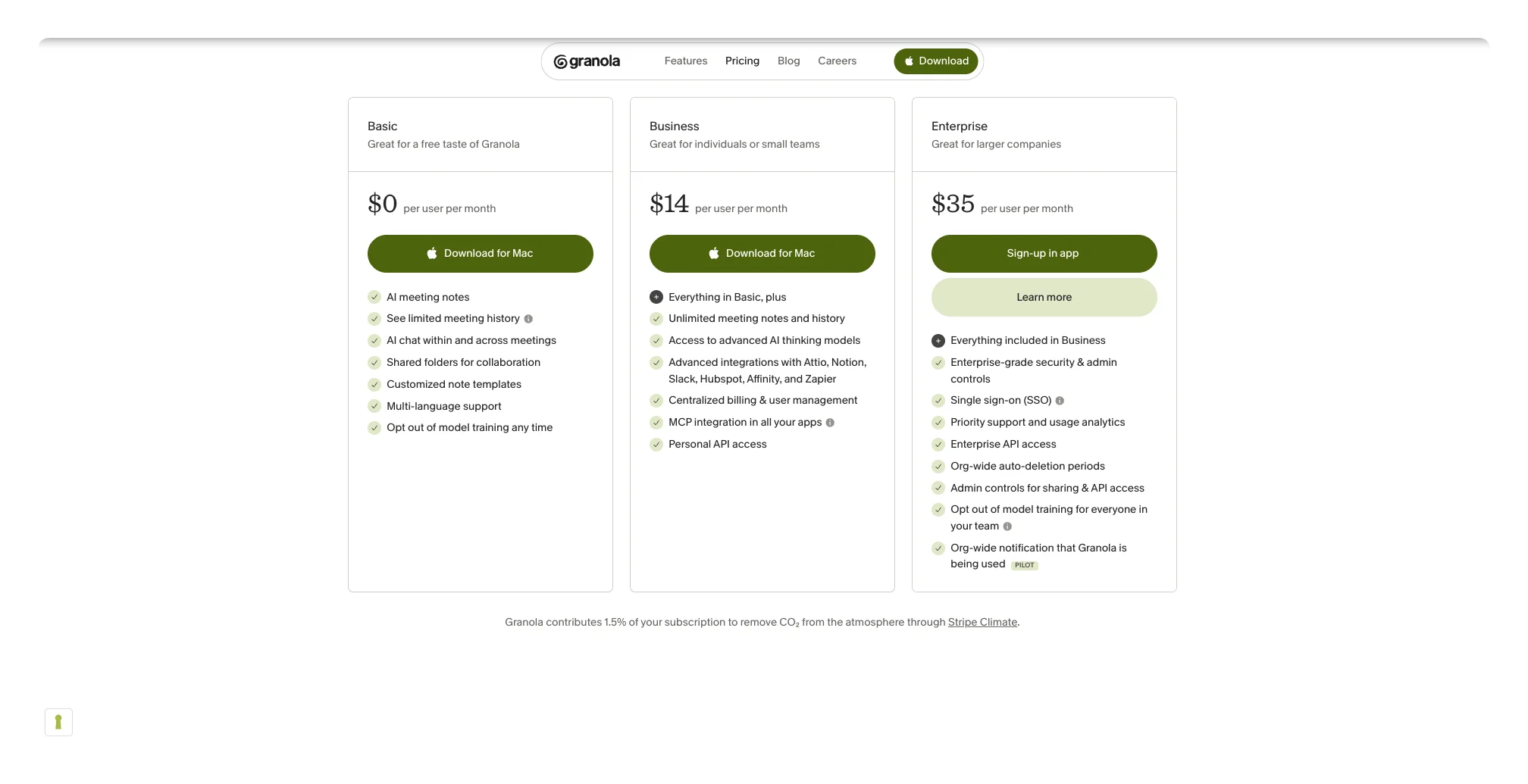
NotePricing source: All prices below verified live against the official Granola pricing page on 2026-09-03.
| Plan | Price | Key Inclusions | Key Exclusions |
|---|---|---|---|
| Basic (Free) | $0 (source, verified 2026-09-03) | Unlimited AI meeting notes, AI chat, shared folders, custom templates, multi-language | Notes older than 30 days locked until you upgrade, no advanced integrations, no advanced AI models |
| Business | $14/user/mo (source, verified 2026-09-03) | Unlimited meeting history, advanced AI models, CRM integrations, Notion/Slack/Zapier, MCP, API access, centralized billing | No SSO, no enterprise admin controls |
| Enterprise | $35/user/mo (source, verified 2026-09-03) | Everything in Business + SSO, admin controls for sharing and API, org-wide auto-deletion, priority support, usage analytics | N/A |
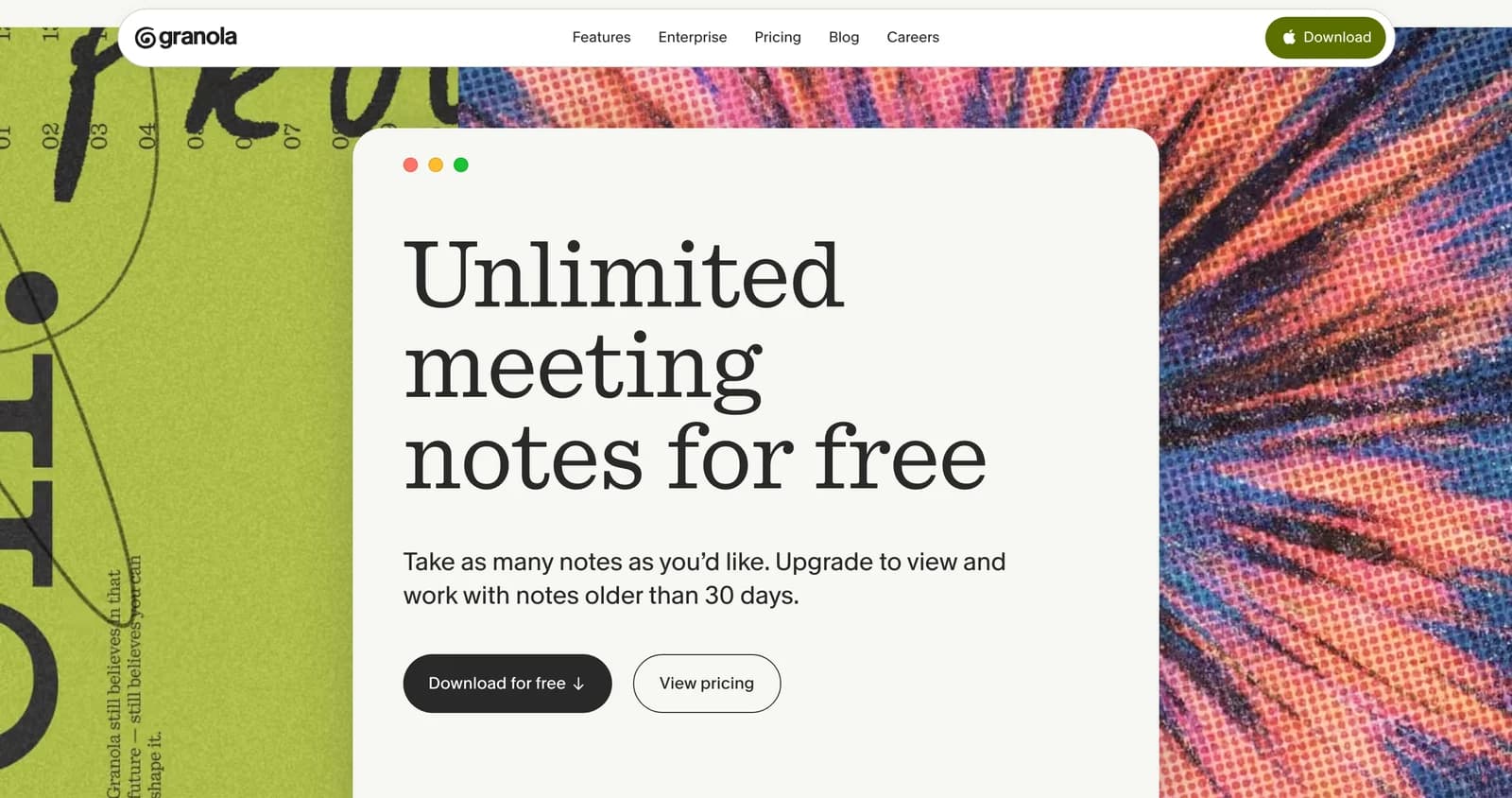
Side noteGranola now publishes the free plan's limit on its homepage: unlimited meeting notes, but you upgrade to view and work with notes older than 30 days. So the cap is on history visibility, not on how many meetings you can capture. Anything older gets hidden rather than deleted, and the free CSV export still reaches it, which is what our guide to exporting Granola notes walks through. If your notes are worth going back to, the 30-day window works like a rolling trial.
$14/month is fair for unlimited meeting transcription with no bot. That's cheaper than Otter AI's Pro plan at $16.99/month and comparable to Fathom's paid tier. The value proposition is strong if bot-free capture is your priority.
The jump to Enterprise ($35/user/mo) is steep and mainly justified if you need SSO, admin controls, or org-wide data-retention rules. API access now comes with Business, so most teams can stay there unless compliance requires more.
Granola also contributes 1.5% of subscription revenue to Stripe Climate for CO2 removal, a small but unusual perk for a productivity tool.
Granola AI pros & cons
Where Granola Shines
- Invisible capture with no bot joining your calls
- Hybrid notes blend your thinking with AI context
- Focused product that does one thing well
- $14/month for unlimited transcription
- Strong privacy: no audio/video stored, SOC 2 compliant
Where Granola Falls Short
- No audio/video recording or playback
- Free plan locks notes older than 30 days
- Action items reach task managers only through Zapier
- Note quality depends on your participation
Granola AI customer reviews
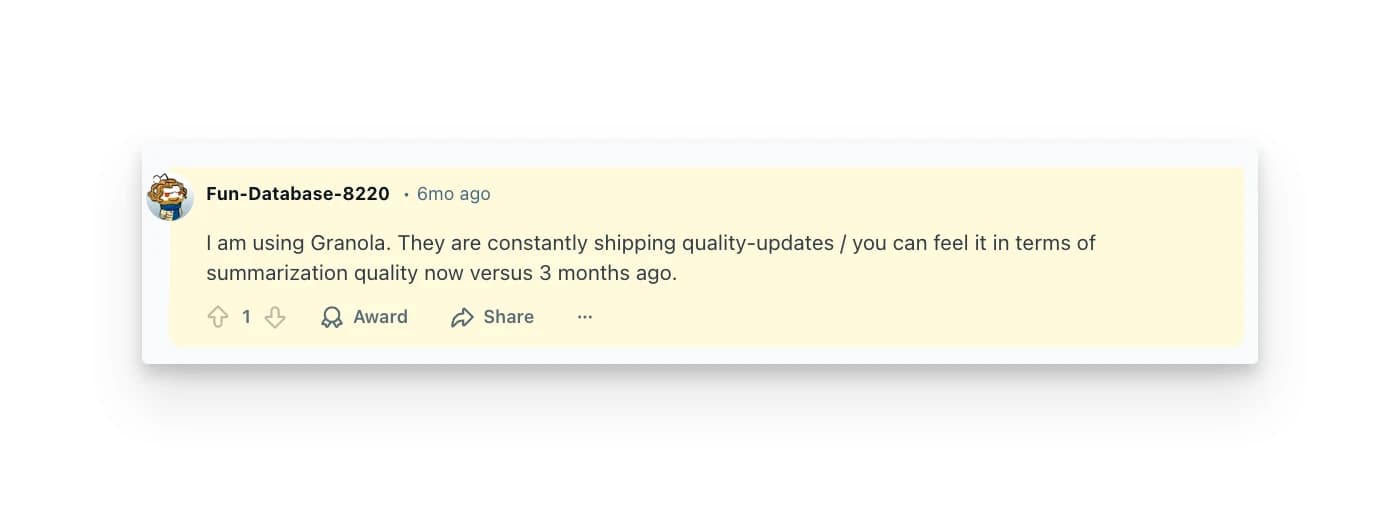
Granola is still relatively new and hasn't accumulated deep review data on G2 or Capterra. Most user feedback lives on Reddit, Product Hunt, and review blogs.
What users love:
- The bot-free experience is the #1 cited reason people switch to Granola. The social friction of bots in meetings is a real pain point, especially for client-facing roles.
- Note quality gets praise. The hybrid model produces output that users actually refer back to, unlike raw transcripts that sit unread.
What users criticize:
- Integration gaps are the most common complaint. Meeting notes stay isolated instead of flowing into existing workflows, a pattern flagged across multiple Reddit discussions.
- Transcription accuracy issues with numbers, technical terms, and speaker identification frustrate users who rely on precision, the same weak spot reviewers report.
Kai: a Granola AI alternative worth watching
Granola has closed most of its old post-meeting gaps. Since May 2026, Briefs prep you before external calls from your past notes, your Gmail, and the web. Its Gmail integration drafts the follow-up email for you. Its homepage promises "post-meeting admin, done", with one-click recipes that list action items and write follow-ups.
What's left is narrower, and it's the part that made us switch: everything Granola produces stays inside the notes app. The action items it lists don't become tracked work anywhere unless you wire up Zapier, and nothing in Granola sees your calendar, your task list, or the rest of your inbox.
Kai is an AI executive assistant, so that part is its whole job:
- Action items become real tasks. After a call, items land in your task list with assignee, due date, and priority, each linked back to the meeting. When one goes overdue, Kai resurfaces it and offers to draft the follow-up. See how AI meeting prep ties this into a full workflow.
- Botless capture, same as Granola. Kai captures your meetings invisibly across Zoom, Google Meet, Teams, Webex, and Slack Huddles.
- One brief across everything. Each morning Kai reads your calendar, your overdue tasks, the emails that need you, and your meeting action items together, and tells you what matters next. Granola's Briefs prep one meeting at a time; they don't see your day.
Honest limitation: Kai is newer than the established tools, with fewer integrations, and its meeting notes stay inside Kai rather than pushing to a CRM. If your problem ends when the follow-up email is sent, Granola now covers that itself. If "we discussed this" also has to become "this got done", the difference is worth a try.
Granola AI verdict: is it worth it?
Granola earned its reputation by making a clear product bet: invisible capture, hybrid notes, no bloat. If you take your own meeting notes and want AI to enhance them rather than replace them, Granola delivers.
At $14/month, it's a fair price for what you get, and the bot-free experience genuinely changes how meetings feel. The product is focused, the privacy posture is strong, and the note quality is above average. Just don't pick it for the bot-free capture any more: Wispr Flow does that too now, and so does Bluedot. Pick it for the hybrid notes and the maturity.
But Granola's world ends at the edge of the notes app. It preps your meetings and drafts your follow-ups now, and it does that loop well. Your task list, your calendar, and the rest of your inbox sit outside it, so you're still the one carrying "we discussed this" into "this actually got done."
For consultants and sales reps who just need clean meeting recaps, Granola is solid. For professionals who need their meetings, tasks, and email to work as one system, the gap is real. That's where tools like Kai are heading, and why the meeting notes space is far from settled. If you want the two lined up feature by feature, we keep a Kai vs Granola breakdown.
Granola AI FAQs
Does Granola work on Windows or mobile?
Yes. Granola runs on Mac, Windows, iOS, and, since July 2026, Android. There's also an Apple Watch app for starting notes away from your laptop. The phone apps handle meeting notes on the go and phone call transcription.
Can I replay meeting audio in Granola?
No. Granola doesn't record audio or video. It only captures the transcript. You can't replay a meeting to verify what was said, which can be an issue when transcription accuracy matters.
How does Granola compare to Otter AI?
Granola is bot-free and privacy-focused, while Otter AI sends a bot into your meeting to record and transcribe. Otter offers more features (live collaboration, audio playback, wider platform support) but at the cost of a visible bot and higher pricing. For a deeper breakdown, see our Fathom vs Otter comparison or the Read AI review. Granola is simpler and more discreet than both.
Is Granola AI's free plan enough to evaluate it?
It depends on how far back you need to look. The free plan includes unlimited meeting notes, and Granola publishes the limit: you upgrade to view and work with notes older than 30 days. Capture is never capped, but your first month of notes rolls behind the paywall as the window moves, so treat it as a generous trial rather than a permanent archive.
Does Granola integrate with my task manager?
Not directly. Granola integrates with Gmail, Notion, Slack, HubSpot, Attio, and Affinity, but not natively with dedicated task managers. Action items reach Asana, Jira, Linear, ClickUp, and the like through Zapier on the Business plan.
How accurate is Granola's transcription?
Generally good for conversational English and major European languages. Users report occasional issues with numbers, technical jargon, and proper nouns. Since there's no audio recording to fall back on, you can't verify accuracy after the fact.
Is Granola AI safe to use for confidential meetings?
Granola takes a privacy-first approach: no audio or video is stored, only transcripts. The company is SOC 2 compliant with a GDPR-compliant DPA. That said, transcripts still contain meeting content. Check your company's data policies before using any transcription tool for sensitive discussions.

What to read next
Wispr Flow Review 2026: Two Products, One $15 Subscription
Wispr Flow shipped a meeting notetaker in August 2026. We price both halves of the subscription after a month of daily use on a paid account.
How to Import Granola Notes to Wispr Flow
Wispr Flow's Granola import takes 31 seconds, and we filmed it. Notes and summaries arrive, transcripts don't, and Granola's 30-day limit comes with you.
Wispr Flow Notetaker Review: 5 Things It Does Differently
Wispr Flow's new Notetaker turns the dictation app into a bot-free meeting notetaker. We tested it on real calls: 5 things it does differently.