


Key Takeaways
- The import is an OAuth connection, not a file upload. Clicking Import signs you into Granola in a browser and asks you to approve an app called "Wispr Flow, Granola Import". It took us 31 seconds.
- Your typed notes and Granola's AI summary come across. The summary is labelled "Summary (Granola AI)" so you can see it was not regenerated.
- Transcripts do not come across on a free Granola plan. Wispr says so itself inside the note: "No transcript from Granola. Availability depends on your Granola plan."
- On a free Granola plan, meetings older than 30 days don't come across either. If you were leaving to rescue that archive (Granola billing docs), the import copies the window you can already see, not what's behind it.
- Granola's own CSV export is the route that still reaches the full history, transcripts included, and it works on the free plan.
I work on Kai, our AI executive assistant, and I spend a lot of time inside the tools we compete with. When Wispr Flow shipped its Notetaker in August, it came with a one-click Granola importer, which is a direct pitch at everyone sitting behind Granola's 30-day paywall. So I ran it on my own account, filmed the whole thing, and then looked at what actually landed. The import works, and it is genuinely fast. The recording is further down. The part nobody has written down is what it quietly leaves behind. If you are still deciding whether to move at all, our full Wispr Flow review covers both halves of the app first.
Wispr's comparison page makes the promise plainly: "If Granola's free plan has locked notes older than 30 days, importing gets them out of that window and back in front of you" (Wispr Flow). Our run says that is only true if you were already paying Granola. This guide covers the click path, what arrives, what does not, and what to do instead if the transcripts are the reason you are moving.
What the import actually is
It is not an export-and-upload. There is no file to prepare, which is why people who go looking for an upload dialog find nothing.
On the Notetaker page, a banner reads "Import your meeting notes" with two buttons, Skip and Import. Import opens a modal listing the sources Wispr supports today.
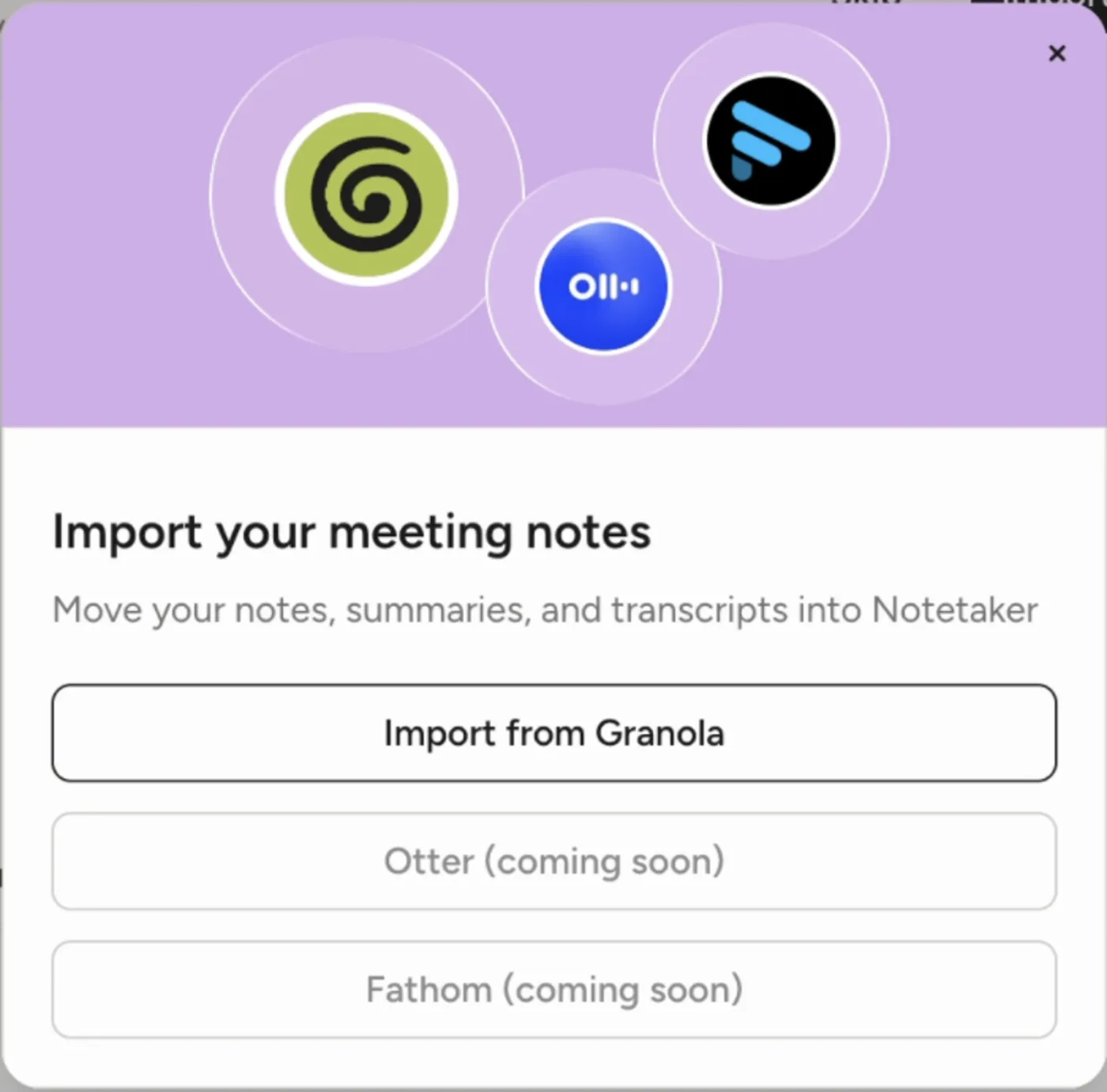
Granola is the only one live. Otter and Fathom are both shown as coming soon, so if you are on one of those, the wait is real and undated.
From there the banner switches to "Connecting to Granola...", Granola opens on its own, and a browser window takes over. You sign in to Granola the normal way, with email, Google, or Microsoft.
What you are approving
This is the step worth reading rather than clicking through. Granola shows a standard consent screen for a third-party app.
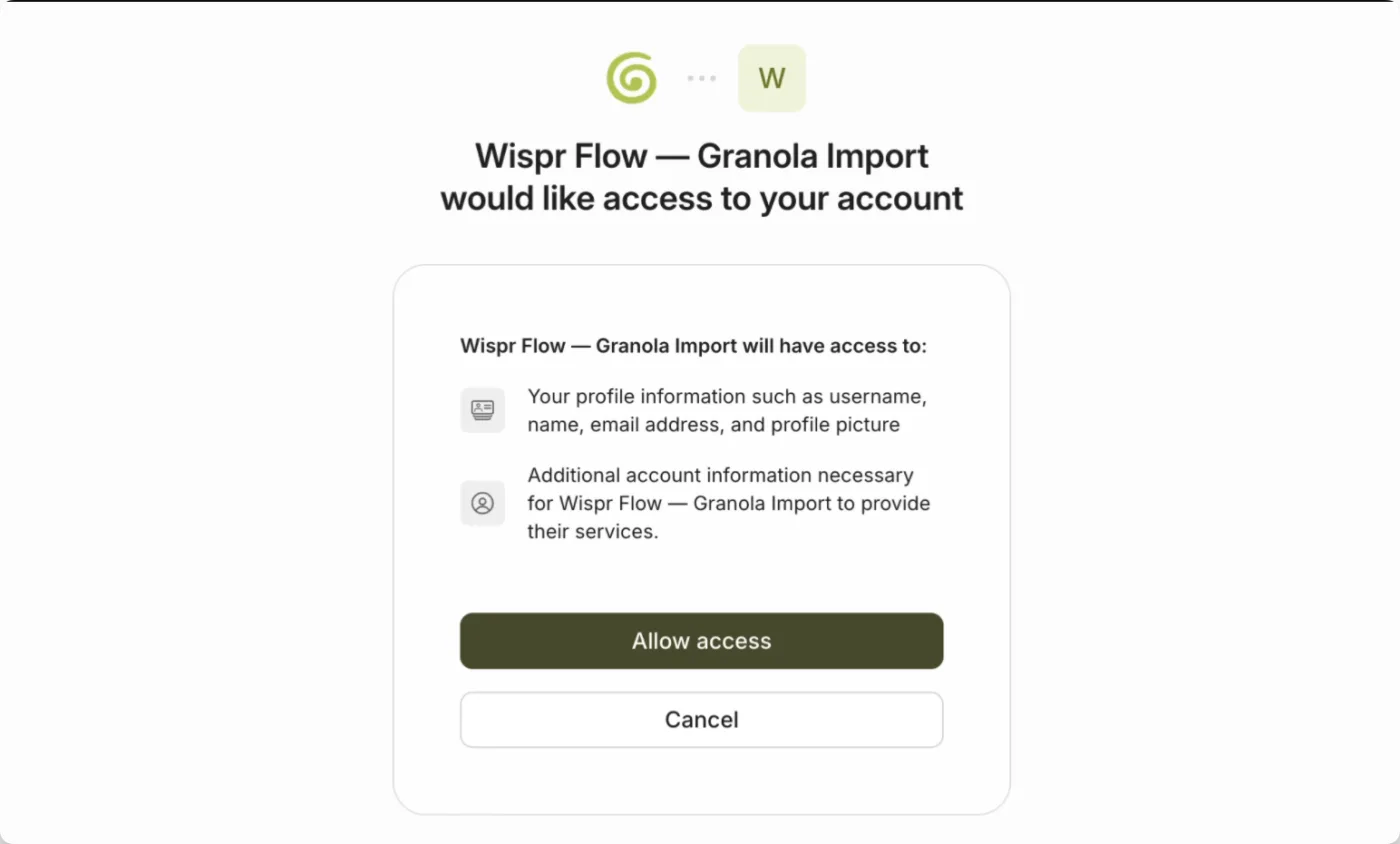
Two things stand out. The app requesting access is named "Wispr Flow, Granola Import", so this is a sanctioned connection through Granola's own login, not a tool reading files off your Mac. And the scopes it lists never mention your notes or your transcripts. You are approving "your profile information" and "additional account information necessary for Wispr Flow, Granola Import to provide their services", which is a generic string doing a lot of work.
The connection runs through mcp-auth.granola.ai, the host Granola uses for apps connecting over MCP. You can check that yourself with host mcp-auth.granola.ai, which resolves, while app-auth.granola.ai does not exist. That detail turns out to explain everything that happens next.
 Did you know?
Granola encrypted its local cache in April 2026, which broke the whole generation of community exporters that read files off disk. One of them, granary, was archived with the note that "Granola began encrypting its local cache, which is the source granary reads from, so exports no longer work" (granary on GitHub). The Wispr importer is not affected because it never touches the cache. It asks Granola's servers, with your permission.
The whole sequence, from clicking Import to the success screen, took 31 seconds on our run (Flow v1.6.492, macOS, Pro account). Here it is end to end, unedited.
The success screen says "Granola Notetaker is connected", and the verb matters: connected, not imported. Filling your account happens after that, on its own clock.
What arrives, and what stays behind
Open an imported meeting and you get the same three tabs Wispr uses for its own recordings: My thoughts, Transcript, Summary.
The summary comes across intact, and Wispr labels its origin rather than passing it off as its own.
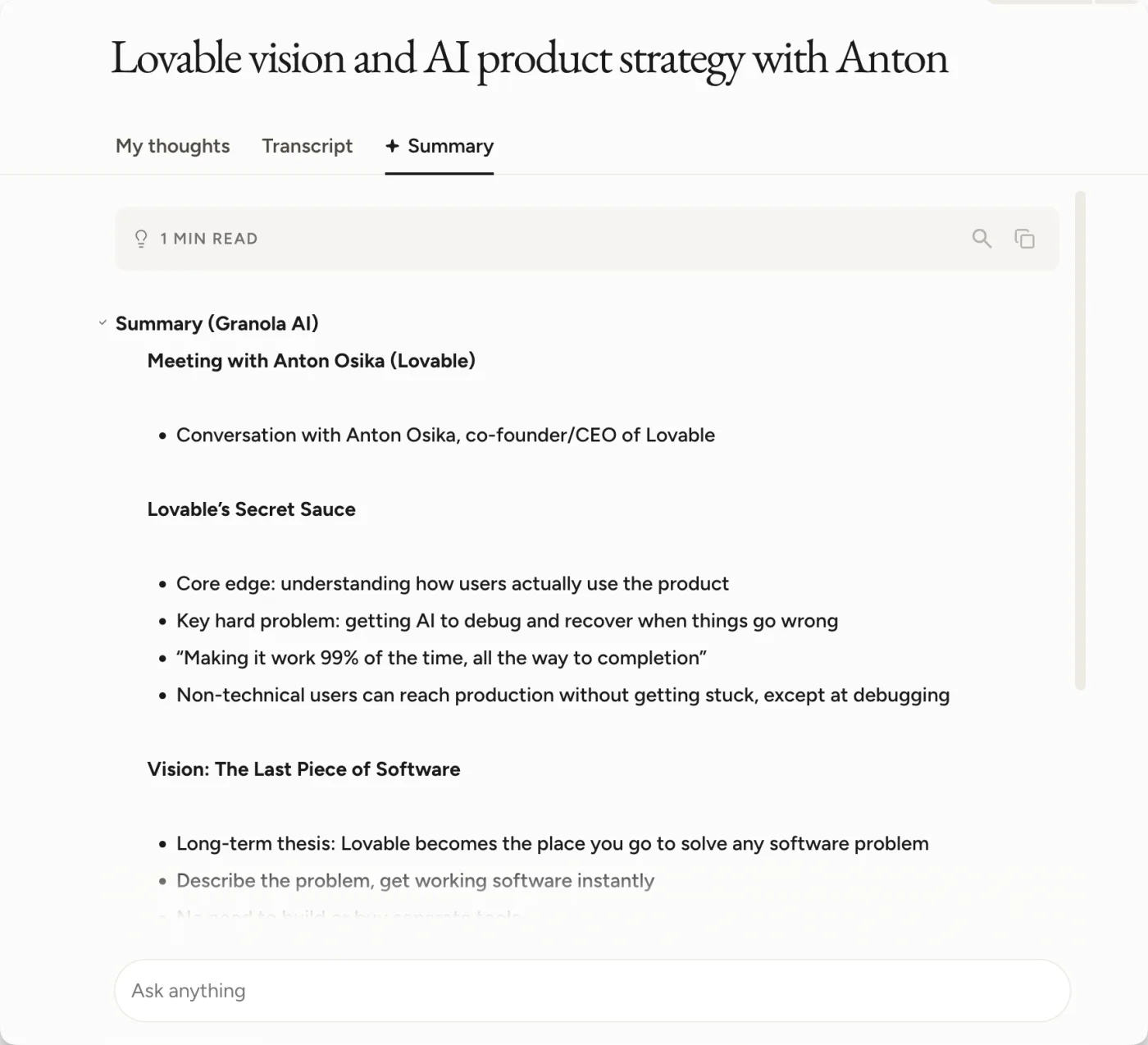
That "Summary (Granola AI)" heading is useful, and it also settles a contradiction on Wispr's own site. One of their pages says your old tool's summaries and enrichment stay behind. The shipping product does bring them over.
The Transcript tab is where it stops.
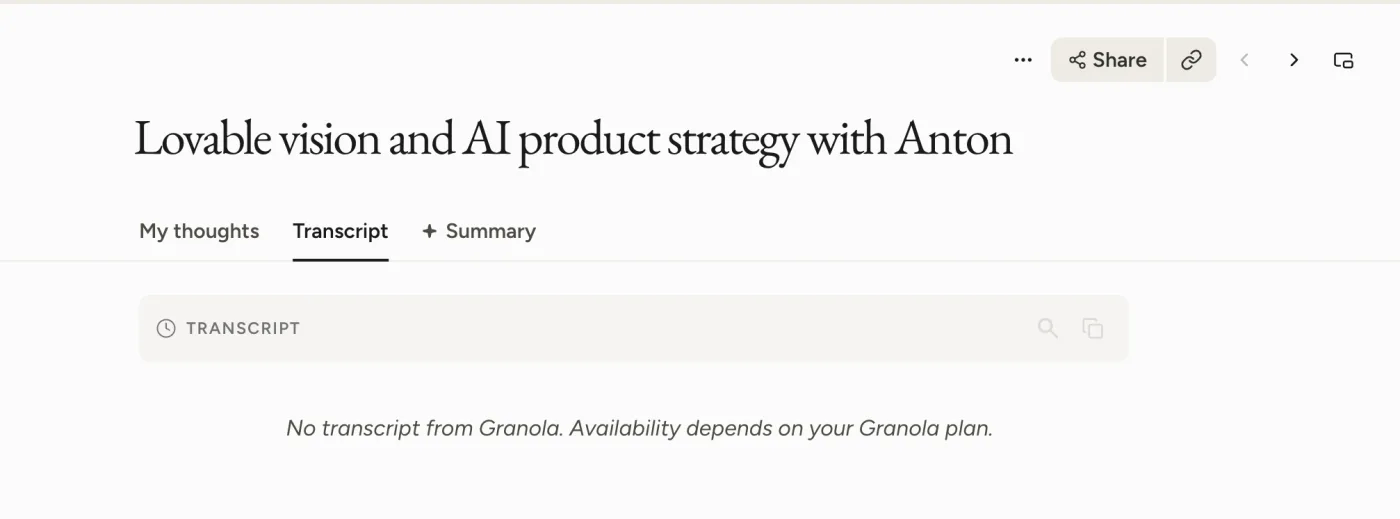
"No transcript from Granola. Availability depends on your Granola plan." That is Wispr's own wording, inside the product, on a meeting that imported successfully.
Here is why. Granola gates what connected apps can read by plan. On the free Basic plan, connected apps see "personal notes from the last 30 days", and the two calls that fetch folders and transcripts are marked paid-only in Granola's own documentation. The importer connects the same way, so it inherits the same limits. Nothing is broken. You are simply getting what your Granola plan lets an outside app have.
| What you had in Granola | Comes across | Notes |
|---|---|---|
| Your typed notes | Yes | Lands in the My thoughts tab |
| Granola's AI summary | Yes | Labelled "Summary (Granola AI)" |
| Full transcript | Only on a paid Granola plan | Free plans get the message above |
| Meetings older than 30 days | Only on a paid Granola plan | On our free-plan run, nothing older than the 30-day window came across at all |
| Templates, folders, jargon list | No | Wispr says templates, folder structure and "the terms you typed into Granola's Internal Jargon box" all need setting up again (Wispr Flow) |
| Integrations and sharing permissions | No | Reconnect and re-share manually |
| Speaker names on old meetings | No | Wispr's speaker matching starts with your next recording |
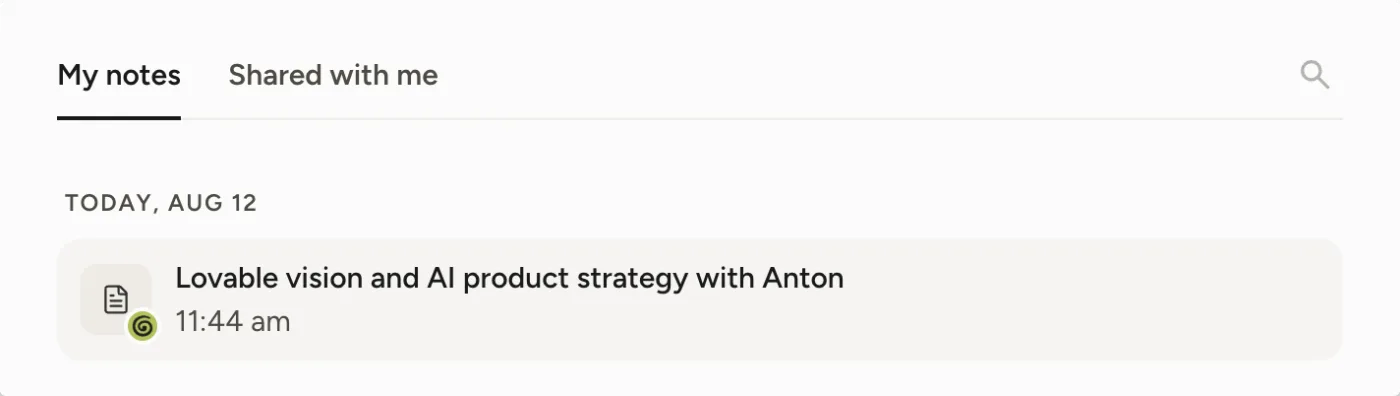
One small mercy: imported meetings are marked. They carry a green Granola badge in the note list, so six months from now you will still know which half of your archive came from where.
The paywall follows you
Put those two facts side by side and the pitch stops working for the people it is aimed at.
The reason most people want out of Granola's free plan is that they can only open the last 30 days, while everything older sits on Granola's servers, visible to nobody. Wispr's page offers the import as the way out. But the import reads your account with the same permissions your Granola plan grants, so the restriction moves with you.
It goes further than the transcripts. We went back to check how an older meeting gets dated once it lands in Wispr, and found there was nothing to check: on a free Granola plan, the meetings older than 30 days had not come across at all. That matches what Granola documents for connected apps, which see "personal notes from the last 30 days" on the free tier (Granola docs). The import is not a key to the archive. It is a copy of the window you can already see.
So read Wispr's promise carefully. "Importing gets them out of that window" is true for someone on Granola Business, whose window is already unlimited. For someone on the free plan, which is who the sentence is written for, the window is the whole problem and the import inherits it.
If you are on Granola Business at 14 dollars per user per month, none of this applies and the import is a clean, fast migration of everything. If you are on the free plan, the import will hand you a copy of the last 30 days without transcripts, and the older meetings you were trying to rescue stay exactly where they are.
 Note
NoteCheck your Wispr retention setting before you import. If you shorten the retention window later, it applies to imported history too, and there is no undo that restores it. Import first, then decide how long you want to keep things.
When the import banner is not there
Two different things cause this, and they have different fixes.
Notetaker itself is still rolling out account by account, and it is Mac only. If Notetaker is missing from your app entirely, you are waiting on the rollout and there is nothing to do about it.
If you have Notetaker but skipped the banner, it is not gone. The import lives permanently in settings.
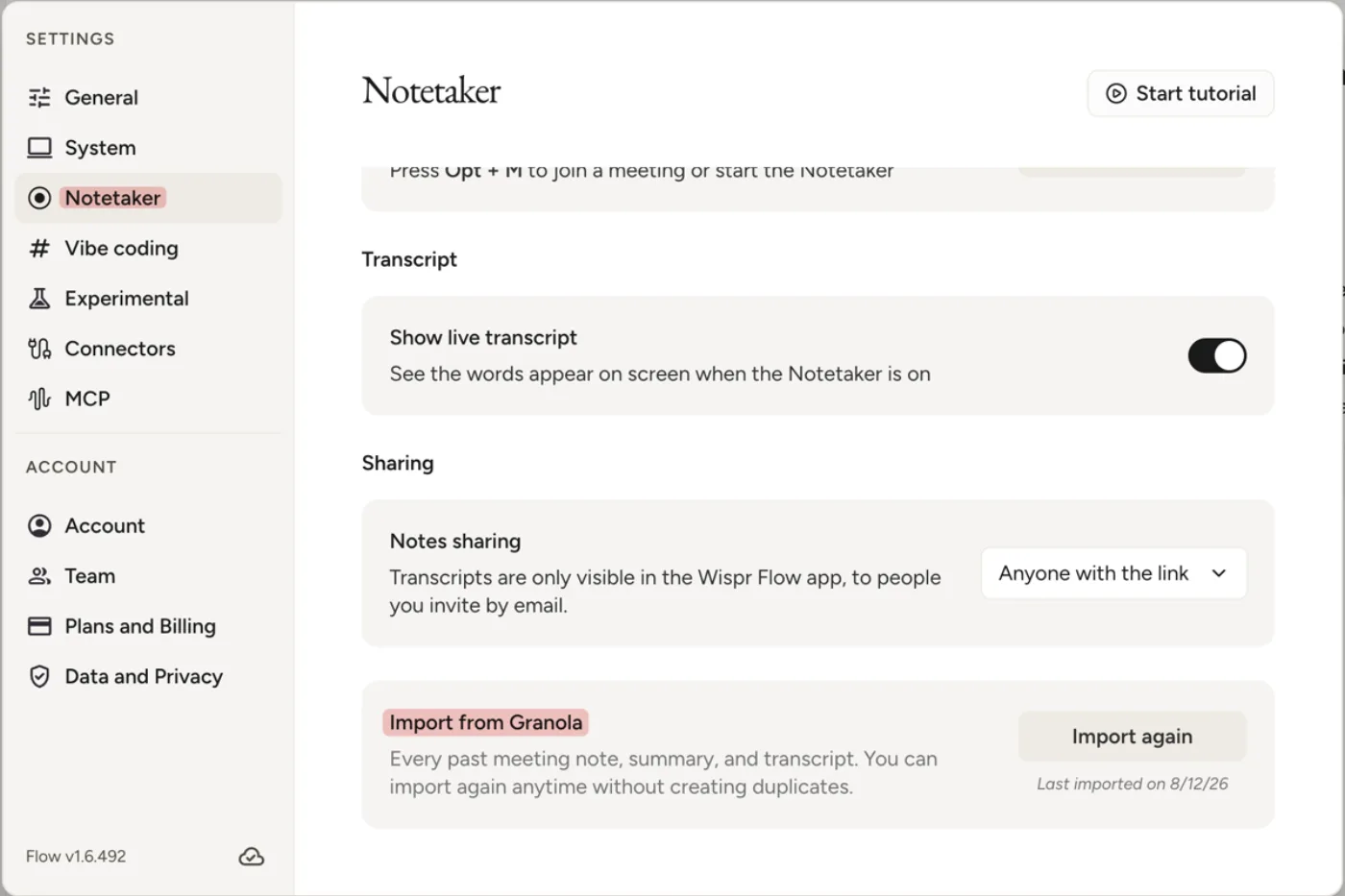
Settings, then Notetaker, then Import from Granola. The panel describes itself as "Every past meeting note, summary, and transcript. You can import again anytime without creating duplicates", and it stamps the date of your last run. That last line is the useful one: because the import is a snapshot rather than a sync, anything you record in Granola afterwards stays there until you run it again, and running it again is safe.
Should you move at all
The honest version of the maths, with both pages read on 2026-08-12.
| Granola Business | Wispr Flow Pro | |
|---|---|---|
| Price | 14 dollars per user per month, monthly only | 15 dollars per user per month, or 12 on annual |
| Year one | 168 dollars | 144 dollars on annual |
| Platform | Mac and Windows | Mac only for Notetaker |
Sources: Granola pricing and Wispr Flow pricing. Verified 2026-08-12. Wispr's Notetaker is included on the free plan, so you can try it without paying, and the Enterprise tier cannot use it yet.
Nothing is deleted in Granola when you import, and your account keeps working, so there is no forced cut-over. The genuine reason to move is that Wispr's Notetaker records without putting a bot in the call and its speaker matching draws on your calendar and inbox. The genuine reason to stay is that your history is already there, in one piece, with transcripts. If you are still shortlisting, our Granola review covers the product on its own terms, and Bluedot vs Granola puts it against the other botless notetaker worth a look.
Where Kai comes in
If the transcripts are the point, there is a route that reaches them, and it is Granola's own CSV export rather than any connected app. The export is not plan-gated the way the API is. When we ran it in July on a free plan, it returned 75 meetings going back seven months, each row carrying its full transcript. We wrote that path up in how to export Granola notes.
Kai is where the calls after the move can go. It records and transcribes them (both sides of the call on the Mac desktop app, with no bot joining), writes the summary and the action items when you stop, and before your next meeting with the same people it puts together a brief from those past meetings and your recent email with them.
The honest limit, and it's a real one for this article: Kai doesn't import Granola notes, by CSV or any other route. Everything before the day you start stays in the export, so if reaching old meetings is the reason you're leaving Granola, put that CSV in Notion or Obsidian, or pay Granola for the full history.

FAQs
Does importing Granola notes into Wispr Flow delete anything in Granola?
No. Your Granola account and its notes are untouched, and you can keep using both tools. The import copies a snapshot of your history at the moment you run it.
Why is the Transcript tab empty on my imported meetings?
Because Granola only exposes transcripts to connected apps on paid plans. Wispr shows the message "No transcript from Granola. Availability depends on your Granola plan." on imported meetings when your Granola plan does not include that access.
Does the Wispr Flow import reach Granola notes older than 30 days?
Not on a free Granola plan. Granola only exposes the last 30 days of notes to connected apps on its free tier, and the importer connects the same way, so older meetings stay where they are. On a paid Granola plan the whole history comes across.
Where is the Granola import if I already clicked Skip?
Open settings, go to the Notetaker tab, and look for Import from Granola. It has an Import again button and shows the date of your last import.
Can you run the Wispr Flow Granola import twice?
Yes. Wispr states in the settings panel that you can import again at any time without creating duplicates, which is also how you pick up meetings recorded in Granola after your first run.
Does the import work on Windows?
Not yet. Wispr's Notetaker is Mac only at the moment, and the import lives inside it.
Can you import Otter or Fathom notes into Wispr Flow?
Not today. Both appear in the import modal marked coming soon, with no published date.

What to read next
Wispr Flow Review 2026: Two Products, One $15 Subscription
Wispr Flow shipped a meeting notetaker in August 2026. We price both halves of the subscription after a month of daily use on a paid account.
Wispr Flow Notetaker Review: 5 Things It Does Differently
Wispr Flow's new Notetaker turns the dictation app into a bot-free meeting notetaker. We tested it on real calls: 5 things it does differently.
Granola AI Review (2026): Pricing, Limits, Why We Left
After months of daily Granola use: what the free plan really limits, how accurate the transcripts are, what $14 buys, and the gap that made us switch.