

Key Takeaways
- Wispr Flow stopped being only a dictation app on August 5, 2026, when Notetaker launched. Every review ranking for this term today was written before that or skips it, so they price the old product.
- The dictation is the part worth paying for. Our own account has run 81,091 words through it at 134 words per minute, and what it really changes is not speed, it is how much detail you bother to include.
- $15 a month, or $12 on annual billing. The free plan is genuinely usable at 2,000 words a week on desktop and it includes Notetaker, with a weekly meeting cap Wispr does not publish.
- Wispr and Kai get compared a lot now and they are not playing the same game: Wispr owns system-wide dictation, which Kai doesn't do (its mic only dictates messages to Kai), and Kai wires the meeting into the email, calendar and task list around it, which Wispr does not do. The table below is the honest split.
Wispr Flow is two products now, and the reviews you will find for it are reviewing one. It was an AI dictation app until August 5, 2026, when it shipped Notetaker, a meeting recorder that captures your calls without a bot joining them. Every result on the first page of Google for this term either predates that launch or ignores it. We have been paying for Flow Pro and using it daily for a month, and we ran Notetaker across seven real calls including our own five-person standup, so this review prices both halves separately.
The short version: the dictation is worth the money on its own, and the notetaker is a strong free addition with a real ceiling.
The dictation is what you are actually paying for
Flow lives in the menu bar. Hold a shortcut, talk, release, and cleaned-up text lands in whatever field your cursor is in: Slack, Gmail, a terminal, a Google Doc, Claude. It strips filler, fixes grammar, applies a personal dictionary you teach it, and it does that in any app rather than in a box you have to copy out of. That last part is the whole product, and it is why people who try it tend to keep it.
Here is a month of heavy daily use on our Flow Pro account, straight off Wispr's own Insights panel on August 26, 2026:
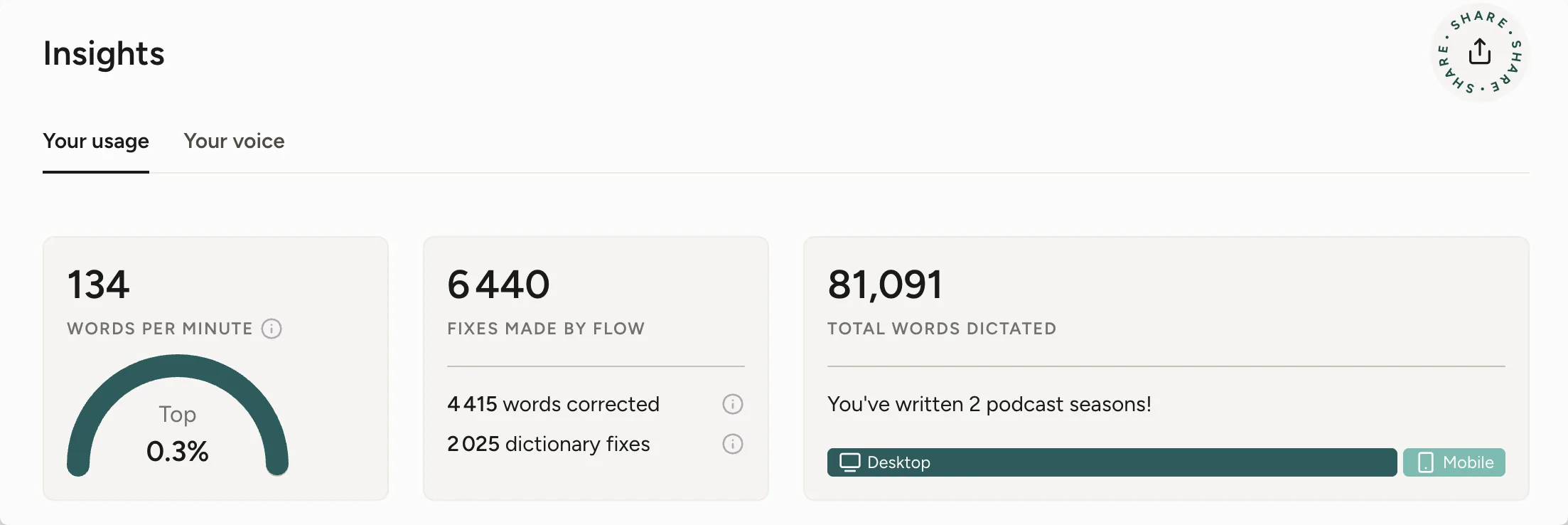
81,091 words dictated, at an average of 134 words per minute, with 6,440 automatic fixes applied along the way: 4,415 word corrections and 2,025 substitutions from the personal dictionary. Almost all of it on desktop.
 Note
NoteRead those numbers as usage, not as a benchmark. Wispr publishes no accuracy figure, and the panel's category breakdown is unreliable for judging what people do with it: it labels dictation by the app receiving the text, so anything typed through an AI interface gets filed as a prompt even when you are writing an email or a document inside it. The only other page-one review with real numbers is Zack Proser's, at 184 words per minute over 182,718 words. Two independent heavy users, same order of magnitude. Every other speed figure on that first page is Wispr's own marketing claim.
Dictation buys you detail, not speed
The speed number is the one everyone quotes and it is the least interesting part. What changes is how much detail you are willing to include.
Typing pushes you toward being concise, because every extra clause costs you. Speaking removes that cost, so you say the whole thought instead of the summary of it. In practice that shows up in the tasks you were quietly skipping. Writing a complete product bug report with the full context used to take us 30 to 40 minutes, so it often did not get written. It now takes about 10, so it does. The tool did not make an existing task faster. It made a skipped task cheap enough to do.
That effect is strongest wherever more context produces a better result: briefs, specs, bug reports, prompts, anything a reader or a model has to work from.
What Wispr Flow costs
Pricing verified 2026-08-26 against wisprflow.ai/pricing.
| Plan | Price | Dictation | Notetaker |
|---|---|---|---|
| Free | $0 | 2,000 words/week desktop, 1,000/week iPhone, unlimited Android | Included, weekly meeting limit, standard retention |
| Pro | $15/user/month, or $12 on annual billing | Unlimited | Higher limits, extended retention |
| Enterprise | Contact sales | Unlimited | "Notetaker coming soon to Enterprise" |
Two things worth knowing before you decide. Wispr does not publish the free plan's weekly meeting cap, so you cannot work out in advance whether the free tier covers your week. And the Enterprise tier, the one a company would buy, still does not have Notetaker at all.
The free plan is more generous than it looks. 2,000 words a week is roughly what our account burns in a heavy day, but a normal user writing messages and prompts can live inside it. If you find yourself hitting the wall repeatedly in the first fortnight, that is the signal to pay, and it is the honest way to trial this: use the free tier until it stops you.
 Tip
TipThe subscription is per user and the annual discount is 20%. At $12 a month it competes with a single lunch, which is the frame most people end up applying to it. The fair caveat: dictation of this quality is worth paying for, and we have not tested enough alternatives to claim Wispr is the best implementation of it. The technology is good and other companies build it too.
The notetaker is included free, and it is Mac-only
On August 5, 2026 Wispr shipped Notetaker, a meeting recorder inside the Mac app. No bot joins the call. It captures your Mac's system audio, so it works on Zoom, Meet, Teams, a Slack huddle, or a room conversation through the laptop mic. You get a live transcript during the call, a cleaned-up version about a minute after it ends, a summary with next steps attached to named people, and pre-meeting briefing cards that recall your last conversation with each attendee.
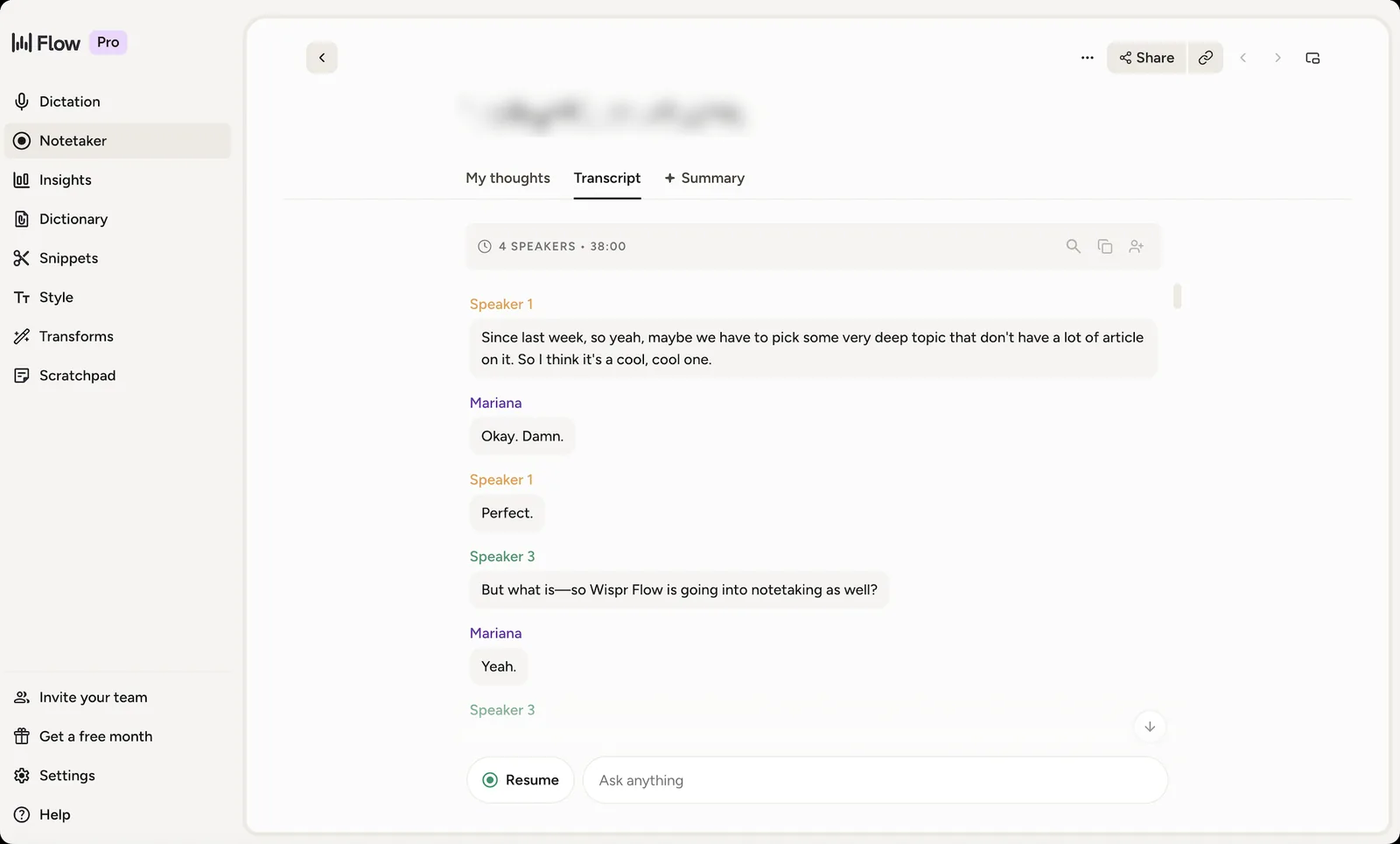
We covered the whole feature in our full review of Wispr Flow's Notetaker, so the compressed verdict here: it is good, it is free, and it is genuinely the best reason to install Flow if you were on the fence. The two numbers that matter from our testing are that diarization separated three of five voices on our standup and merged two people into one, and that working out who was who and renaming them took three to four minutes. Nobody does that after every call, so most transcripts realistically stay Speaker 1, Speaker 2, Speaker 3.
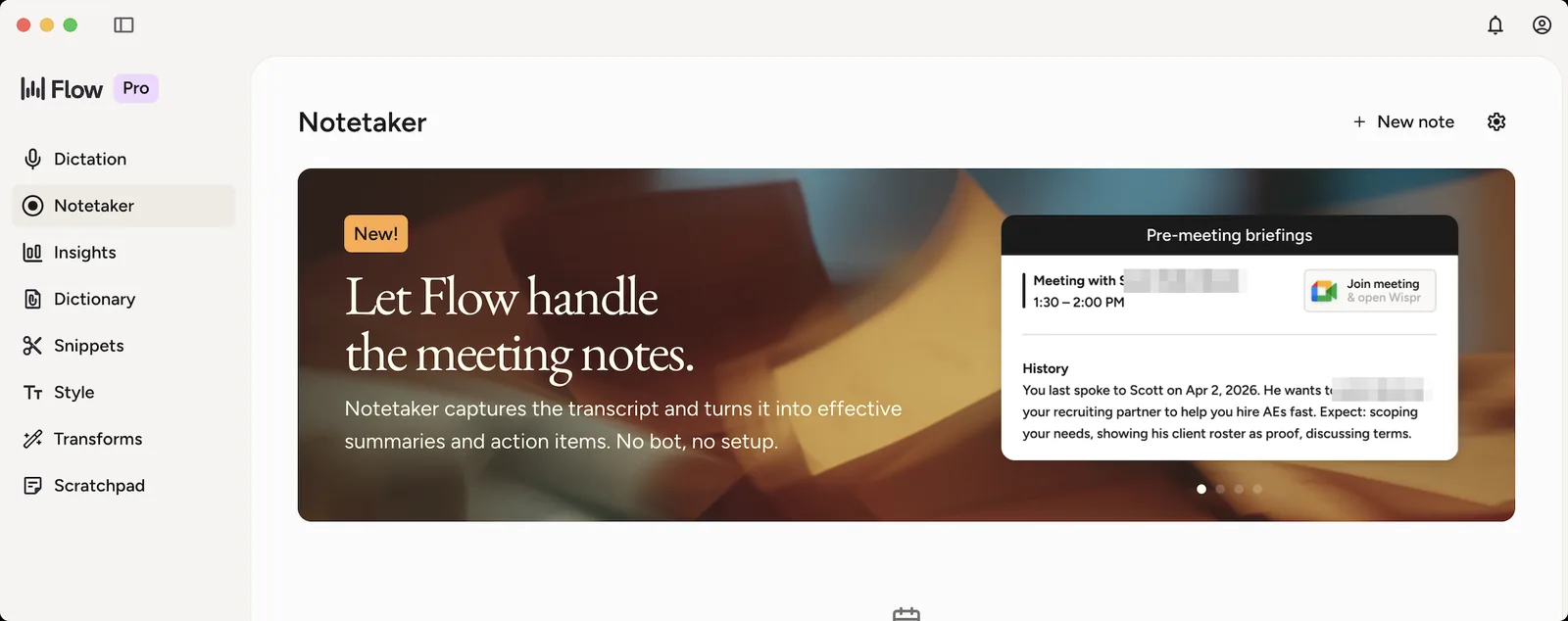
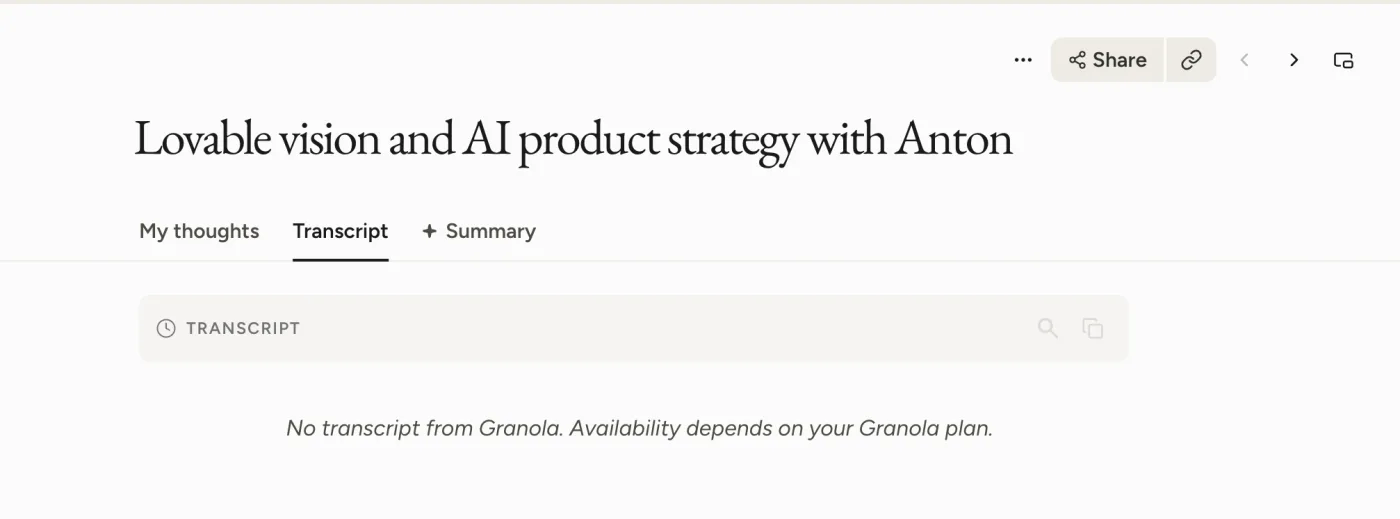
Since launch, Wispr has kept shipping: the August 21 build added a virtual microphone, admin digests for teams, and 14-day trials for new team members. It also shipped a one-click Granola import, which is a direct pitch at anyone sitting behind Granola's 30-day free-plan window. We ran that import and timed it: 31 seconds, and your transcripts do not come with you on a free Granola plan.
NoteNotetaker is Mac only. System audio capture needs macOS 14.4 or later, it is English only, and Cloud Sync has to be on, which means meeting processing happens on Wispr's servers rather than locally. Wispr says Windows is coming. Flow's dictation already runs on Windows, iPhone and Android; the meeting half has not caught up.
One feature we could not get to work: Wispr offers an option to stop transcription automatically when a meeting ends. We enabled it and tested it on two separate calls. At the end of each one, nothing happened. The recording kept running until we stopped it by hand. Worth knowing if that setting is what sold you.
Everything runs in the cloud, meetings included
Both halves run in the cloud. That is the recurring criticism of Flow among technical users, and it predates the meeting feature:
“Yes, Wispr Flow is a cloud-based application. All of your voice data, dictation, and contextual AI processing happen on remote external servers.”
Danox on Hacker News, May 2026Notetaker extends that architecture from single sentences to entire conversations. Wispr's own privacy documentation confirms meeting recording sits on the cloud side of the line, and the terms of service disclaim accuracy on speaker attributions in advance. If local-only processing is a hard requirement where you work, this is where the evaluation stops, and it stops for most of this category, not just Wispr. Recording consent is a separate question and still yours to handle; our guide on asking before you record covers how we do it.

Four of the top results are competitors selling you an alternative
Worth saying plainly, because it explains why this page exists. We read the first page of results for this term on August 26, 2026. Four of the top results are competitors selling you an alternative: Letterly and Spokenly are rival dictation apps, and tldv is a rival meeting recorder. Each reviews Wispr Flow and then recommends its own product in the conclusion: Letterly ends on "Letterly is the stronger choice", and Spokenly names itself "the better alternative for most users".
The numbers they circulate are stale too. Several cite an App Store rating "across 8,500+ ratings". Apple's own lookup returns 4.8 across 14,345 ratings for the iOS app as of August 26, 2026, on version 1.71. We also chose not to repeat the low Trustpilot score that appears in three of those competing reviews, because we could not verify it against Trustpilot directly and every source asserting it sells a competing product.
The bigger miss is simply time. The freshest independent review on that page went up on August 1, four days before Notetaker existed. Everything else is older. They are all accurate about a product Wispr no longer ships.
Kai and Wispr Flow are not competing on the same thing
These two get compared a lot since Notetaker launched, and the comparison usually gets framed as two notetakers going head to head. That framing is wrong in both directions, so here is the split, feature by feature. Kai's column is checked against our own feature documentation rather than written from memory.
| Wispr Flow | Kai | |
|---|---|---|
| System-wide dictation in any app | Yes | No |
| Bot-free meeting capture | Yes | Yes (desktop captures system audio, web captures your mic only) |
| Named speaker labels | Yes, one-click renaming | Partial: each line is "You" or "Them", and every remote voice shares "Them" |
| Pre-meeting briefing from your history | Yes | Yes, generated automatically ahead of the call |
| Action items with assignee, due date and priority | Names in the summary text | Yes, as editable fields |
| Accept, edit or reject each item | No | Yes, in daily triage |
| The item becomes a real task | No | Yes, in the Tasks workspace |
| Recap email drafted in your tone | No | Yes, pre-addressed, you click send |
| Email triage | No | Yes |
| Calendar | Connector, for meeting context | The product it is built on |
| Ask questions across past meetings | Yes | Yes |
| MCP access for Claude, ChatGPT, Cursor | Yes | Yes |
The top row is the one that matters most and it goes against us. Kai has no system-wide dictation: its mic only dictates messages to Kai. If you came to this page because you want to talk instead of type everywhere on your machine, Wispr Flow is the right purchase and nothing further down this table changes that.
The rest of the table is the part Wispr does not attempt. Wispr writes down who owes what and stops there, and MCP letting Claude read your notes is useful without being routing. Kai's answer to a finished meeting is to push it outward into everything around it.
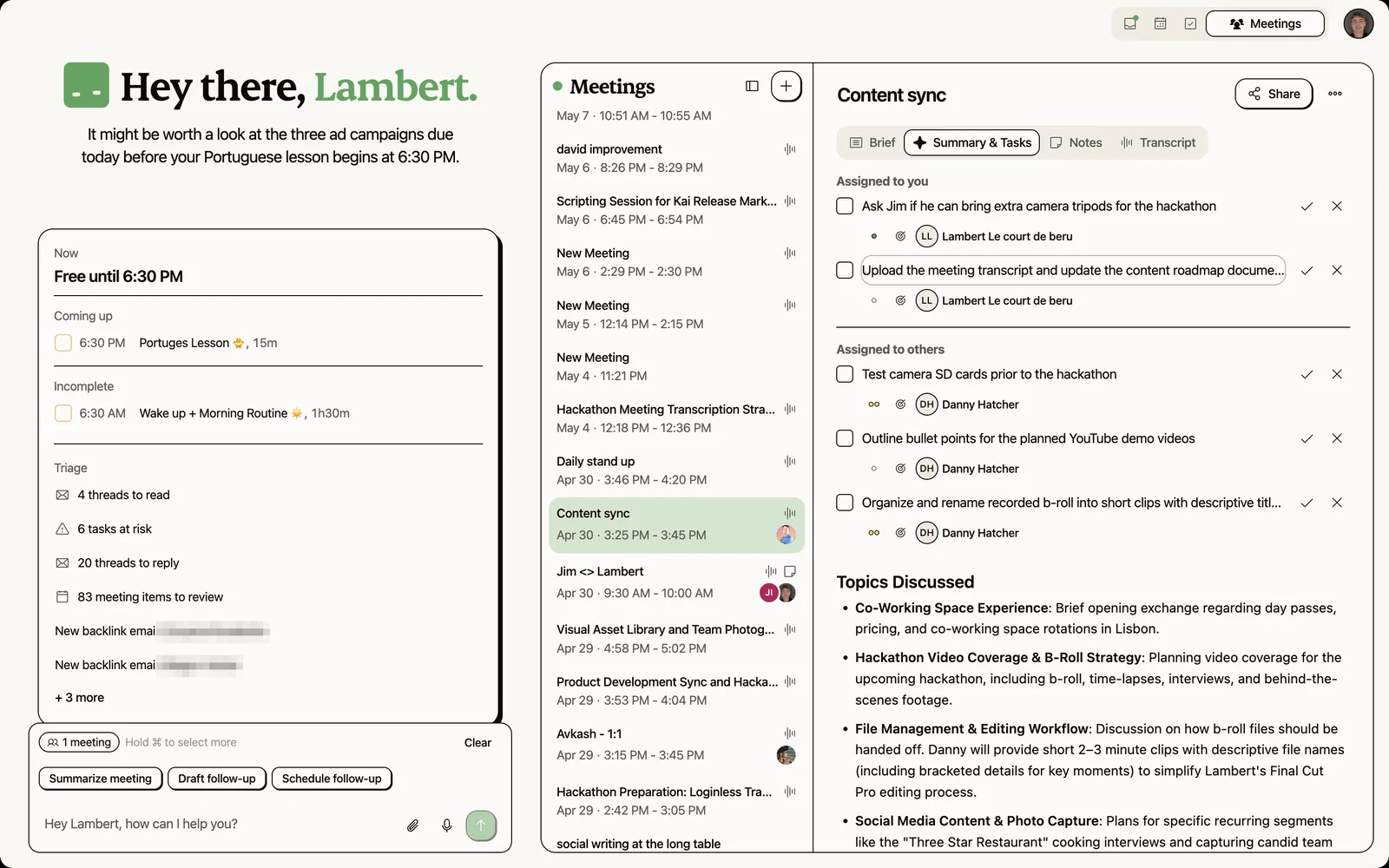
Those items land in a daily triage where you accept, edit or reject each one, and an accepted item becomes a task with an assignee, a due date and a priority sitting next to your calendar and your email. That is the whole chain from a spoken commitment to a tracked task. Kai will also draft the recap email to attendees in a tone matched from your past mail, and answer questions about any past call without making you find the note first.
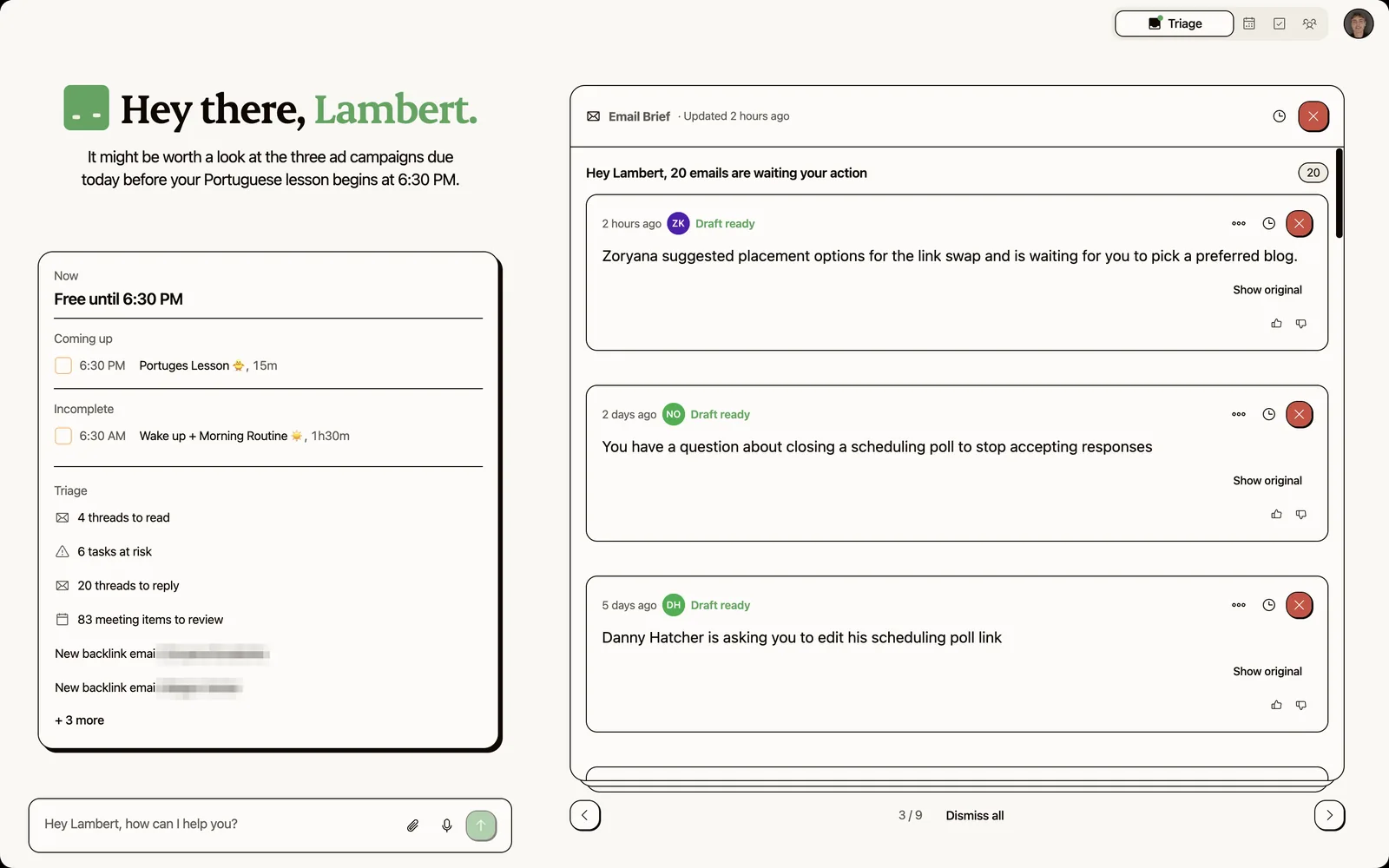
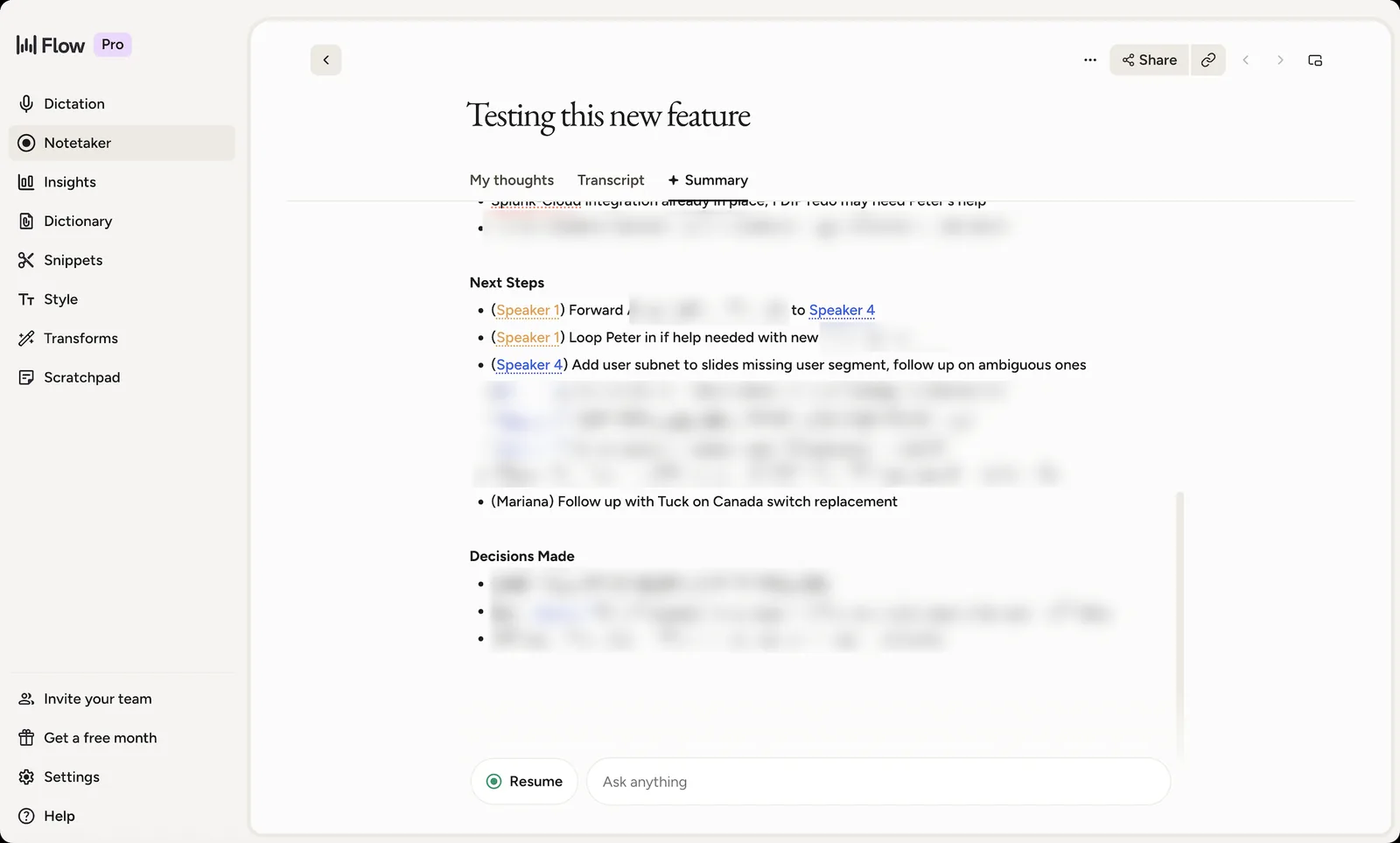
We did run the same 30-minute call through both, and the result is worth reporting because it does not flatter us. Wispr returned seven next steps. Kai returned two. Wispr found more, including one for a person who was not in the meeting, which is either good recall or a confident invention depending on how charitable you feel. Kai's two carried a due date each and the split between your items and other people's, and one of the two went to the wrong person. So Wispr pulls more out of a call, and what Kai does with what it pulls out is a different job. Both statements are true and neither one settles the other.
TipThe clean way to decide between them is to ask what your actual problem is. If it is that typing is slow, buy Wispr Flow. If it is that things agreed in meetings never get done, no notetaker fixes that, including this one, and you are shopping in a different category.
Who should buy it
Buy Flow Pro if you write a lot of prompts. That is the use case the data supports and the one where the subscription pays for itself fastest. If your day is mostly briefing an AI, drafting long context, or writing anything where detail beats brevity, $12 to $15 a month is easy to justify, and the free tier will tell you within two weeks whether you are that person.
Stay on the free plan if you mostly write short messages. 2,000 words a week covers a lot of Slack, and Notetaker is included, so you get the meeting feature without paying.
Skip it if you are on Windows and wanted the meetings, since Notetaker has not shipped there yet, or if your organisation requires local processing, since both halves are cloud-only.
And if what actually bothers you is that meeting commitments never reach your task list, that is a different category, and it is the one we work in. We checked the same gap in Granola and in Bluedot: both write the commitment down, neither one moves it into a task manager, and Wispr behaves the same way. Our comparison of the best AI executive assistants covers the tools that try, and Kai vs Granola walks the same fork in more detail.

FAQs
Is Wispr Flow worth it?
If you write a lot, yes. Our own account has run 81,091 words through it, and the payback is not really the typing speed, it is that speaking removes the incentive to compress your thinking, so the long explanation you would have skipped gets written. If you mostly send short messages, the free plan at 2,000 words a week on desktop will probably cover you, and it includes the meeting notetaker. The clean way to decide is to run the free tier for two weeks and see whether you keep hitting the cap.
How much does Wispr Flow cost?
Free for 2,000 words a week on desktop, 1,000 on iPhone and unlimited on Android. Pro is $15 per user per month, or $12 a month billed annually, for unlimited dictation. Enterprise is quote-based. The meeting notetaker is included on free and Pro, with a higher weekly meeting cap and longer note retention on Pro; the pricing page still lists Notetaker as coming soon for Enterprise. Verified against Wispr's pricing page on August 26, 2026.
Wispr Flow vs Superwhisper: which one?
They solve the same job differently. Superwhisper's pitch is local processing and a one-time purchase option, which matters if your work cannot leave your machine or you dislike subscriptions. Wispr Flow is cloud-only and subscription-only, and in exchange you get the cross-app polish, the automatic corrections, the personal dictionary and now a meeting notetaker in the same app. We pay for Flow and have not run a controlled test against Superwhisper, so treat that as a preference rather than a verdict: if privacy or a perpetual licence is the constraint, Superwhisper is the one to trial first.
Does Wispr Flow work on Windows?
The dictation does, along with iPhone and Android. The meeting notetaker does not yet. Notetaker needs macOS 14.4 or later for system-audio capture and is English-only at the moment, with Windows listed as coming soon. If the meeting feature is the reason you are buying, and you are on Windows, wait.
Is Wispr Flow private?
Not in the local-processing sense. Everything runs in the cloud: your dictated speech, the AI rewriting, and now entire meeting recordings, since Notetaker requires Cloud Sync to be enabled. Wispr's privacy documentation and terms of service both spell this out. If your employer requires that voice data stays on the device, this is a hard no rather than a detail to negotiate, and it rules out most of this category rather than Wispr specifically.
Should you switch from Granola to Wispr Flow?
Only if you want dictation too. Granola is a meeting notepad and nothing on its product pages offers system-wide dictation, so that half of Wispr is the part you gain by moving. On meetings alone the two are close, and Wispr's one-click Granola import makes the move look easier than it is: on a free Granola plan your transcripts do not come across and neither do meetings older than 30 days. We timed the import at 31 seconds and documented what arrives in our guide to importing Granola notes to Wispr Flow. If you are leaving to rescue an archive, exporting from Granola directly is the route that actually reaches it.
What are the best alternatives to Wispr Flow?
Split the question, because Wispr is two products. For dictation, Superwhisper and MacWhisper are the local-first options, and macOS built-in dictation is free if your needs are light. For meetings, Granola is the closest bot-free equivalent, and Bluedot is worth a look if you want recording without the app-in-the-way. None of them, Wispr included, moves a commitment out of the note and into a task list, which is the gap worth checking before you pick any of them.

What to read next
How to Import Granola Notes to Wispr Flow
Wispr Flow's Granola import takes 31 seconds, and we filmed it. Notes and summaries arrive, transcripts don't, and Granola's 30-day limit comes with you.
Wispr Flow Notetaker Review: 5 Things It Does Differently
Wispr Flow's new Notetaker turns the dictation app into a bot-free meeting notetaker. We tested it on real calls: 5 things it does differently.
Granola AI Review (2026): Pricing, Limits, Why We Left
After months of daily Granola use: what the free plan really limits, how accurate the transcripts are, what $14 buys, and the gap that made us switch.