


Key Takeaways
- The $19 everyone quotes is the team per-seat rate. One person pays $29/month on annual billing, which is $348 a year, or $49 billed monthly (usemotion.com/pricing, verified 2026-09-03). This review got that wrong until now, and the correction is below.
- Auto-scheduling is still the reason to buy it. Tasks land on the calendar with real times and roll forward when the day slips. 2026 reviewers keep naming that specific behaviour as what keeps them paying.
- Billing is the loudest complaint of 2026. At least 11 of the 17 one-star Trustpilot reviews published this year concern auto-renewal or refused refunds, and Motion's Terms confirm the trial auto-bills and purchases are non-refundable.
- Kai does the upstream job instead. Motion schedules the tasks you type in; Kai captures the meeting, pulls out the commitments, and drafts the follow-up so the tasks exist in the first place.
Verified 2026-09-03 against Motion's pricing page, Terms of Service, help centre and security page.
Start with a correction, because it changes the number this whole review turns on.
Motion's pricing page opens on the Teams tab with annual billing already selected. The first price a visitor sees is $19 per seat. That is not what one person pays. Switch to Individuals and Pro AI reads $29 a month, or $49 if you pay monthly. Earlier versions of this review printed the team column under a heading reading "Individual plans", which understated the solo entry price by 53%.
We're not alone in it. Kristian Larsen's review quotes $228 a year, which is the team annual rate multiplied by twelve. Motion's own blog still tells readers "We offer a 7-day free trial" next to a price block reading "Individual: $19/month". The number circulates because the page hands it to you first.
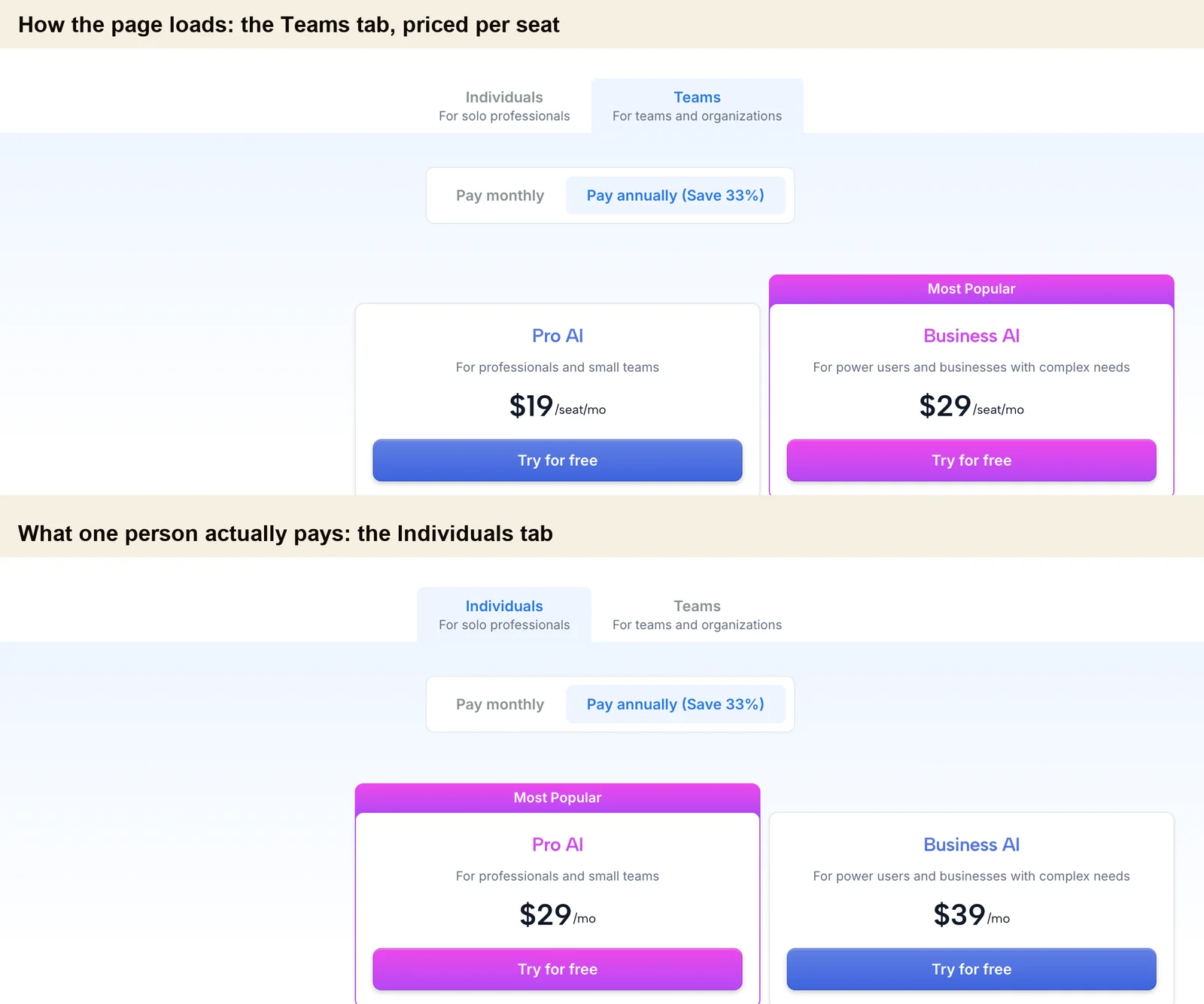
The $19 on Motion's pricing page is the team price
Here is the full grid, read from the pricing page's own data on 2026-09-03.
| Plan | Solo, monthly | Solo, annual | Team, monthly per seat | Team, annual per seat |
|---|---|---|---|---|
| Pro AI | $49 | $29 ($348/yr) | $29 | $19 |
| Business AI | $69 | $39 ($468/yr) | $49 | $29 |
Two things follow that most reviews skip.
Seats come in buckets, not per head. Motion's help centre lists the available sizes as "1 seat, 3 seats, 5 seats, then in increments of 5", and gives the worked example itself: six people buy the ten-seat plan. It also says plans "include a fixed number of seats" and that "seats and AI credits are bundled together and can't be split across plans". A Trustpilot reviewer put the consequence more bluntly in January 2026:
"Motion advertises a price, but quietly enforces 'bucket' minimums, meaning you may need to pay for 10 seats even if you only need 6." Alex, Trustpilot, 6 January 2026
There is no three-seat minimum, despite the claim circulating in older reviews (including ours). A one-seat plan is explicitly purchasable.
The advertised 33% annual discount understates itself. The toggle reads "Pay annually (Save 33%)" on every tab, but checked against Motion's own prices the real saving is 34.5% on team Pro AI, 40.8% on solo Pro AI and team Business AI, and 43.5% on solo Business AI. Annual billing is a better deal than the label admits, which cuts the other way from most pricing complaints.
Credits attach per seat, 7,500 a month on Pro AI and 15,000 on Business AI, and get spent from one shared account pool. Motion's tooltip prices a single workflow such as summarising a meeting or drafting an email at "around 5 credits", so a Pro AI seat covers roughly 1,500 AI actions a month. They reset every billing cycle and don't carry over. Overage is billed per 100 credits, and that rate moves with the tab too: 39 cents on a solo Pro AI seat against 25 cents on a team one.
 Note
NoteWhat happens when the trial ends
The 7-day trial is real, though Motion states the length in its app-store listings and blog rather than on the pricing page, which says only "Start your free trial. Risk free. Cancel anytime."
The Terms are more precise than the marketing. Section 6.5 says "Your free trial lasts exactly 24 hours per day of the trial duration (e.g., a 7-day trial ends exactly 168 hours after it begins)", and that Motion "will automatically bill your payment method on the first day of your first Subscription Term after the free trial period expires". Section 6.3(d) states in capitals that you receive no refund for cancellation, for unused time, or for pre-payments. Motion's help centre repeats it: "Canceling your subscription does not automatically trigger a refund."
That combination is what 2026's reviews are about. Of the 17 one-star Trustpilot reviews published this year on the first page of the recency filter, at least 11 concern auto-renewal, trial-to-annual conversion, or a refused refund.
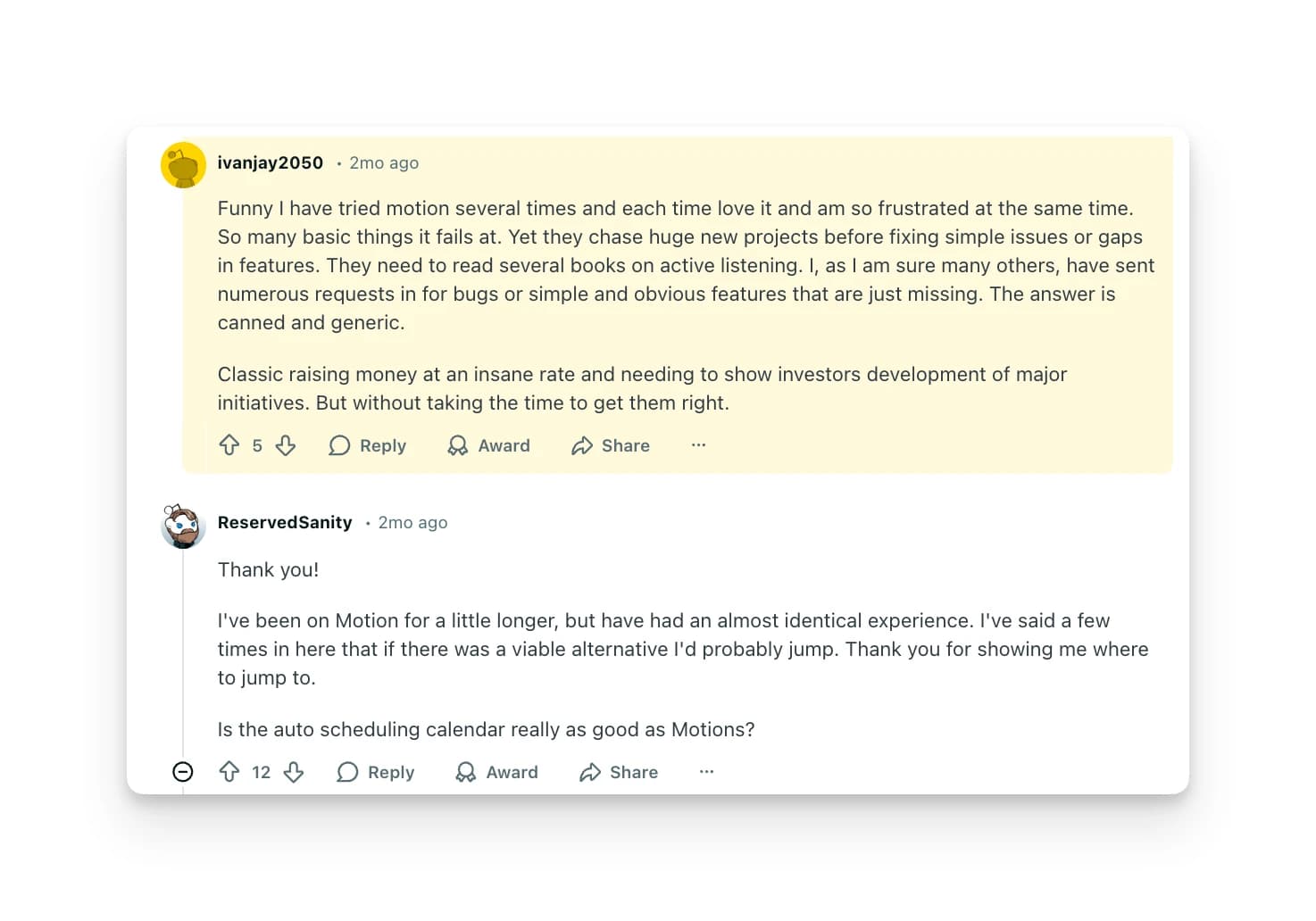
“Their pricing page clearly displays a 'Try for free' button for the monthly plan (I have the screenshots to prove it). However, they charge the annual plan.”
Gast, Trustpilot, 12 March 2026A February 2026 Reddit thread carries the same shape with a figure attached: a user reported being "charged $1200 USD after Motion free trial" without realising the plan was annual and covered three seats. Another commenter in the thread said the same thing happened and they disputed it with their bank.
Trustpilot's own company panel says Motion replies to 11% of negative reviews, typically within two weeks (observed 2026-09-03). Worth knowing before you hand over a card for a plan you can't get a refund on.
 Tip
TipAuto-scheduling is still the reason to buy Motion
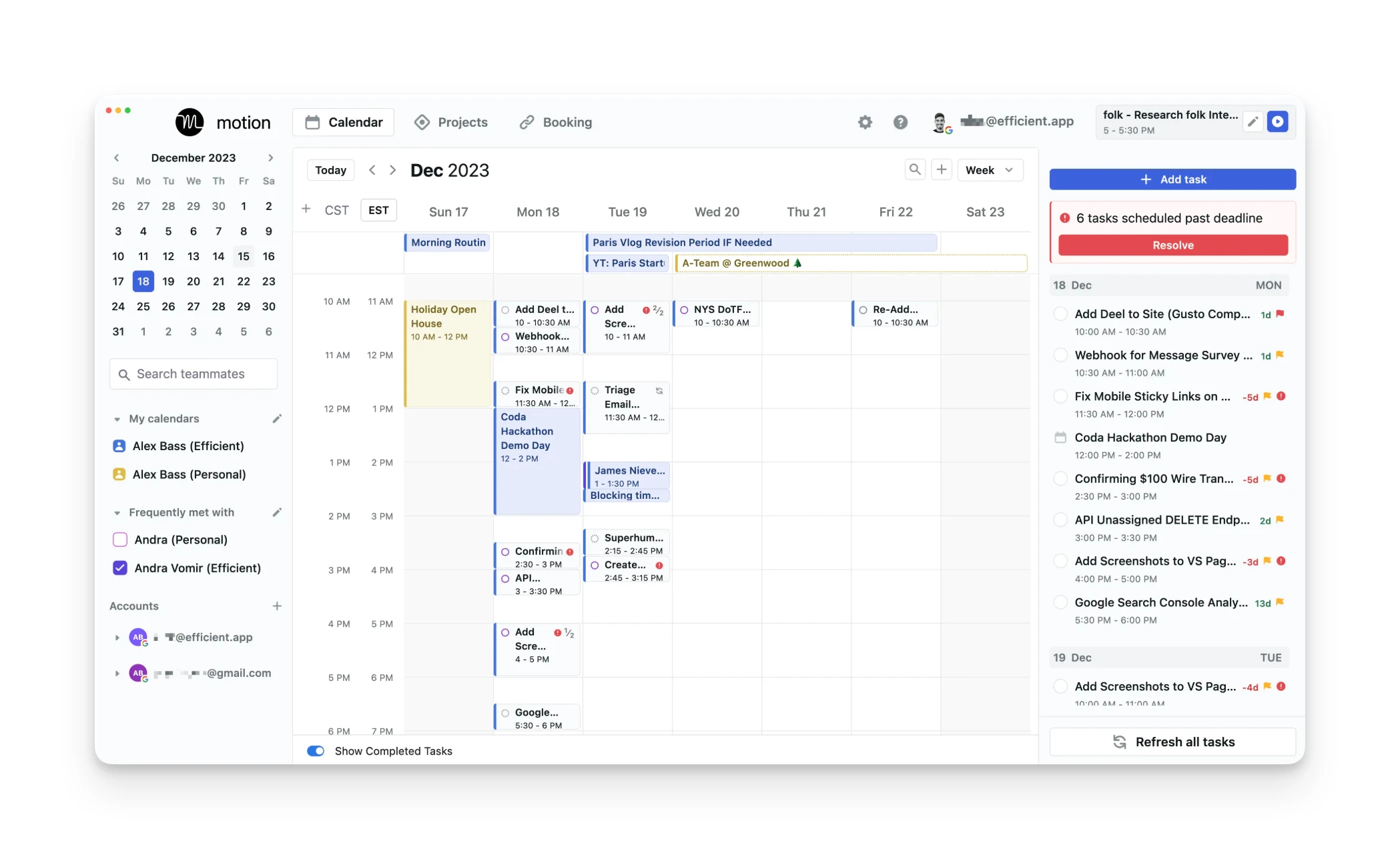
Set a deadline, a duration and a priority, and Motion finds the slot. When a meeting lands on top of the work, it rebuilds the rest of the day around it. Tasks you don't finish move forward rather than sitting in an overdue pile.
That last part is what 2026 reviewers actually name when they explain why they stay:
"My favorite feature is- if I don't check something off my list its moves it to the next day. No forgetting! Great for ADD brain." Sommer Riehn, Trustpilot, 6 March 2026
"As a busy consultant, I can prioritize (and re-prioritize) projects on the go, and Motion automatically finds the tasks I need to work on now." Joel Sherman, Trustpilot, 12 January 2026
Motion used to describe the algorithm as balancing "1K+ parameters like priority, deadline, & dependencies". That line came off the homepage around late November 2025, and the word "parameter" now appears nowhere on the homepage or the four main feature pages. The replacement language is a datapoint count, which the site states two different ways: "hundreds of thousands of datapoints" on the AI Task Manager page and "hundreds of datapoints" on AI Workflows.
If time-blocking is the part you want, our complete guide to time blocking covers the method Motion automates, and Akiflow pricing covers the closest premium alternative built on the same idea.
AI Employees left the product pages but still sells the use cases
This is the strangest thing about Motion in 2026, and it took some digging to pin down.
The dedicated AI Employees pages are gone. /ai-employees, plus the executive-assistant, project-manager, SDR and marketing-associate sub-pages, all return a 301 to the homepage. The two help-centre articles that documented the feature return 404. Motion's sitemap holds 947 URLs and not one of them contains "ai-employee". The pricing page never mentions AI Employees at all.
And yet all ten of Motion's use-case pages are still titled "AI Employee Work Platform for X", link from the homepage nav, and use the term a dozen times each. The construction page opens by inviting you to "onboard hundreds of AI employees". Two of them are named characters, Millie the AI Project Manager and Chip the AI Sales Rep.
So the marketing that sells Motion to a buyer still leads with AI Employees, while the pages that explained what they were have been taken down. Users noticed first. A December 2025 commenter in r/UseMotion reported that the feature had been deprecated and restricted to people who subscribed before 20 November 2025. Motion has published no statement either way, so treat that as a user report rather than an announcement.
What Motion sells instead now is AI Workflows, and it's a narrower thing than an autonomous agent. The page describes a builder that reads your SOPs, prompts and uploaded files and turns them into fully built, auto-assigned, auto-scheduled projects. Motion's own help centre calls AI Workflows project templates and says they're "not automations", while the marketing page's title tag promises to "Automate Project Management & Eliminate Busywork". Both descriptions are live on the same site. If recurring, rule-driven work is what you're trying to hand off, our Kai workflows page covers the same ground from the assistant side.
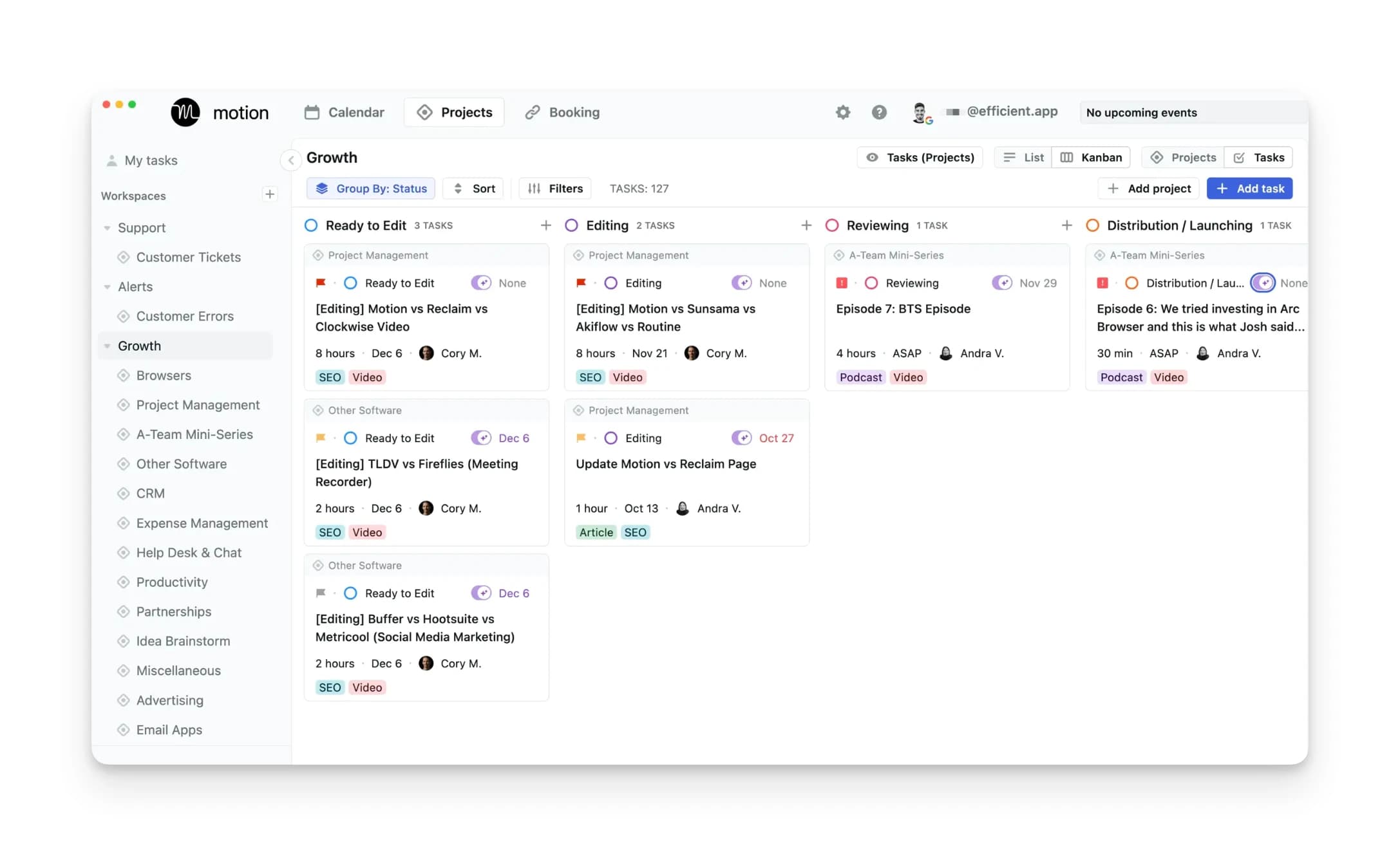
Motion's marketing site hasn't changed since February
We diffed Motion's homepage against its 24 February 2026 archive capture. Zero lines added. Three lines removed, all of them navigation: AI Sheets, its tagline, and the Affiliate link. The AI Workflows and AI Meeting Notetaker feature pages show the same result against their late-February captures.
Motion publishes no public changelog (/changelog, /whats-new, /releases and /product-updates all 404, though an in-app one may sit behind login). Nothing under the product tag on Motion's blog carries a 2026 date at all, and the last company milestone is the $60M raise at a $550M valuation announced in September 2025.
None of that proves the product isn't shipping, because the app is behind a login and we didn't buy a seat. It does mean a prospective buyer has no public way to see what changed. Users are asking the same question: a July 2026 r/UseMotion thread titled "Does Motion still receive meaningful updates, or is the product stagnating?" ran replies into August, one of them claiming no noticeable improvements or major bug fixes in almost a year.

Motion's own numbers don't agree with each other
The meeting notetaker is the clearest case. Motion's feature page says it is "80% more accurate than human notes". Motion's homepage says it is "more accurate than human notes 80% of the time, and just as good as the rest". Those are different claims, and only one can be the measurement. Neither is "80% transcription accuracy", which is how the figure usually gets repeated, including in earlier versions of this review.
The rest of the notetaker's published specifics hold up better: summaries in under 30 seconds, auto-join for Zoom, Google Meet and Microsoft Teams, and training on 10,000+ hours of meeting video. For alternatives built around meeting capture specifically, our Fathom vs Otter comparison and the Granola review cover the dedicated tools.
Your data sits in Iowa and can't be moved
Nobody else reviewing Motion mentions this, and for some buyers it decides the question.
Motion's security page states that customer data lives in Google's Central-1 region in Iowa, then adds: "Data is not stored in the European Union, and at this time unfortunately it is not possible to request your data to only be stored in the European Union." If you have a data-residency requirement, that's the end of the evaluation.
On the reassuring side, Motion's legal entity NexusBird, Inc has completed a SOC 2 Type II audit through Prescient Assurance, and the security page says data isn't sold or shared with third parties. The Terms are governed by Delaware law and carry an arbitration clause with a class-action waiver, though there is an opt-out route written into it.
Where Motion falls short
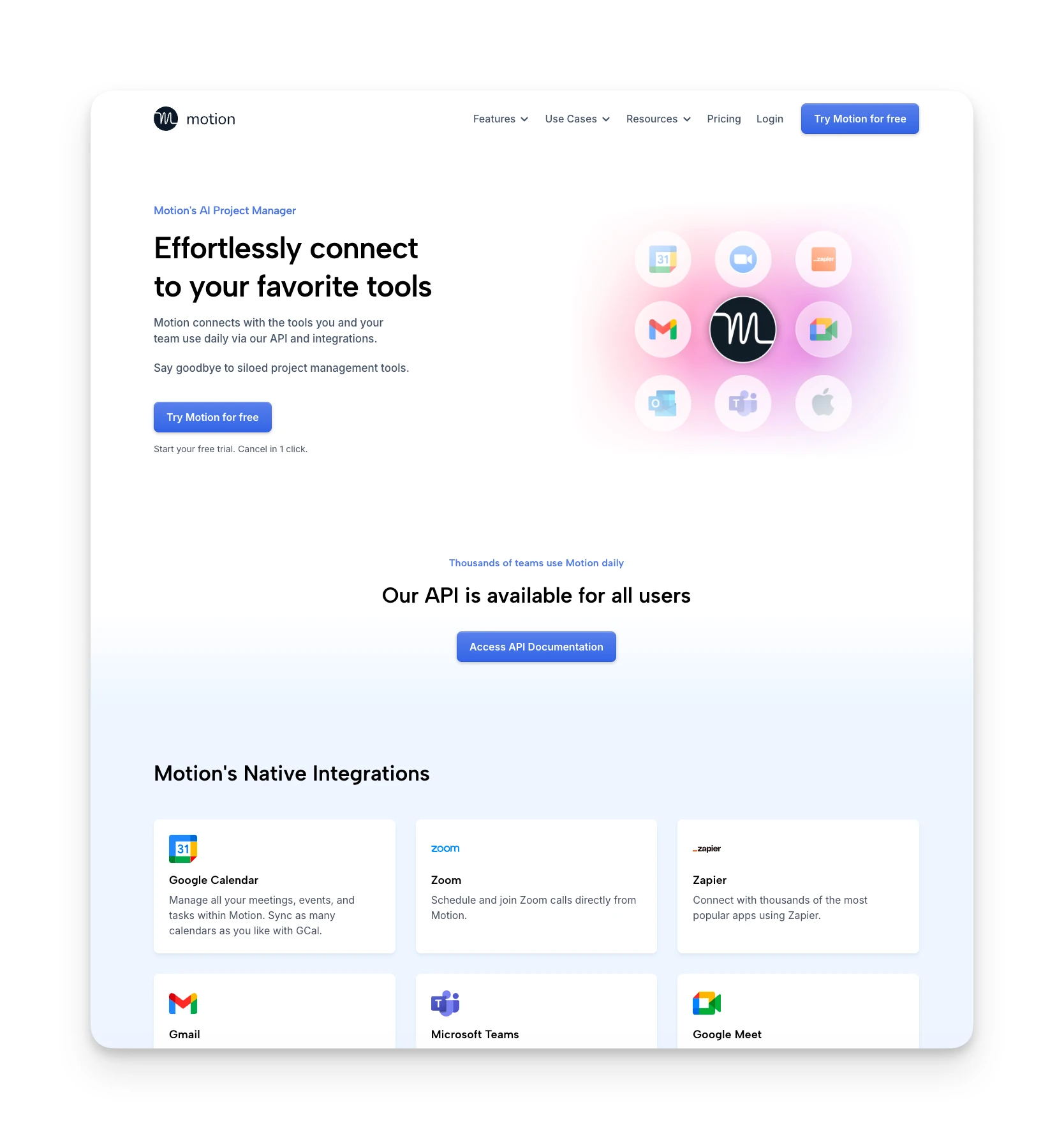
The native list on Motion's integrations page is short: Google Calendar, Zoom, Zapier, Gmail, Microsoft Teams, Google Meet, Outlook 365, iCloud Calendar and Siri. Motion's homepage separately claims it integrates with "HubSpot, Salesforce, Teams, Slack and hundreds more", which is true by way of Zapier rather than native connectors. When we checked that integrations page on 2026-09-03, Slack appeared nowhere on it, so if Slack is central to how your team works, plan on Zapier. (Kai's integrations are narrower still, so this is a fair thing to check on both.)
Mobile is the weakest surface by the numbers. The Android app sits at 3.4 out of 5 across 1,459 ratings on Google Play, well below the 4.1 on iOS, and reviewers keep saying the same thing:
"The AI calendar was the main draw, and works awesome, but the project management side of things is greatly missing tons of features such as subtasks... Their mobile app is just ok." Joshua C., Trustpilot, 11 March 2026
Two more themes recur in 2026 reviews. The first is that the AI adds work rather than removing it, from a June 2026 one-star review: "The AI hallucinates a lot and give you too many action items, things that you never discussed in a meeting" (HA, Trustpilot). The second is sheer surface area, from an April 2026 two-star: "There are so many options that I had no idea where to focus my attention" (Nicolas Thatcher, Trustpilot).
Where Motion Shines
- Tasks get real calendar times, and unfinished ones roll forward instead of piling up
- One-click rescheduling rebuilds the day when a meeting lands on your work
- Google, Outlook and iCloud calendars merge into a single two-way-synced view
- Annual billing saves more than the advertised 33% on every tier
Where Motion Falls Short
- Solo pricing is 53% higher than the figure the pricing page shows first
- Auto-renewal and refund complaints dominate 2026's one-star reviews
- Seats sell in fixed buckets, so six people buy ten seats
- No EU data residency, and no public changelog to check what shipped
What the ratings actually say
Motion's scores are polarised rather than mediocre, which is a different thing and worth reading carefully.
| Platform | Score | Reviews |
|---|---|---|
| Trustpilot | 3.7 / 5 | 577 |
| Capterra | 4.3 / 5 | 89 |
| iOS App Store | 4.1 / 5 | ~1,900 |
| Google Play | 3.4 / 5 | 1,459 |
All four observed on 2026-09-03.
On Trustpilot, 51% of reviews are five-star and 27% are one-star, with only 5% sitting in the two-to-three-star middle. That's the signature of a product that fits some people completely and fails others completely, not one that's mildly disappointing across the board. The iOS distribution says the same thing: 1,292 five-star ratings against 308 one-star.
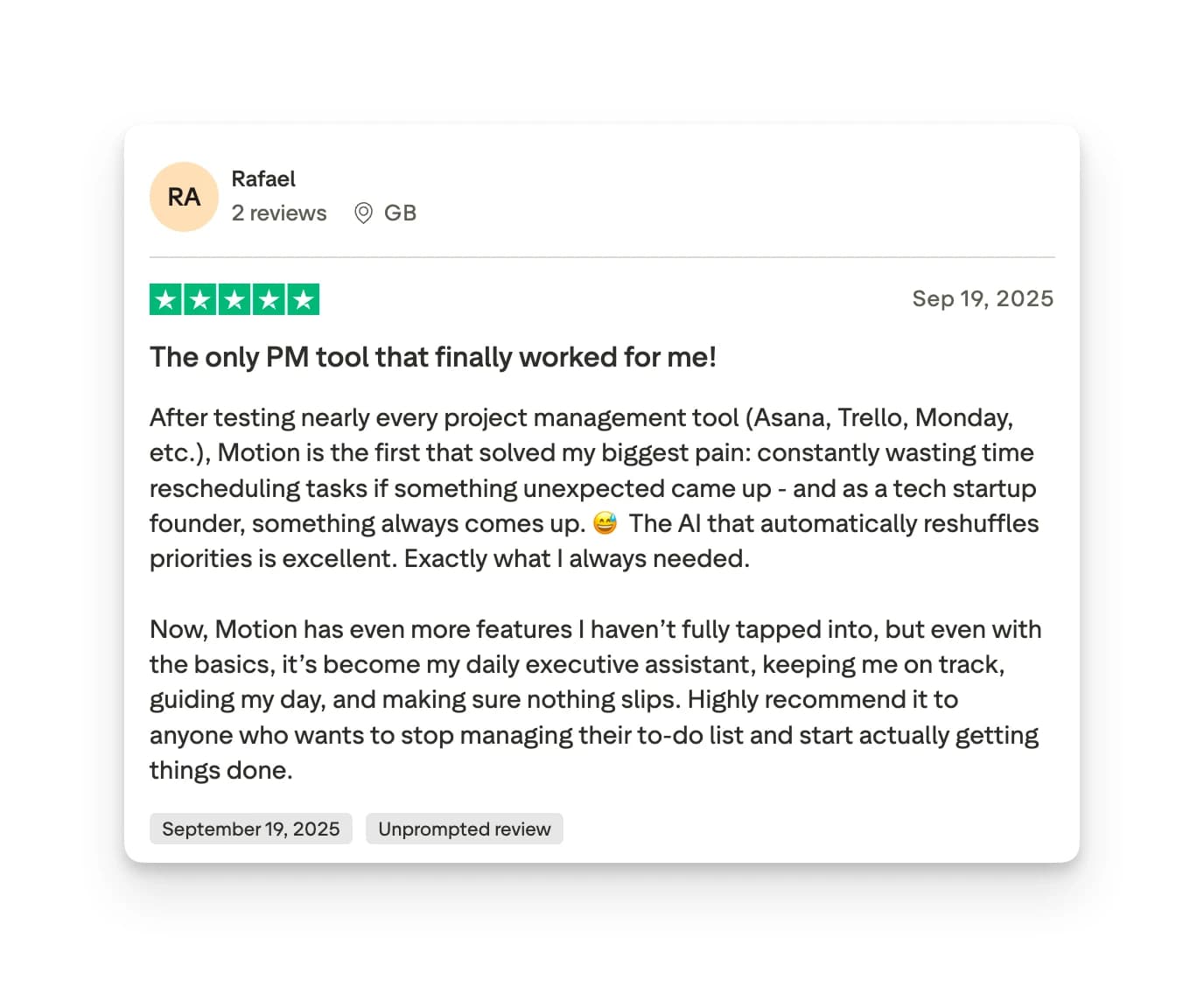
Price shows up even in the positive reviews. A four-star reviewer in March 2026 wrote "The tool is very useful, but pricing has increased a few times... I'm not sure I'll be able to renew" (Bryce, Trustpilot), and a Capterra reviewer rating it 4/5 in March 2026 listed the cost as the con: "The cost is pretty steep, and it doesn't do as much as some other software" (Joe L., Capterra).
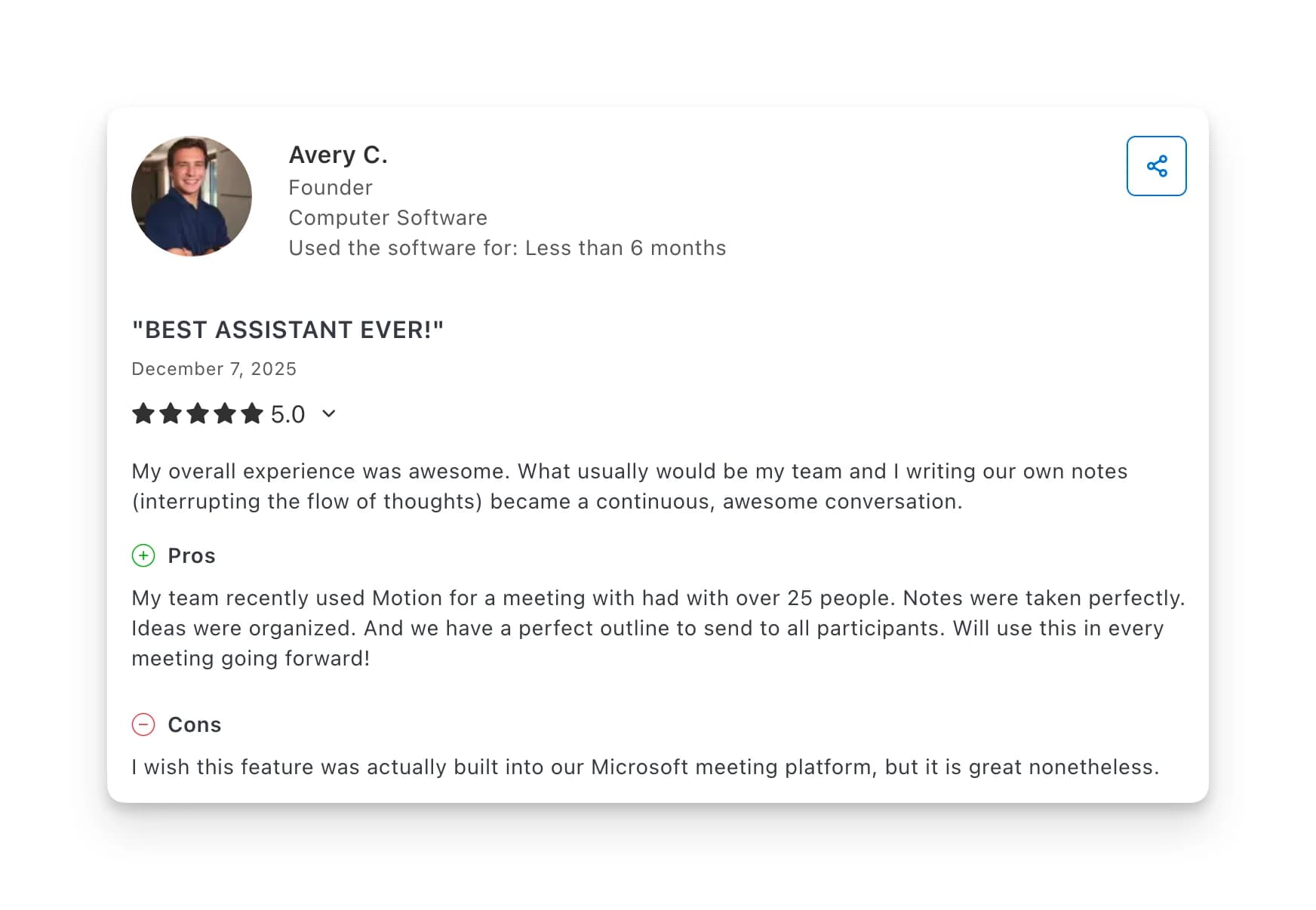
Kai: a Motion alternative
Kai is an AI executive assistant rather than a productivity app. Where Motion decides when you'll do the tasks you've already typed in, Kai handles the part before that: sitting in the meeting, catching what you committed to, and putting it somewhere before you've thought about it.
One honest caveat: Kai is newer than Motion and the integration roster is narrower. If your workflow depends on niche tools outside Google and Outlook, check compatibility before committing. Kai also doesn't do standalone auto-scheduling the way Motion does, so if a solver that fills your calendar unattended is the whole reason you're shopping, Motion is the better buy.
Botless meeting capture
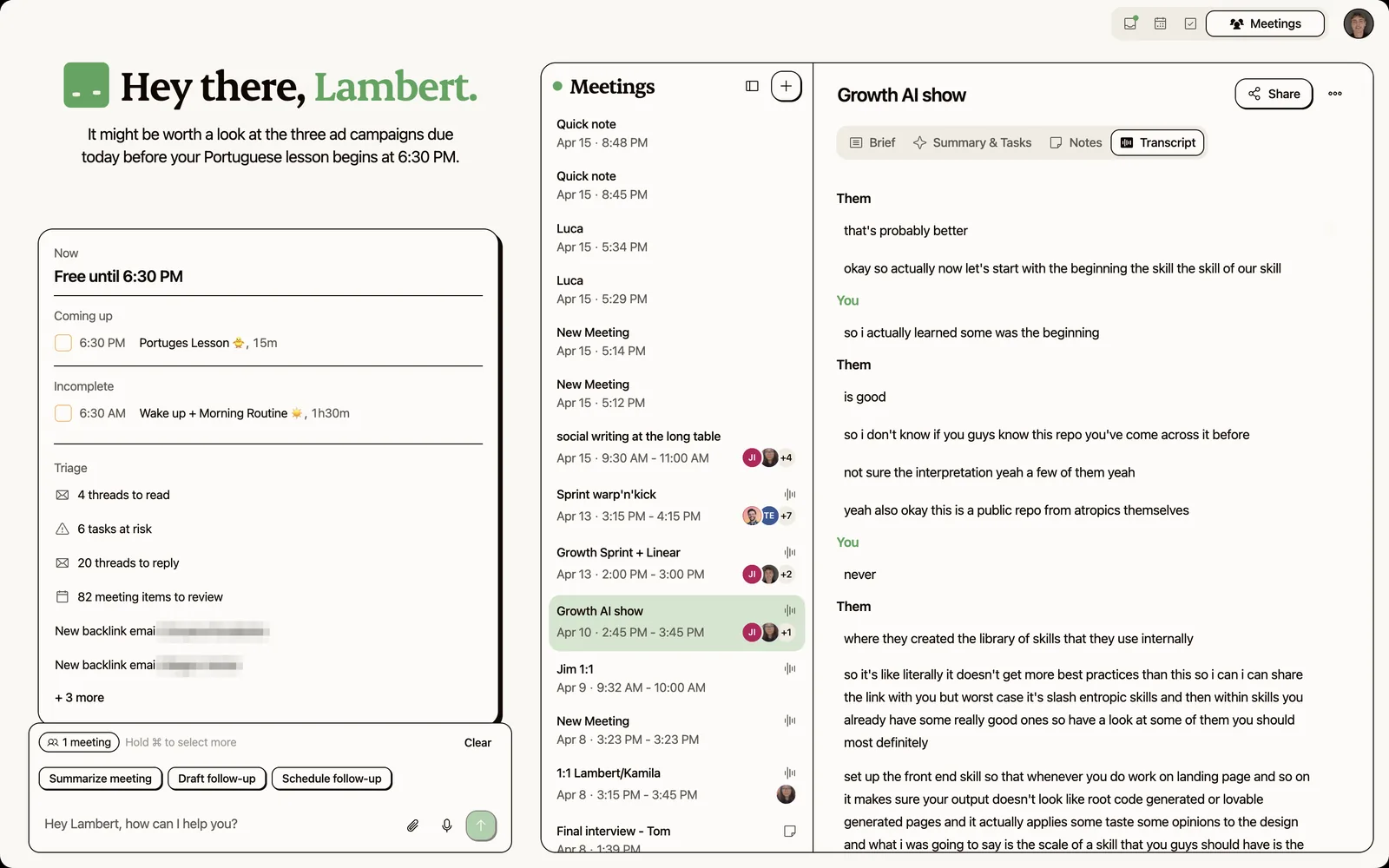
Motion's AI Meeting Notetaker auto-joins Zoom, Google Meet and Teams calls, which means it shows up in the participant list. Kai captures the transcript and action items without joining, which matters in client calls and sensitive conversations.
Action items that extract themselves
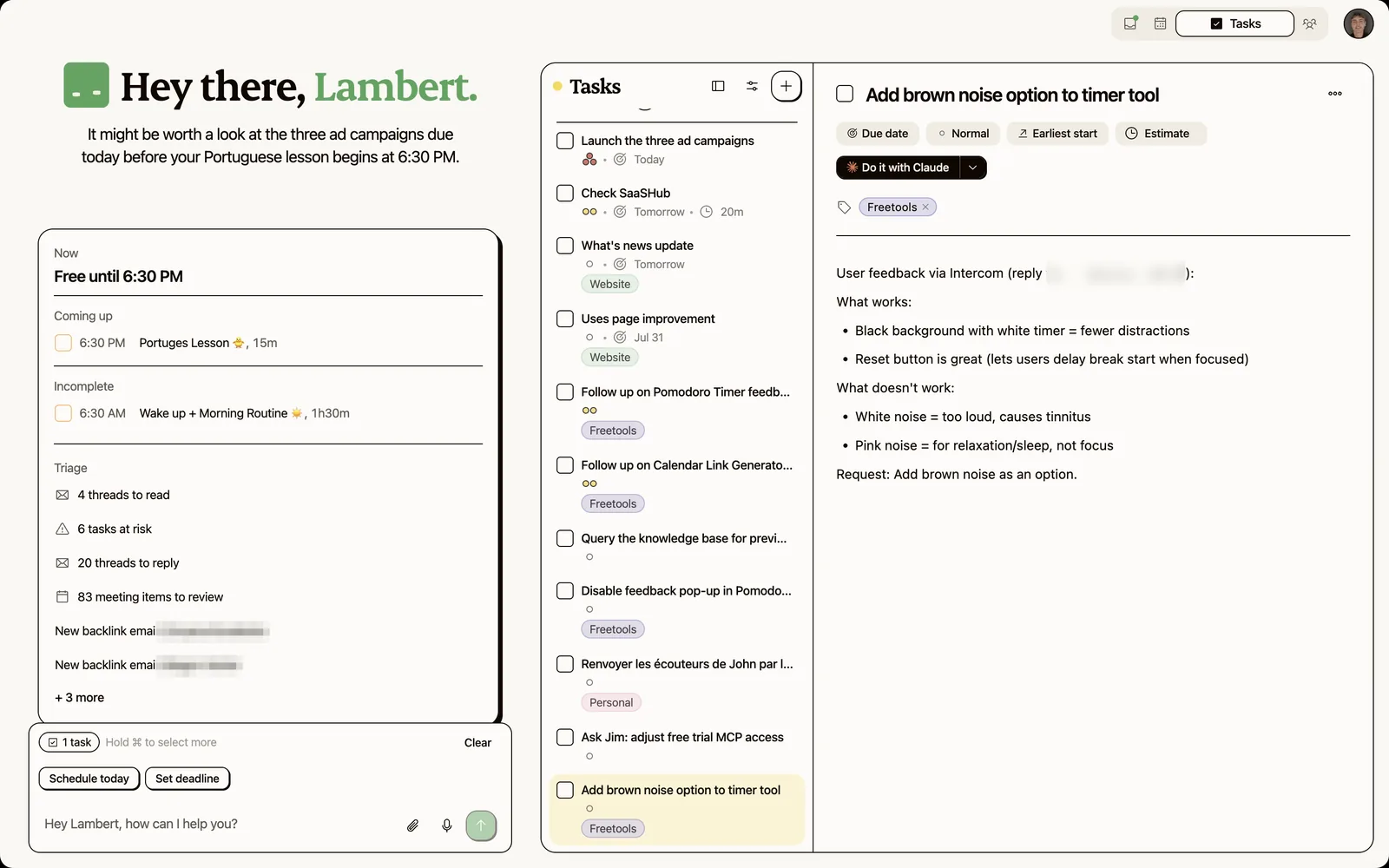
Motion needs the task to exist before it can schedule it. When someone says "can you send me that by Friday" in a meeting, Kai catches it, creates the task, and routes it into the day's plan with an owner and a date attached.
A morning that's already sorted
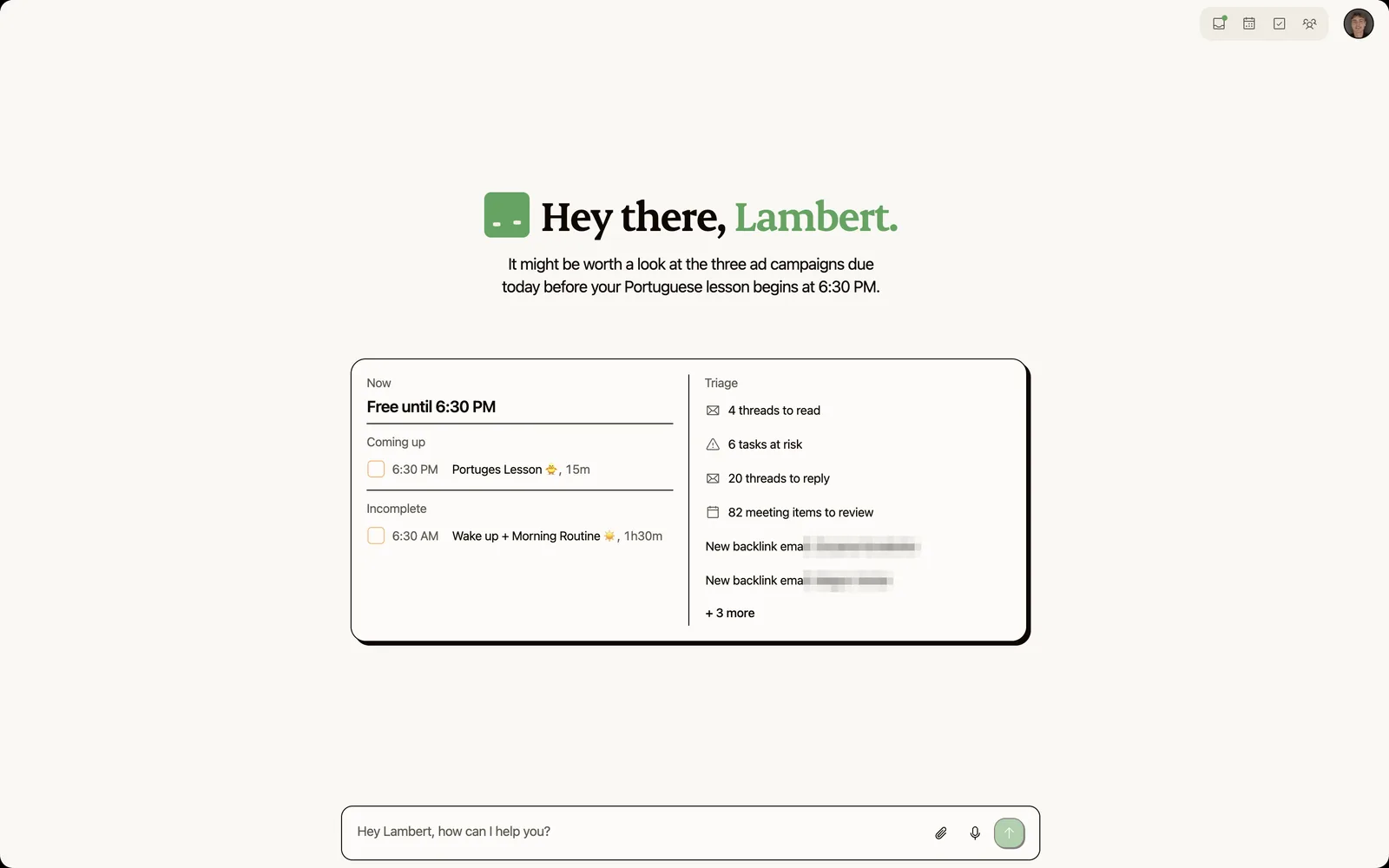
Rather than handing you a rebuilt schedule to accept or override, Kai opens with what changed, what's overdue, and which emails need you. Email triage and meeting prep feed the same picture.
| Motion | Kai | |
|---|---|---|
| AI task auto-scheduling | Yes (core feature) | Partial |
| Meeting transcription | Yes (joins as a bot) | Yes (botless) |
| Auto-extracted action items | Partial | Yes |
| Email triage and draft replies | No | Yes |
| Credit-based usage limits | Yes | Yes, a monthly allowance per seat |
| Solo entry price | $29/mo annual | Free trial, then $20/mo |
 Did you know?
Founders, freelancers and anyone acting as their own assistant get the most out of it, with no team buy-in needed. Our guide to AI meeting prep shows the workflow, or you can start free.

Is Motion worth it in 2026?
Motion does the thing it promises. If you'll add tasks with honest deadlines and durations, it will build you a workable day and rebuild it when the day breaks. The people who love it really love it, and they're specific about why.
The case against is mostly commercial rather than technical. You'll pay $348 a year as one person, not the $228 the internet keeps repeating. You'll pay it up front, you won't get it back, and the trial converts on a 168-hour clock. The public product surface hasn't moved since February, the feature Motion still uses to sell itself has lost its own documentation, and support answers roughly one negative review in nine.
Buy it if you want genuine auto-scheduling rather than suggestions, you're deadline-driven enough to feed it good estimates, and $29 a month on an annual commitment is comfortable.
Look elsewhere if you need a free tier, you're in the EU with data-residency requirements, you want project management with subtasks and depth, or you'd rather the coordination work never reached your task list at all. For the wider field, our roundup of the best AI executive assistants scores the alternatives side by side, and Motion vs Notion covers the workspace comparison specifically.
Motion FAQs
How much does Motion cost for one person?
$29 per month on annual billing, which is $348 a year, or $49 per month billed monthly. Business AI is $39 and $69 on the same split. The $19 shown when the pricing page loads is the team per-seat annual rate, not the solo price.
Does Motion have a free plan?
No. There's a 7-day trial and every plan after it is paid. The trial requires a payment method and converts automatically 168 hours after it starts, per Motion's Terms of Service.
Can I get a refund from Motion?
Not by right. Motion's Terms state you receive no refund on cancellation, for unused time, or for pre-payments. There's a request route through support@usemotion.com, and the help centre keeps a refund-policy section, but approval is at Motion's discretion.
Is Motion secure, and where is my data stored?
Motion's parent NexusBird, Inc has a SOC 2 Type II audit. Customer data is stored on Google Cloud in the Central-1 region in Iowa, and Motion's security page says it isn't possible to request EU-only storage.
Is there a minimum number of seats?
No, a one-seat plan is purchasable. Seats sell in fixed sizes though (1, 3, 5, then steps of 5), so a six-person team pays for ten seats.
What happened to Motion's AI Employees?
Motion's dedicated AI Employees pages now redirect to the homepage and the help-centre docs return 404, while all ten use-case pages still lead with the term. Motion has made no announcement. Users in r/UseMotion reported in December 2025 that the feature had been restricted to people who subscribed earlier.
What platforms does Motion run on?
Web, native macOS (11 Big Sur or later) and Windows desktop apps, plus iOS and Android. The Android app is the weakest-rated at 3.4 out of 5.
How does Motion compare to Reclaim AI?
Both auto-schedule tasks onto your calendar. The difference is scope: Motion bundles project management, Gantt charts, docs, dashboards and a meeting notetaker into the same subscription, per its feature list. Check Reclaim's own pricing and feature pages before comparing, since both products have changed tiers during 2026.

What to read next
Motion vs Notion: Which Tool Is Better? (2026)
Compare Motion vs Notion on AI scheduling, task management, and pricing to pick the right productivity tool for your workflow.
One Year of Building With AI
Issue #016 of How We Grow: Jim's first year at Morgen, told through the models we built with, what each new one changed, and how the growth job looks when one person can ship a project in a day.
How We Built Onboarding Emails With Claude
Issue #015 of How We Grow: the 6 onboarding emails Lambert built for Kai, where their content came from, how Claude built them in Intercom without anyone clicking through it, and what the first numbers say.