

Find your Calendly alternative in 30 seconds
Five questions. Weighted scoring. We recommend Kai when it fits your problem, and a competitor when it doesn't.
Question 1 of 5What's actually broken in your week?
The honest answer here decides everything.

Key Takeaways
- Kai: Best for compressing the full meeting cycle, not just the booking. Botless meetings + email triage + action items + agenda in one assistant.
- Cal.com: Best free + open-source Calendly clone. Self-host it or use the cloud version. 2-way Salesforce sync on the free tier.
- Reclaim AI: Best if your calendar chaos is the real problem. Not a Calendly swap. Defends focus time + auto-schedules tasks.
- SavvyCal: Best direct Calendly swap. Calendar overlay UX wins on the recipient side. Still supports iCloud.
Pricing verified 2026-06-01 against each vendor's official pricing page. Re-verify before procuring.
Booking the meeting is 10% of the work. Calendly nailed the 10%. The 90% is still on you.
We've run Calendly in sales contexts before, and for that job it delivers: click the link, pick a slot, done. Honest take, for sales calls Calendly is a legitimately great tool. The problem isn't Calendly itself. It's that the booking link is solving one tiny part of a much bigger workflow. And as soon as you step outside the "send a prospect a slot picker" use case, the link itself never touches the work that comes AFTER the meeting is booked. That part is where most of a coordination-heavy week actually goes.
Looking at the page-1 "Calendly alternative" lists, they all evaluate schedulers as schedulers. Cheaper slot-pickers. Prettier embed widgets. Better round-robin. Fine. But if you're actively searching for an alternative, the real question isn't "which scheduler should I switch to". It's "why am I still spending half a day a week on the work that surrounds the meeting?"
The honest answer: most people pick the wrong tool to replace because they're solving the wrong half of the problem. There are 3 categories of "alternative" worth knowing. Tools that just replace the link. Tools that auto-manage your calendar. Tools that absorb the entire meeting cycle. Pick by which part of your week is on fire.
Why people actually leave Calendly
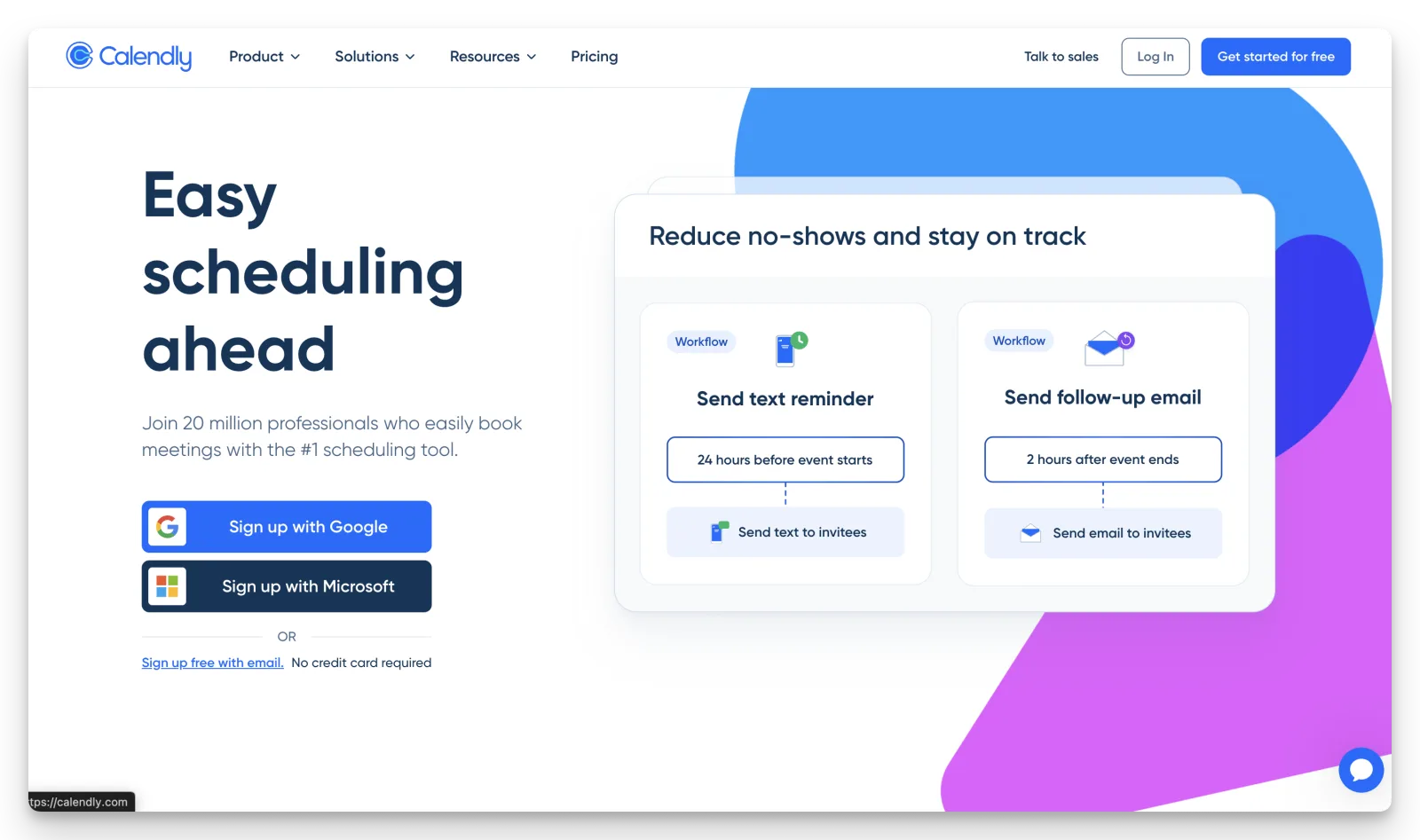
Before picking a replacement, it helps to know what's actually driving the switch. Three patterns dominate the threads we read:
1. The price climbed past the value.
“The biggest downside is that some features that feel essential, like more customization options or multiple event types, are locked behind paid tiers.”
verified Capterra reviewerFree is capped at one event type and one calendar. Teams is $16/seat/month. A 10-person team runs ~$1,920/year. Salesforce sync, SSO, and advanced routing all sit behind Teams or Enterprise.
2. Apple users got pushed out.
As of 2026, Calendly's current help docs list only Google, Outlook, Office 365, and Exchange as supported calendars. iCloud is gone. Apple-centric freelancers and consultants flagged this as a switch-away trigger when the change first hit, and the thread is still active:
“This is really sad. Why lock out the potential of the whole potential apple community and user? We're going elsewhere.”
community.calendly.com threadSavvyCal, Cal.com, and TidyCal all still support iCloud natively.
3. A bare Calendly link feels transactional.
“Feels impersonal: sending a link feels transactional, not collaborative. Especially awkward in cold outreach or with high-trust clients.”
chetansorted, Hacker NewsThis is the pull-factor for SavvyCal's "overlay your calendar on mine" UX. It's also why some founders just stopped using booking links altogether, see how to write meeting minutes for the workflow that replaces the auto-scheduled call entirely.
8 best Calendly alternatives, scored by what they replace
We scored each tool on the 3-tier reframe from the intro. The booking link, the calendar, or the full cycle. The point of the scoring isn't precision. It's to keep you from buying the wrong category.
| App | Replaces the link | Manages the calendar | Absorbs the cycle | Starting price |
|---|---|---|---|---|
| Kai | Partial | Partial | Yes | $20/user/mo |
| Cal.com | Yes | No | No | Free / $12 user/mo |
| Reclaim AI | Partial | Yes | No | Free / $10 seat/mo |
| Motion | Partial | Yes | Partial | $12.73 seat/mo annual |
| SavvyCal | Yes | No | No | Free / $10 user/mo |
| Microsoft Bookings | Yes | No | No | $6 user/mo (with M365) |
| TidyCal | Yes | No | No | Free / $29 one-time |
| Doodle | Partial | No | No | Free / $6.95 user/mo annual |
Read it this way: if your row of pain is the link, anything in the top half wins. If it's the calendar, Reclaim or Motion. If it's the cycle, only Kai is built for it (with the booking-link gap noted in section 1).
1. Kai: Best for compressing the full meeting cycle
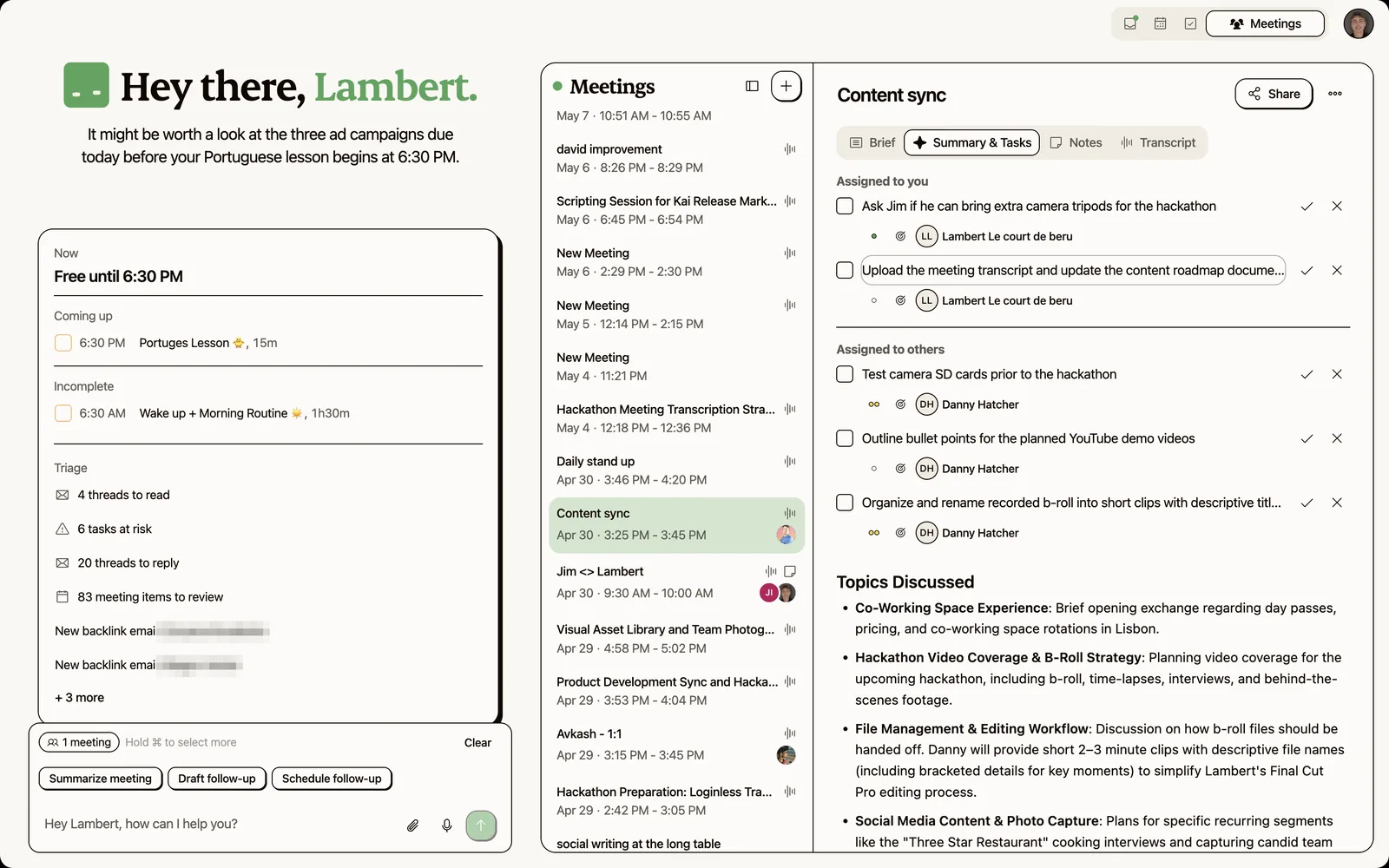
Kai is an AI executive assistant that handles meetings, email, and your daily agenda in one place. Unlike Calendly, which stops at the slot-picker, Kai assembles the brief, captures the meeting without a bot, extracts action items, drafts the follow-up, and rebalances your day when something shifts.
The point isn't that Kai is a better booking page. It isn't a booking page at all (more on that below). It's that Calendly solves a problem you have once per meeting. Kai solves the problem you have for every minute around it.
Key features
Pre-meeting brief that assembles itself
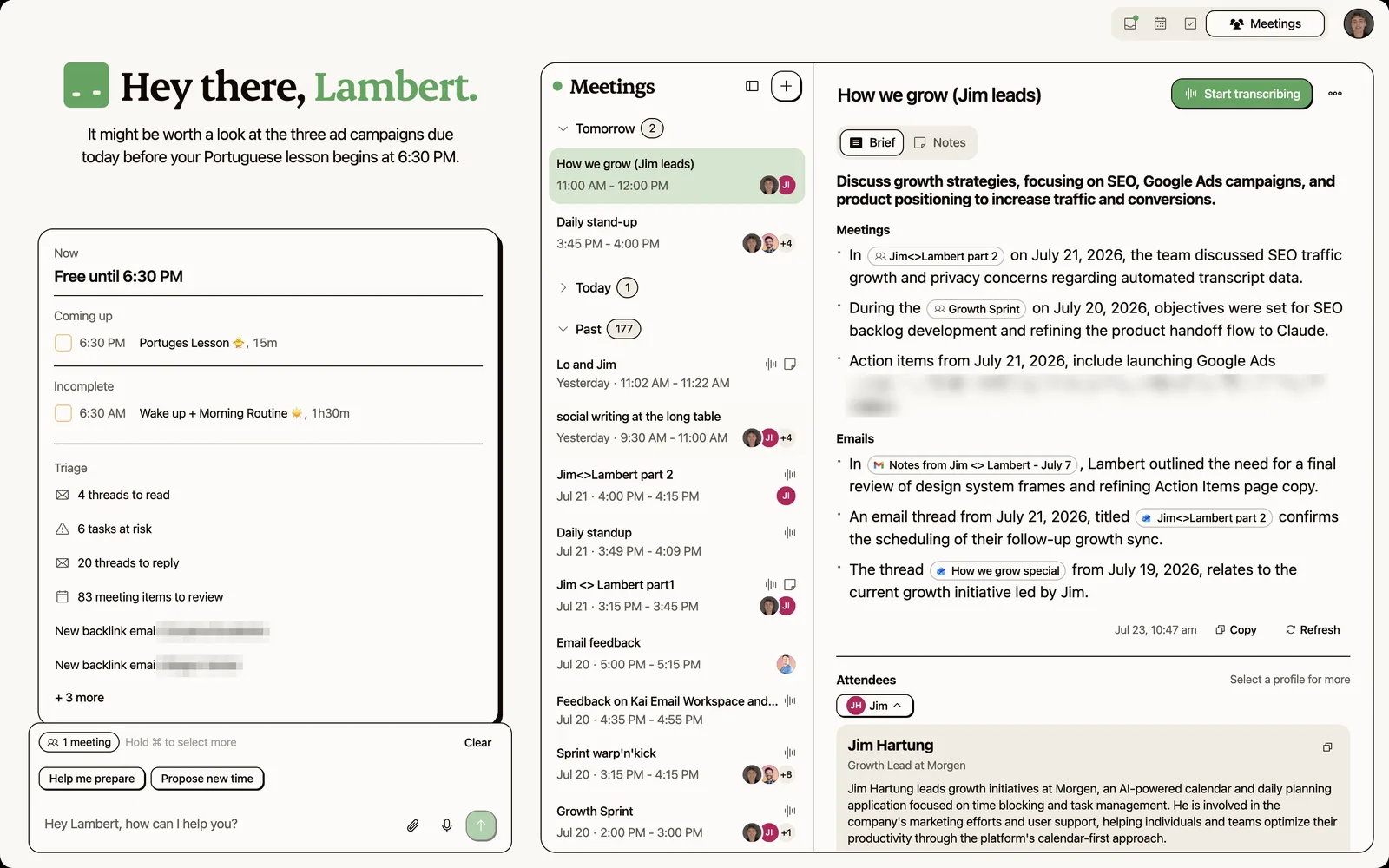
Kai pulls context from your inbox, previous meetings, and pending action items into a brief that lands before the call starts. The bit Calendly never touched.
Botless meeting capture
Kai captures calls straight from your device, so no bot joins them. No "Calendly Notetaker" or "OtterPilot" showing up in the participant list. Transcripts, summaries, and action items flow into your workspace without a recording bot making the room weird.
Action items routed to tasks, not the transcript
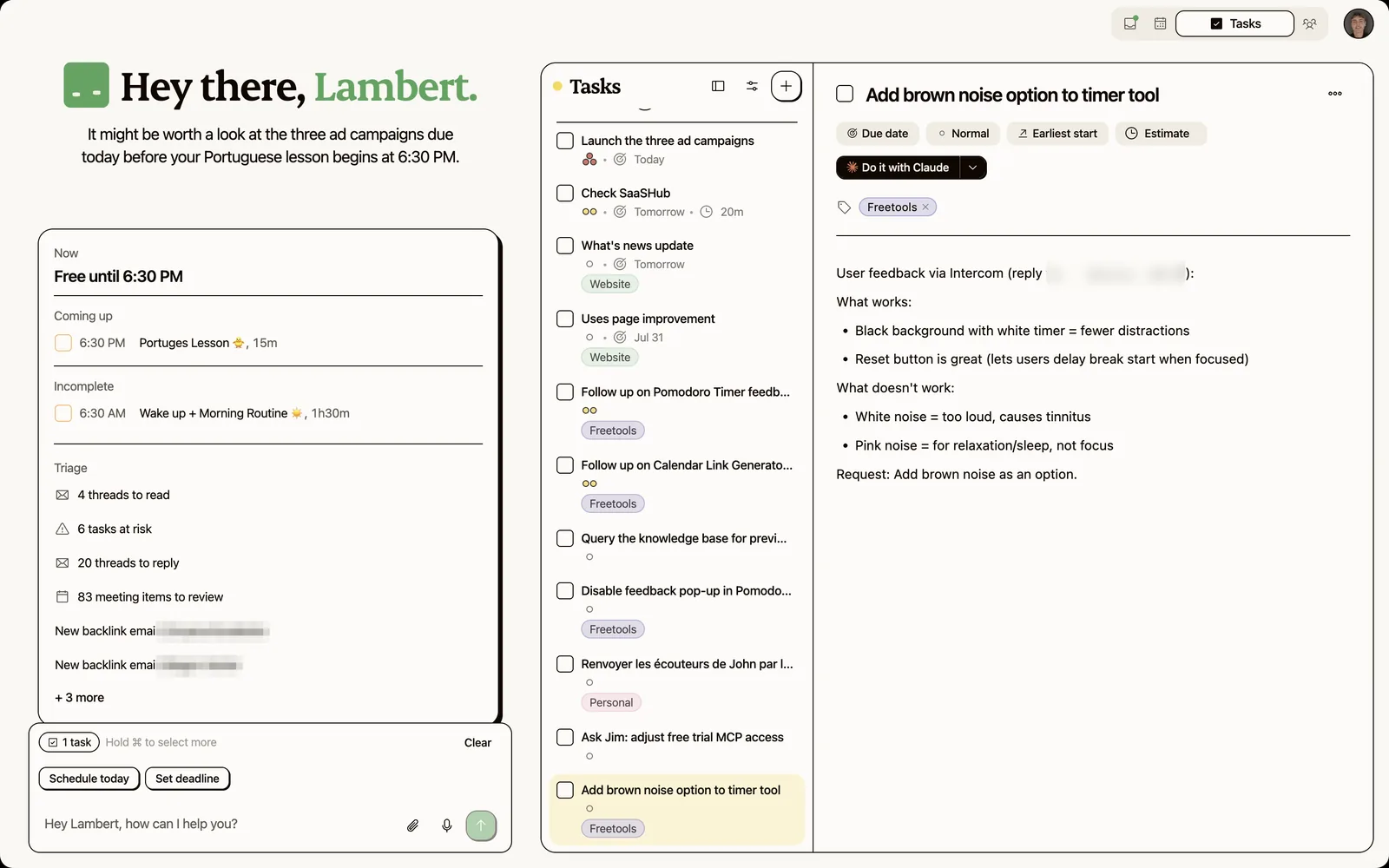
When someone says "can you send me the deck by Friday", Kai captures it as a task with the assignee, the due date, and the requester. It surfaces in your triage workspace and flows into the rest of your work. No copy-paste into Todoist.
A daily plan that respects your real availability
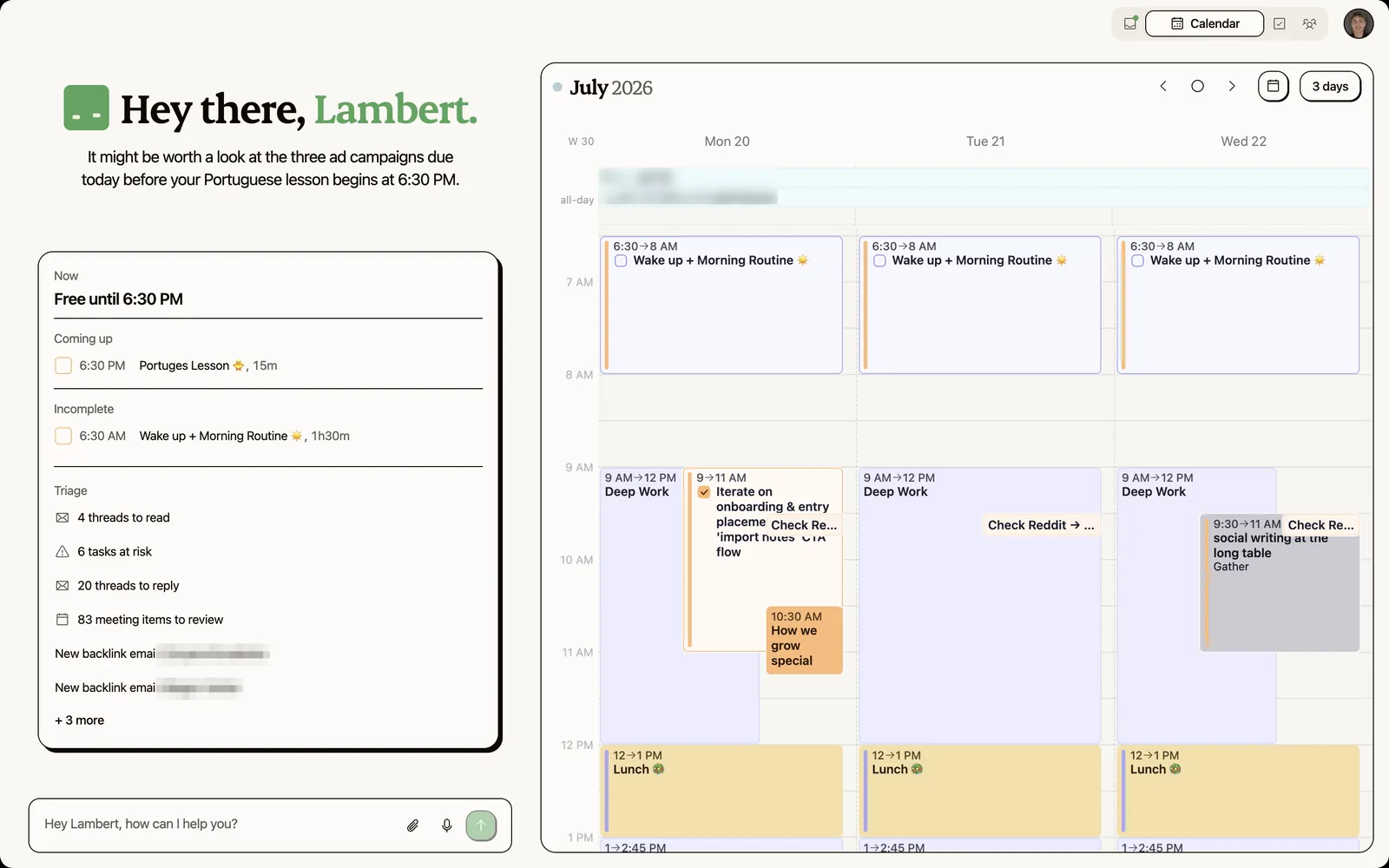
Kai proposes a plan for your day against your real calendar and blocks time for a task when you ask. Turn on the Focus guard workflow and it keeps your focus blocks on the calendar, moving them when a meeting lands on top. If a meeting overruns, it helps you replan without losing the work that matters.
Pricing
See the live Kai pricing page for the latest. As of verified 2026-09-23:
| Plan | Price |
|---|---|
| Free trial | $0, no credit card |
| Kai Base | $20/user/mo |
| Kai Pro | $50/user/mo, 5x Base's usage |
Where Kai shines
- The 90% of meeting work nobody else automates: prep, summary, action items, follow-up, replan
- No bot in the room (the most-cited reason users leave Otter and Read AI per r/AiNoteTaker)
- Cross-context awareness across email + calendar + tasks, not just one of them
Where Kai falls short
No public booking-link page yet. The current Kai surface (see the /meetings feature page for what's in MVP) doesn't include a kai.ai/your-name page strangers can use to pick a slot. If that's core to your job, pair Kai with Cal.com Free or a Calendly Free account for the public-link piece. Use Kai for everything that happens after.
Also: sign up at hirekai.ai/get-started and you can start using Kai right away.
Who Kai is best for
- Founders, operators, and execs who lose half their week to meeting-adjacent work
- Knowledge workers running 5-15+ meetings a week across email, calendar, and tasks

2. Cal.com: Best free + open-source slot-picker
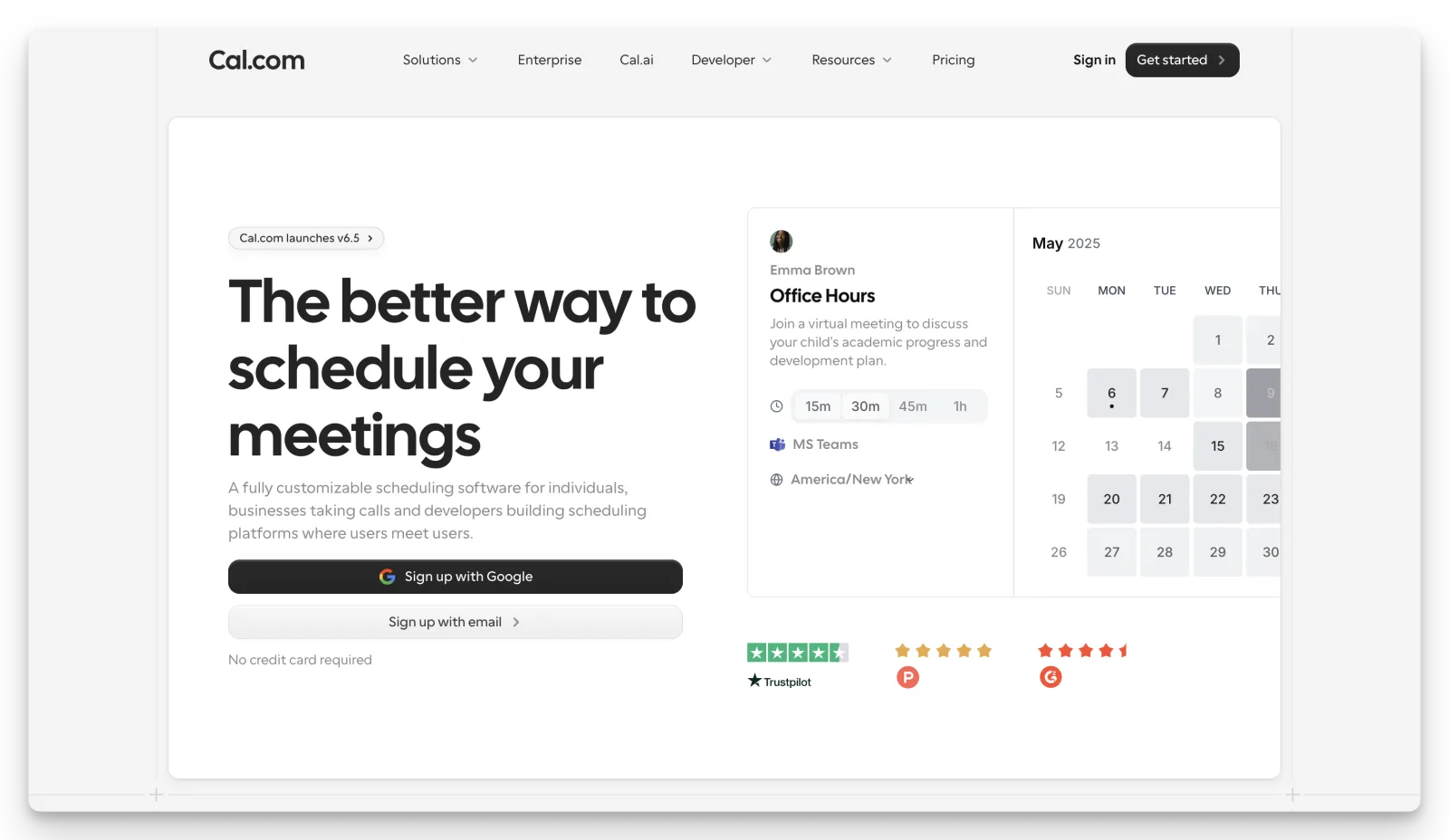
Cal.com is what devs reach for when Calendly's price tag stops making sense. Open-source codebase, AGPL on GitHub, same booking-page mechanics as Calendly, plus a free tier that's actually usable.
The catch: "free" only stays free if you can self-host. Otherwise the managed plan is $12/user/mo and you're back in subscription land.
Key features
- Unlimited event types, unlimited calendar connections, and Stripe/PayPal paid bookings on the free plan
- Open-source (AGPL) and self-hostable via Docker
- 2-way Salesforce + HubSpot sync on the free tier (unusual, Calendly puts this on Teams)
- Native round-robin with weighting
- Routing forms + attribute-based routing for inbound qualification
Pricing
| Plan | Annual price | Limits |
|---|---|---|
| Free (Individuals) | $0 | 1 user, unlimited events, 100+ integrations, Stripe/PayPal, 2-way Salesforce/HubSpot, Calendly import |
| Teams | $12/user/month | Round-robin, managed events, routing forms, analytics, custom APIs |
| Organizations | $28/user/month | SAML SSO, SOC 2 / HIPAA, attribute-based routing |
Where Cal.com shines
- Truly generous free tier (Calendly's main complaint)
- Self-hosting + AGPL codebase for teams that need data control
- 2-way CRM sync on free is genuinely unusual
Where Cal.com falls short
Self-hosting is friction-heavy: Reddit threads describe deploy errors on free clouds and painful IP/FQDN changes (Prospeo review). Mobile UX + analytics depth lag Calendly (43 G2 reviewers flag "complex settings", 41 mention a "steep learning curve" per the same Prospeo aggregation). If you don't have a developer on staff, the gap between "free self-host" and "actually working" is wider than it looks.
“There isn't a single timezone option for the United Arab Emirates, no Dubai, no Abu Dhabi”
Trustpilot reviewerWho Cal.com is best for
- Devs and dev-led teams who want a Calendly swap and can self-host
- Sales teams who need Salesforce/HubSpot sync without the Teams-plan tax
3. Reclaim AI: Best for calendar Tetris + defending focus time
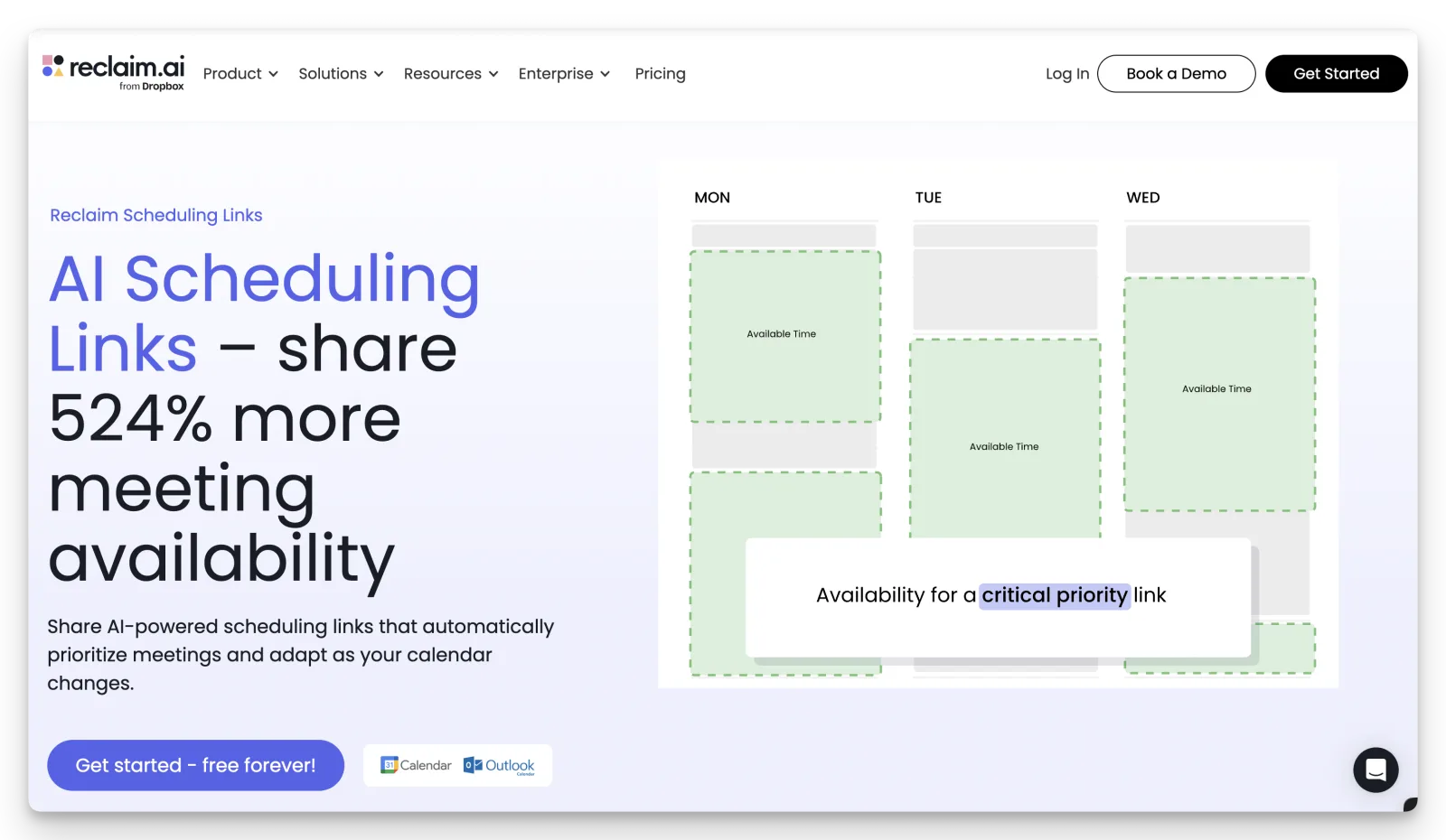
Reclaim isn't a Calendly swap. Its primary job is defending your own calendar: auto-scheduling tasks, holding focus time, and rebalancing when conflicts hit.
Key features
- AI Habits + Focus Time that auto-reschedule around new meetings
- Smart 1:1s that find the best mutual time and rebalance when conflicts appear
- Task auto-scheduling from Todoist, Asana, ClickUp, Jira, Linear
- Scheduling links exist but are secondary (free plan caps at 1)
- Google + Outlook support, no native iCloud
Pricing
| Plan | Annual price | Key limits |
|---|---|---|
| Lite | Free | 1-week range, 5 AI agents, 1 link |
| Starter | $10/seat/month | 8-week range, 10 AI agents, 3 links |
| Business | $15/seat/month | 12-week range, 50 AI agents, unlimited links |
| Enterprise | $22/seat/month | SSO, SCIM, org-chart-aware intelligence |
Where Reclaim shines
“Reclaim was the exact solution I needed. Allows me to be more efficient and effective in my daily work and life.”
Stephanie S., G2- Defends recurring focus time better than anything else in this list
- Strongest fit for engineering and product teams losing days to meeting load
Where Reclaim falls short
“Lack of support for iCloud Calendar. One of the founders recently expressed he shares this pain point with me, but there seems to be no concrete plan for this feature right now.”
verified G2 reviewerGoogle-first product. Outlook is supported but multiple reviewers describe it as still feeling secondary. No mobile app. Solo professionals who just need a booking page will overpay heavily.
Who Reclaim is best for
- Engineers and PMs in meeting-heavy orgs who want focus time defended
- Anyone whose real pain is "my calendar is the problem, not the booking page"
4. Motion: Best for AI auto-planned days
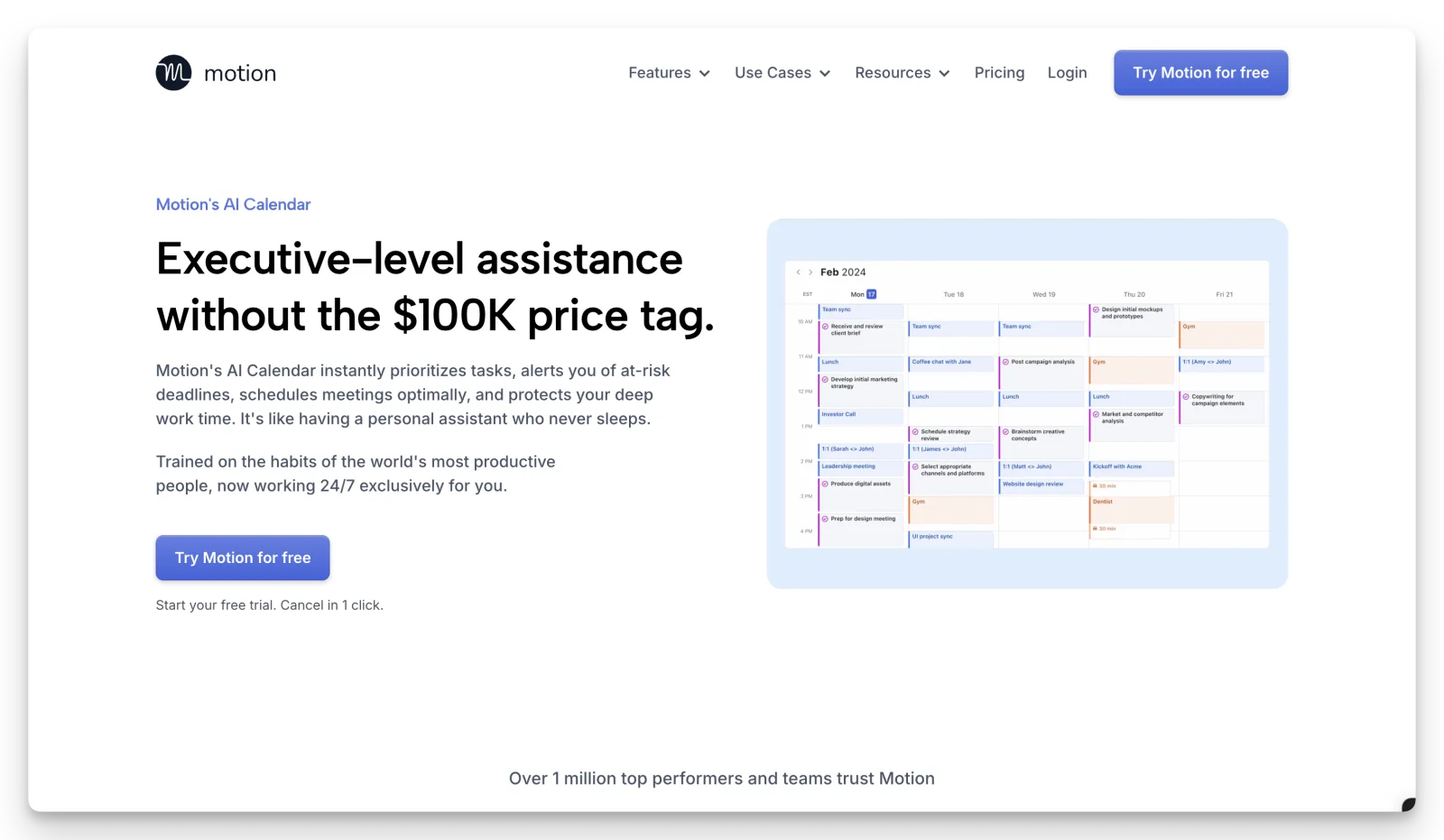
Motion is a project-management + AI auto-scheduling hybrid. It places tasks onto your calendar based on deadlines, priorities, and meeting load, and reshuffles automatically when things slip. Booking pages are included but secondary.
Key features
- AI auto-scheduling of tasks onto your calendar
- Meeting booking pages (replaces Calendly for 1:1)
- Built-in AI Notetaker, AI Docs, AI Chat, AI Sheets
- Google, Outlook, iCloud, Microsoft Teams, Zoom integrations
Pricing
No free plan. 7-day trial (card required).
| Plan | Annual price | Monthly |
|---|---|---|
| Pro AI | $12.73/seat/month | $19/seat/month |
| Business AI | $19.43/seat/month | $29/seat/month |
See our full Motion app review for the deeper breakdown.
Where Motion shines
“Motion has completely transformed the way I manage my time and priorities.”
chadi r., G2- AI auto-planning saves serious time once tuned
- Calendar + task + docs + meeting notes in one (if you want a suite)
Where Motion falls short
“Pricing is extremely high relative to the actual utility... the company advertises a free trial but charges the full subscription almost immediately.”
Joe S., G2Two recurring complaints: billing (free-trial-into-charge), and product bloat (one G2 reviewer called it "a lousy low-rent ClickUp clone"). If you only need a booking link, Motion is heavily overpriced.
Who Motion is best for
- People who want AI placing their tasks on the calendar, not just a slot-picker
- Heavy task + project managers who'll use the suite features
5. SavvyCal: Best direct Calendly swap with better UX
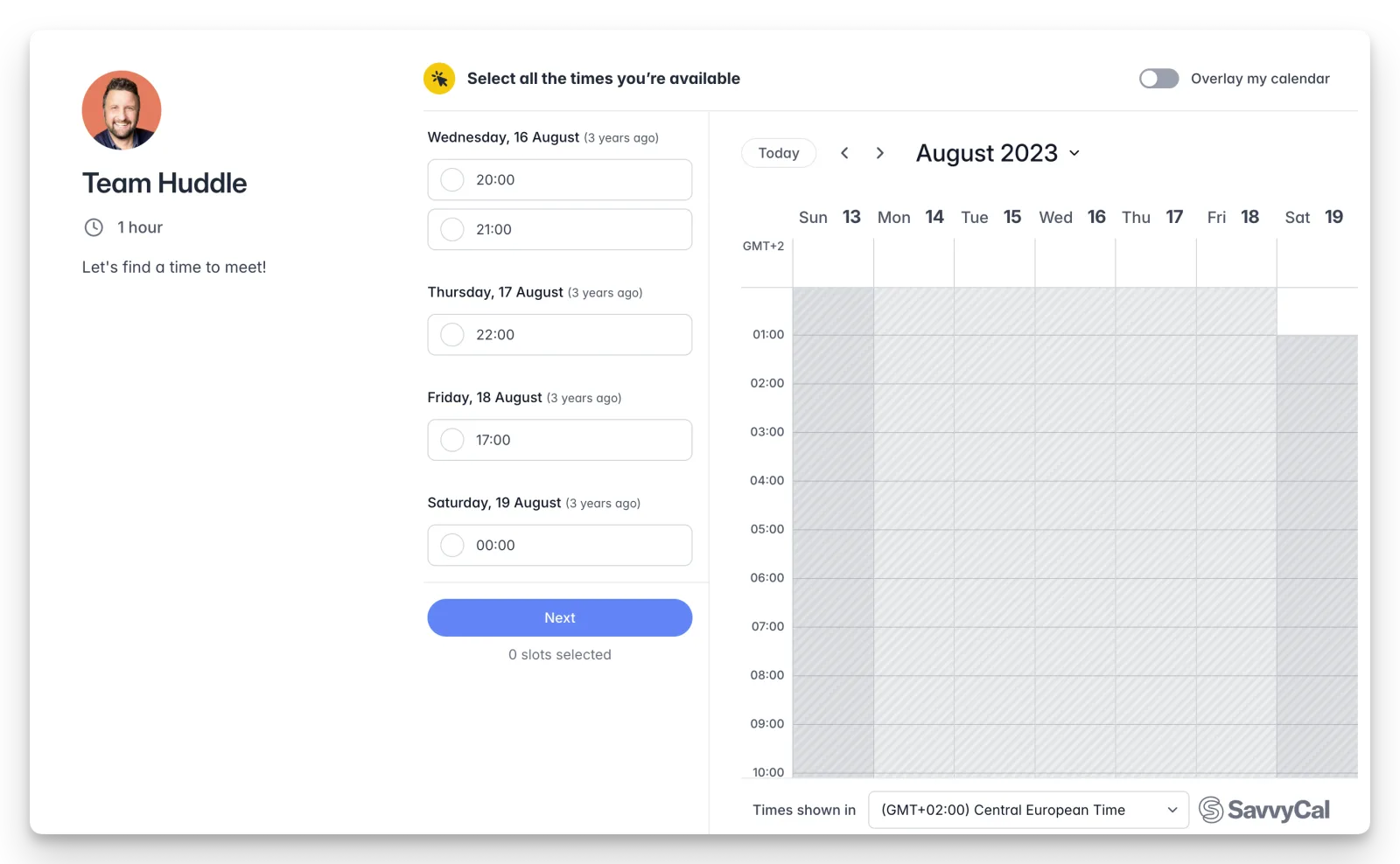
SavvyCal is the closest direct Calendly replacement, optimized for the recipient's experience. The signature move: invitees overlay their own calendar on yours to find mutual availability instantly.
Key features
- Calendar overlay (the recipient-first differentiator)
- Ranked availability (preferred slots without restricting true availability)
- Frequency limits + meeting caps to protect deep work
- Meeting polls (free plan)
- Apple iCloud support, still works (unlike Calendly)
Pricing
| Plan | Annual price | Monthly | Limits |
|---|---|---|---|
| Free | $0 | $0 | Meeting polls + overlay on others' links |
| Basic | $10/user/month | $12/user/month | Unlimited links, team scheduling, integrations |
| Premium | $17/user/month | $20/user/month | Custom domains, Stripe bookings, API, webhooks |
Where SavvyCal shines
“Invites that feel human, rather than just layered calendar activity.”
verified G2 reviewer- The overlay UX is the single feature most users cite when they switch from Calendly
- Strongest fit for consultants, recruiters, and podcast guests booking
Where SavvyCal falls short
“I wish that SavvyCal offered an app interface.”
verified Capterra reviewerWeb-only, no native mobile app. Premium-gated automations (API, webhooks, CRM, Zapier) put real integration work behind the $17+ tier. Smaller native integration ecosystem than Calendly.
Who SavvyCal is best for
- Anyone who cares about the invitee experience (sales, podcast hosts, recruiters)
- Apple-first solo professionals coming off Calendly's iCloud drop
6. Microsoft Bookings: Best for Microsoft 365 teams
Microsoft Bookings ships included with Microsoft 365 Business Basic and above (~$6/user/mo). If you're already paying for M365, scheduling is already in your stack. You just haven't turned it on.
It's the answer to a SERP pattern that won't die: "O365 users still paying for Calendly, why?" If your stack is Microsoft, this is the lowest-friction swap available.
Best for: Microsoft 365 Business teams who don't need anything beyond standard appointment booking.
Falls short: Visual polish and integration breadth lag Calendly. Personal-account support is limited. Not a fit if you live outside the Microsoft ecosystem.
7. TidyCal: Best lifetime-deal pick
TidyCal's headline is one-time pricing: $29 lifetime via AppSumo for Individual, $79 for Agency (60-day money-back). Free tier exists but caps you at 1 calendar.
The math is the pitch: $29 once vs. $120+/year on a comparable Calendly Standard seat.
“I moved from Calendly (which was way too expensive for very few features) and have not looked back.”
verified Capterra reviewerBest for: Solopreneurs, coaches, and consultants who need a booking page and not much more.
Falls short: ~14 native integrations vs Calendly's 140+. No mobile app. Reddit threads flag occasional calendar-sync drift (the support team's "standard protocol" is disconnect-and-reconnect). Team features require all team members to buy a license.
8. Doodle: Best for group scheduling across many people
Doodle is the original group-poll specialist that grew into a fuller scheduling product. For "find a time among 12 stakeholders across 3 time zones", it's still the cleanest answer.
Best for: Committee-style scheduling, conferences, podcast guest coordination, group polls.
Falls short: Free plan shows ads to invitees, which kills it for client-facing use. Monthly pricing is more than 2x the advertised annual rate ($14.95 vs $6.95 Pro). Recent Trustpilot reviews are starkly negative (212 reviews, 78% 1-star) despite stronger G2/Capterra scores. Worth flagging before committing.
3 reasons to consider an alternative to Calendly
There are dozens of reasons people switch. Most fall into 3 buckets. Here's the honest breakdown.
Reason 1: You're paying for a slot-picker but still doing the meeting work yourself
This is the case for Kai. If you're spending hours every week on prep, notes, and follow-ups that should flow automatically, the booking link isn't your bottleneck. The work around it is. See AI meeting prep for the workflow that closes this gap, and the AI executive assistant pillar for the broader context.
Reason 2: Your calendar is the chaos, not the booking page
This is the case for Reclaim AI or Motion. If your weeks are getting eaten by meetings stacking on top of each other and focus time evaporating, you need a calendar defender, not a different booking link. See the time-blocking complete guide for the principles these tools automate.
Reason 3: You want the link UX, just not the price
This is the case for Cal.com, SavvyCal, TidyCal, or Microsoft Bookings. If your only complaint with Calendly is the price (or the iCloud drop, or the visible "Powered by Calendly" tag), the swap is mechanical. Pick by your stack: Cal.com if you'll self-host, SavvyCal if invitee UX matters, TidyCal if you want lifetime pricing, Microsoft Bookings if you're on M365.
Pick the tool that matches the half of the problem you're solving
The reframe in this article is the entire argument. Pick a Calendly alternative based on which part of the meeting cycle is broken for you. If it's the link, swap it cheaply. If it's the calendar, defend it. If it's the work around every meeting, that's a different category entirely.
If you've also been frustrated by meeting notes tools that need a bot in the room or email triage that nobody actually finishes, start free below.

FAQs
What's the best free Calendly alternative?
Cal.com if you want feature parity with Calendly's free tier and don't mind some setup. SavvyCal has a free tier but it's more of a demo than a workable solo tool. Microsoft Bookings is effectively free if you're already paying for Microsoft 365.
Why did Calendly stop supporting iCloud Calendar?
On 2024-08-20 Calendly ended new iCloud Calendar connections. Existing connections were grandfathered. Calendly hasn't published a detailed reason, but their prior integration relied on storing user credentials via app-specific passwords, an older path than the OAuth used for Google and Microsoft. Source: community.calendly.com.
What's the best Calendly alternative for Apple users?
SavvyCal, Cal.com, and TidyCal all natively support iCloud Calendar. For Apple-first solo professionals coming off Calendly specifically because of the iCloud drop, SavvyCal is the closest like-for-like UX swap; TidyCal wins on price.
Which Calendly alternative works with Outlook?
All the major paid options (Cal.com, SavvyCal, Reclaim AI, Motion, TidyCal) support Outlook. If you're already on Microsoft 365, Microsoft Bookings is the most native option. Reclaim's Outlook support works but multiple reviewers say it feels secondary to Google.
Is Cal.com really free if I self-host?
Yes. The AGPL codebase is free to self-host (Docker quick-start exists), but Reddit self-hosting threads consistently describe deployment friction: deploy errors on free clouds, painful IP/FQDN changes, and missing features in the self-hosted build. Teams often burn engineering time worth more than the $12/user/month managed plan.
Is Reclaim AI a Calendly replacement?
No, not really. Reclaim's primary job is defending your own calendar (focus time, habits, task auto-scheduling). The scheduling-link feature is secondary, and the free plan caps you at 1 link. Most teams either keep Calendly/Cal.com or pair Reclaim with one of them.
Does Kai have a public booking link like Calendly's?
Not yet. Kai doesn't have a kai.ai/your-name booking page today. If you need a public link strangers can click, pair Kai with Cal.com Free or Calendly Free for that one piece. Use Kai for everything that happens around the meeting (prep, capture, action items, follow-up, agenda).
What's the cheapest Calendly alternative?
TidyCal at $29 lifetime is the cheapest paid option by a wide margin if you need feature parity. Cal.com's free plan is the cheapest functional option. Microsoft Bookings is included in M365 Business Basic ($6/user/month) and above, effectively free if you're already on M365.

What to read next
Inside Our Product Hunt Launch
Issue #017 of How We Grow: David joins us two days after Kai's Product Hunt launch to talk about what a launch is for when you're already live, why finishing fifth was useful, and the Instagram trick that took our account from 300 to 700 followers.
One Year of Building With AI
Issue #016 of How We Grow: Jim's first year at Morgen, told through the models we built with, what each new one changed, and how the growth job looks when one person can ship a project in a day.
How We Built Onboarding Emails With Claude
Issue #015 of How We Grow: the 6 onboarding emails Lambert built for Kai, where their content came from, how Claude built them in Intercom without anyone clicking through it, and what the first numbers say.