


Key Takeaways
- Notion offers four plans: Free, Plus ($10/user/mo), Business ($20/user/mo), and Enterprise (custom pricing). List prices have not changed in 2026.
- The $10 AI add-on is gone: Notion retired it in May 2025. Notion's help centre now states AI is "only available on Business and Enterprise Plans", making Business the entry point for AI.
- Biggest 2026 change: Custom Agents bill by the credit at $10 per 1,000, on top of your seats. Run out and your agents stop until an admin buys more.
- Best value alternative: Kai bundles AI meeting notes, email triage, and scheduling in every plan, from $20/user/mo, with a monthly usage allowance included and no credit packs to buy.
Verified 2026-07-16 against the official pricing page.
Trying to figure out which Notion pricing plan is actually worth your money?
Most guides will tell you to budget $10 per user per month for the Notion AI add-on. That add-on stopped existing in May 2025, when Notion folded AI into the Business plan. Its help centre is blunt about where that leaves everyone else: "Notion AI is only available on Business and Enterprise Plans." On Free and Plus you get a short complimentary trial with no way to pay for more.
So the question changed. It used to be "which tier do I need?" In 2026 it is closer to "which tier, plus how many credits?" This guide breaks down every Notion plan against the live pricing page, surfaces the costs that sit outside the sticker price, and compares it to alternatives. For a full feature review, see our Notion review. For a head-to-head with a scheduling tool, check Motion vs Notion.
How much does Notion cost?
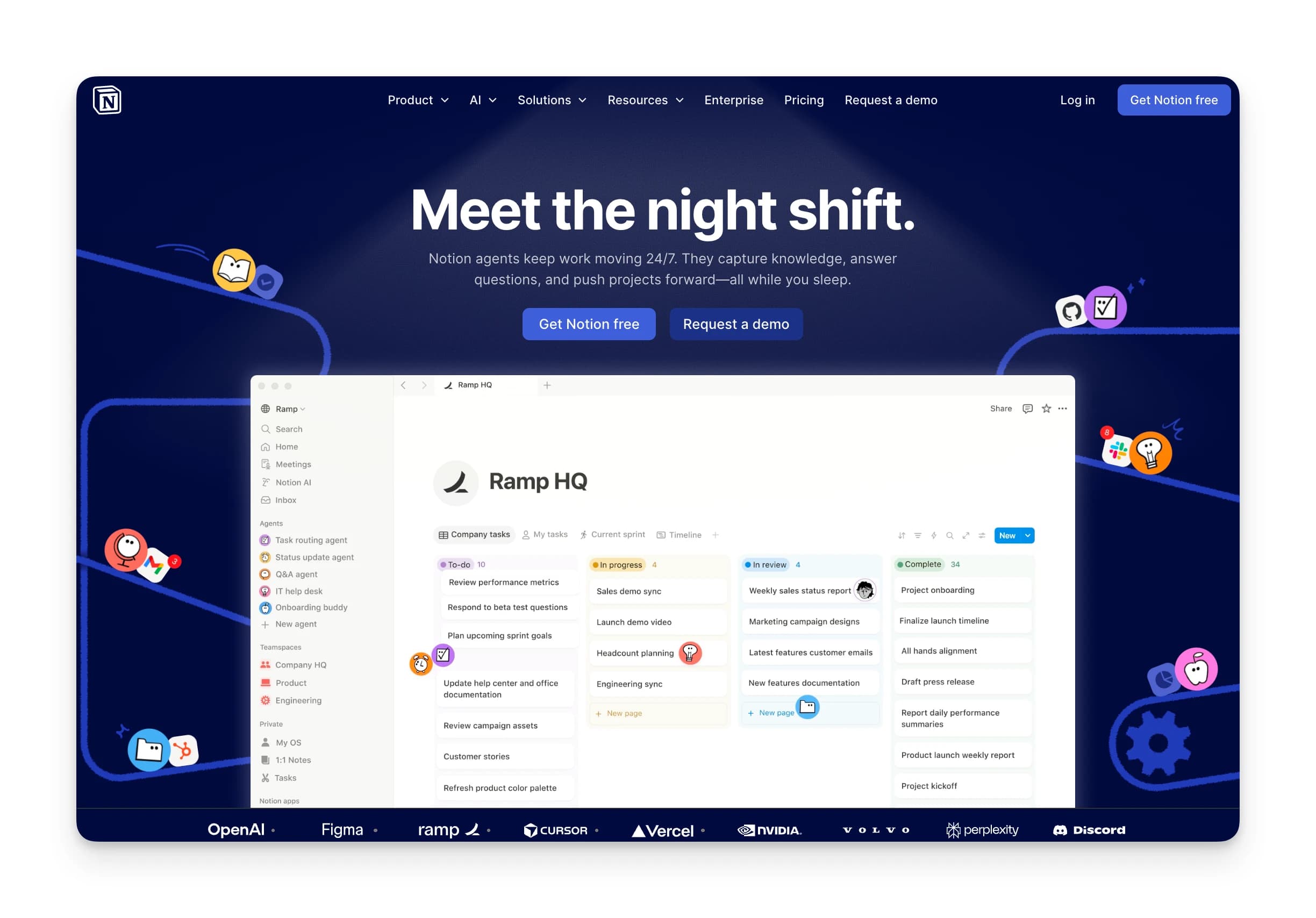 Notion uses per-user, per-month pricing across four tiers. Paying annually saves up to 20%.
| Plan | Price (Monthly) | Price (Annual) | Notion AI? | Best For |
|---|---|---|---|---|
| Free | $0 | $0 | Limited trial | Solo users, personal projects |
| Plus | $12/user/mo | $10/user/mo | Limited trial | Small teams needing collaboration |
| Business | $24/user/mo | $20/user/mo | Included | Teams that need AI at all |
| Enterprise | Custom | Custom | Included, zero data retention | Large organizations with compliance needs |
Prices verified July 2026 from notion.com/pricing.
The prices themselves are stable. What moved is the line between the tiers: Business is now the floor for AI, not an optional upgrade.
Kai: a better-value alternative
 If you're evaluating Notion for productivity and task management, consider Kai.
Kai is an AI executive assistant that combines meeting notes, email triage, and calendar management in one workspace. AI is the product rather than a tier, so there's no add-on to buy. Each seat includes a monthly usage allowance, with no credit packs on top.
Key advantages over Notion:
- Calendar + tasks + email in one view: No context-switching between separate tools.
- AI included in every plan: Meeting transcription, email drafting, and scheduling built in.
- Works proactively: Kai monitors your calendar and inbox in the background, it acts before you ask.
| Feature | Notion (Plus) | Kai |
|---|---|---|
| Price | $10/user/mo | From $20/user/mo |
| AI Features | Limited trial, cannot be purchased | Included |
| Meeting Notes | Requires Business plan | Built-in |
| Email Integration | Notion Mail, no AI triage below Business | Full integration |
Notion Mail is on every plan including Free, but its AI depends on Notion AI, which Notion restricts to Business and Enterprise.
Notion pricing plans: a breakdown
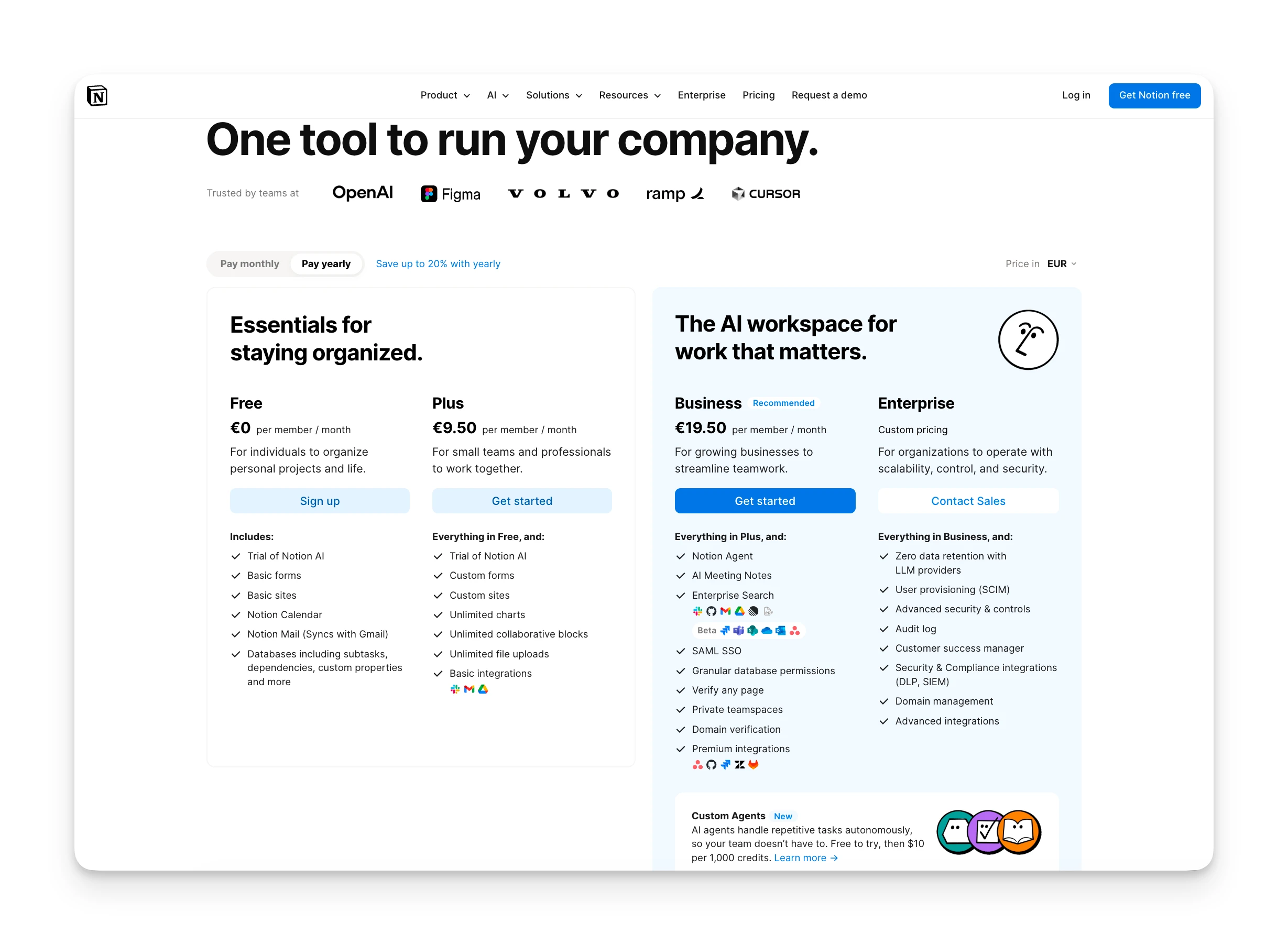 Let's examine what you get, and what's locked, on each Notion plan.
Free plan
Notion's free tier works well for personal use. It ships more than it used to: Notion Calendar and Notion Mail (which syncs with Gmail) are both on the free plan, alongside basic forms and basic sites.
| Included | Not Included |
|---|---|
| Unlimited pages and blocks for individuals | Unlimited blocks for teams of 2+ |
| Notion Calendar and Notion Mail | Notion AI beyond a limited trial |
| 5MB file upload limit | Unlimited file uploads |
| 7-day page history | Extended version history |
| Up to 10 guests | Unlimited guests |
 Note
NotePlus plan
Plus targets small teams who need real-time collaboration and more storage flexibility.
| Included | Not Included |
|---|---|
| Unlimited file uploads | Notion AI beyond a limited trial |
| 30-day page history | SAML SSO |
| Unlimited guests | Private teamspaces |
| Custom forms, custom sites, unlimited charts | Notion Agent and Custom Agents |
| Basic connections | Notion credits |
Cost: $12/user/mo (monthly) or $10/user/mo (annual), notion.com/pricing)
NoteBusiness plan
Business is where Notion AI actually lives. Since May 2025 it absorbs everything the old add-on used to sell.
| Included | Not Included |
|---|---|
| Everything in Plus | SCIM provisioning |
| Notion AI and Notion Agent included | Audit log |
| AI Meeting Notes | Zero data retention with LLM providers |
| Enterprise Search (beta) | Workspace-wide credit limits |
| 90-day history, private teamspaces, SAML SSO | Custom Agent audit logging |
Cost: $24/user/mo (monthly) or $20/user/mo (annual), notion.com/pricing)
 Tip
TipEnterprise plan
Enterprise requires contacting sales. This tier adds compliance controls, provisioning, and dedicated support.
| Included | Not Included |
|---|---|
| Everything in Business | Public pricing |
| SCIM provisioning | Month-to-month billing |
| Audit log and Custom Agent audit logging | N/A |
| Zero data retention with LLM providers | N/A |
| Dedicated customer success manager | N/A |
Cost: Custom, contact sales at notion.com/pricing)
The data-handling gap is the one worth pricing. Per Notion's AI security practices, LLM providers "utilize zero data retention for Enterprise plan workspaces", while non-Enterprise workspaces sit on 30-day retention. If that matters to your legal team, Business is not the tier you want.

Notion credits: the new line on the bill
This is the biggest change to Notion's pricing in 2026, and it doesn't appear in the plan price at all.
Notion draws a line between two things that both look like AI. Notion Agent is the personal assistant you prompt, and it's included in Business. Custom Agents are team automations that run on a schedule or a trigger without you, and those are metered.
Custom Agents run on Notion credits: $10 per 1,000 monthly credits, sold only as an add-on to Business and Enterprise. Notion's February release note put it plainly: "Starting May 4, 2026, they'll use Notion credits, available as an add-on for Business and Enterprise plans."
A second meter is coming for Notion Workers, the hosted code runtime, which is free during beta. Budget for it, but don't pencil in the date yet: Notion's own pages disagree. The pricing page says "Starts using credits on August 11", while the US help centre says "Starting on October 15, 2026, they'll require Notion credits." Worth checking your own workspace's billing page rather than trusting either.
What the credit model means in practice, per Notion's help centre:
- Credits are shared across the workspace and reset monthly. Unused credits do not roll over.
- Consumption varies by task complexity. Data volume, connected tools, number of steps, run frequency, and model choice all move the number, so the same agent can cost different amounts month to month.
- Running out is a hard stop, not an overage charge. Agents pause automatically until credits reset or an admin buys more. Admins get notified at 80% and 100% of usage.
- Free and Plus cannot buy credits at all. The flagship 2026 feature is structurally out of reach below $20/user/mo.
 Did you know?
Notion hidden costs
Notion's pricing page looks straightforward. Several costs aren't immediately obvious:
- The AI floor: Wanting AI for one person means moving that person to Business at $20/user/mo, per Notion's help centre. There is no cheaper door.
- Notion credits: $10 per 1,000, on top of seats, for any Custom Agent, with Workers joining the meter later in 2026. Consumption is variable by design.
- Per-user scaling: Unlike flat-rate tools, Notion charges per seat. Growing from 10 to 50 users means your bill grows 5x.
- Custom domain fees: Per the pricing page, connecting a custom domain and removing Notion branding costs "$8/month/domain paid annually, or $10/month per domain paid monthly". That's per domain, not per workspace.
- The education catch: Students and educators with an institutional email get Plus free, and Plus is a tier with no real AI. The free student plan doesn't include the features Notion spent 2026 building.
Notion pros and cons
Here's what we found after evaluating Notion's pricing and features:
Where Notion Shines
- Build wikis, databases, docs, and project boards in one place
- Unlimited pages and blocks for personal use on the free plan
- Business bundles unlimited assistive AI rather than metering it
- Thousands of community templates to start quickly
- Can replace multiple separate tools with one platform
Where Notion Falls Short
- Notion AI requires the Business plan, with no add-on option below it
- Custom Agents add a variable credit bill on top of per-seat pricing
- Steep learning curve, high flexibility means high setup investment
- Per-user pricing scales quickly for larger teams
- Personal users get pushed toward a business-priced tier for basic AI access
Who is Notion best for?
Notion isn't for everyone. Here's where it fits best:
Solo users and students
The free plan offers tremendous value for personal knowledge management. Students with an institutional email get the Plus plan free through Notion's education program, with the caveat that Plus has no meaningful AI.
Small creative teams
Teams under 10 who need flexible documentation, light project tracking, and wiki-style knowledge bases will appreciate Notion's customization options.
Teams that want AI inside their wiki
Business at $20/user/mo bundles unlimited assistive AI, meeting notes, and Enterprise Search into the workspace where the documents already live. If your team is already deep in Notion, that adjacency is worth real money.
Notion customer reviews
Here's what real users are saying about Notion's value for money:
Positives
 Users on Business tend to defend the bundle, especially against paying separately for a general-purpose AI subscription.
"I have both a Claude pro and Notion business plan. I spend way more time and get more done in Notion with Notion AI than I do in Claude and I practically have no limits on AI use (including Claude models). Notion provides a bunch of value for the money.", u/Solowithothers, Reddit, July 2026)
Complaints
 The complaints cluster around two things: the credit model, and personal users being priced like businesses.
"I would 100% pay for notion. But the pricing here is insane. I am not a business, im a personal user trying to use notion for home admin. Trying to force me into a million enterprise features and AI subscriptions I don't need is insane.", u/More-Key1660, Reddit, July 2026)
"Are agents no longer covered by the Business plan? That's kind of a bait and switch, no? The agent is listed under Business Plan. There's not enough in the Business Plan to warrant it costing $12 p month more than Plus, IMO.", u/quicksexfm, Reddit, February 2026)
Alternative to Notion: Kai
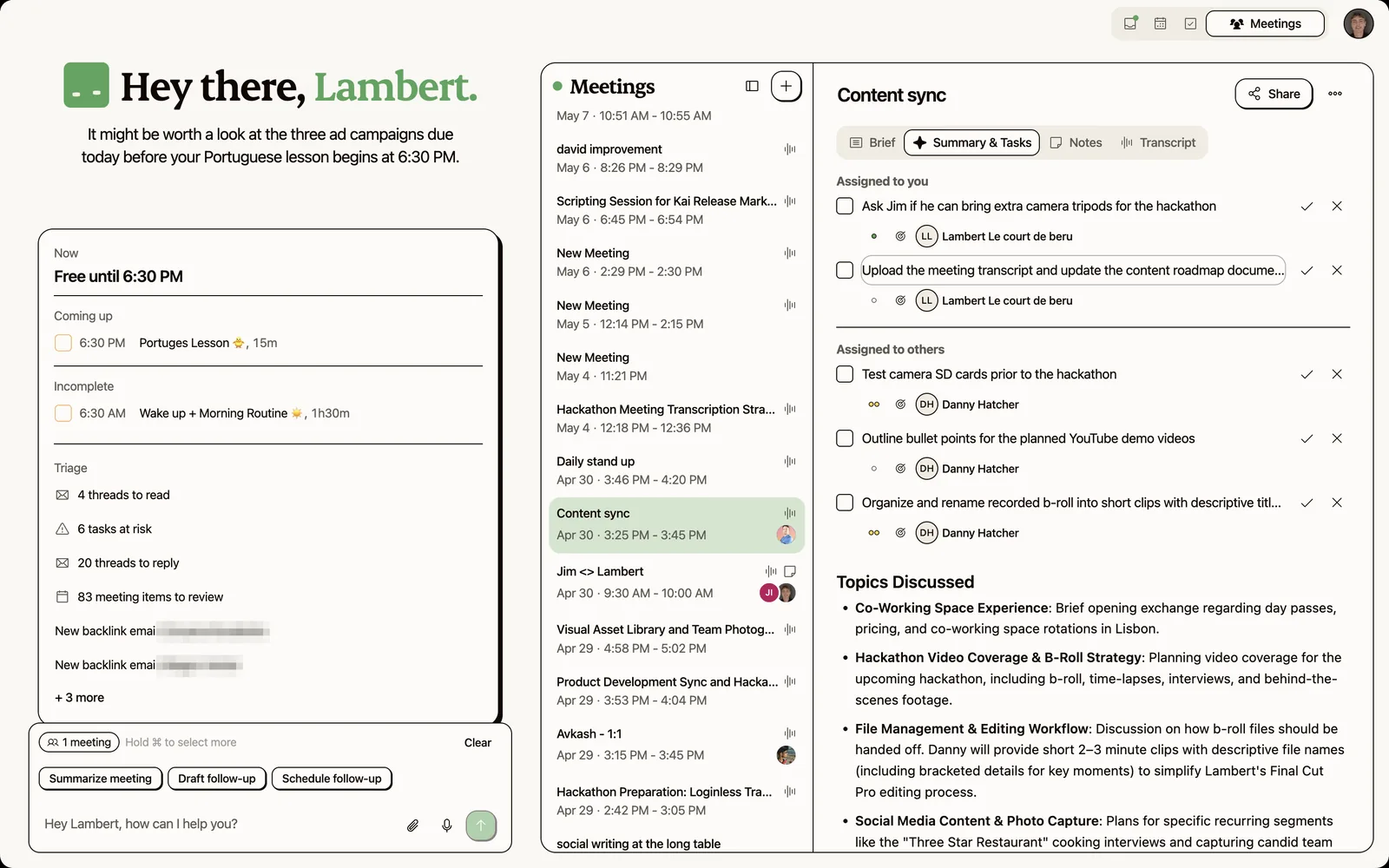 If Notion's AI floor or its credit meter concern you, Kai offers a different approach.
Kai is an AI executive assistant designed for busy professionals. Instead of building everything from scratch, Kai comes pre-configured to handle the essentials: meeting prep, email triage, and intelligent scheduling.
Meeting AI
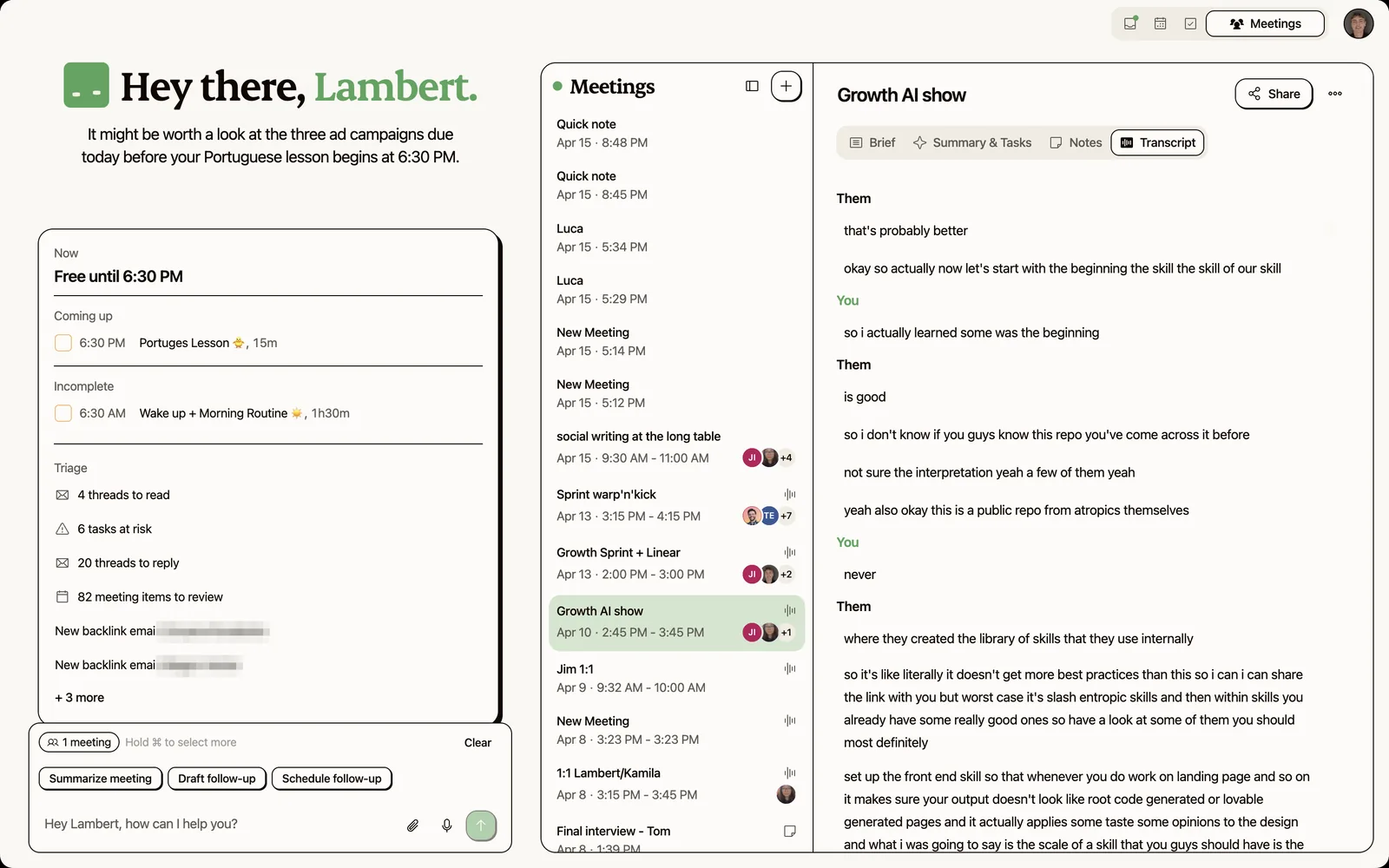 Kai captures your meetings from your device, with no bot joining, and turns them into transcripts and action items automatically. Notion added AI Meeting Notes with speaker identification in its 1 July 2026 release, so this gap is narrower than it was, though it still sits behind the Business tier.
Smart Scheduling
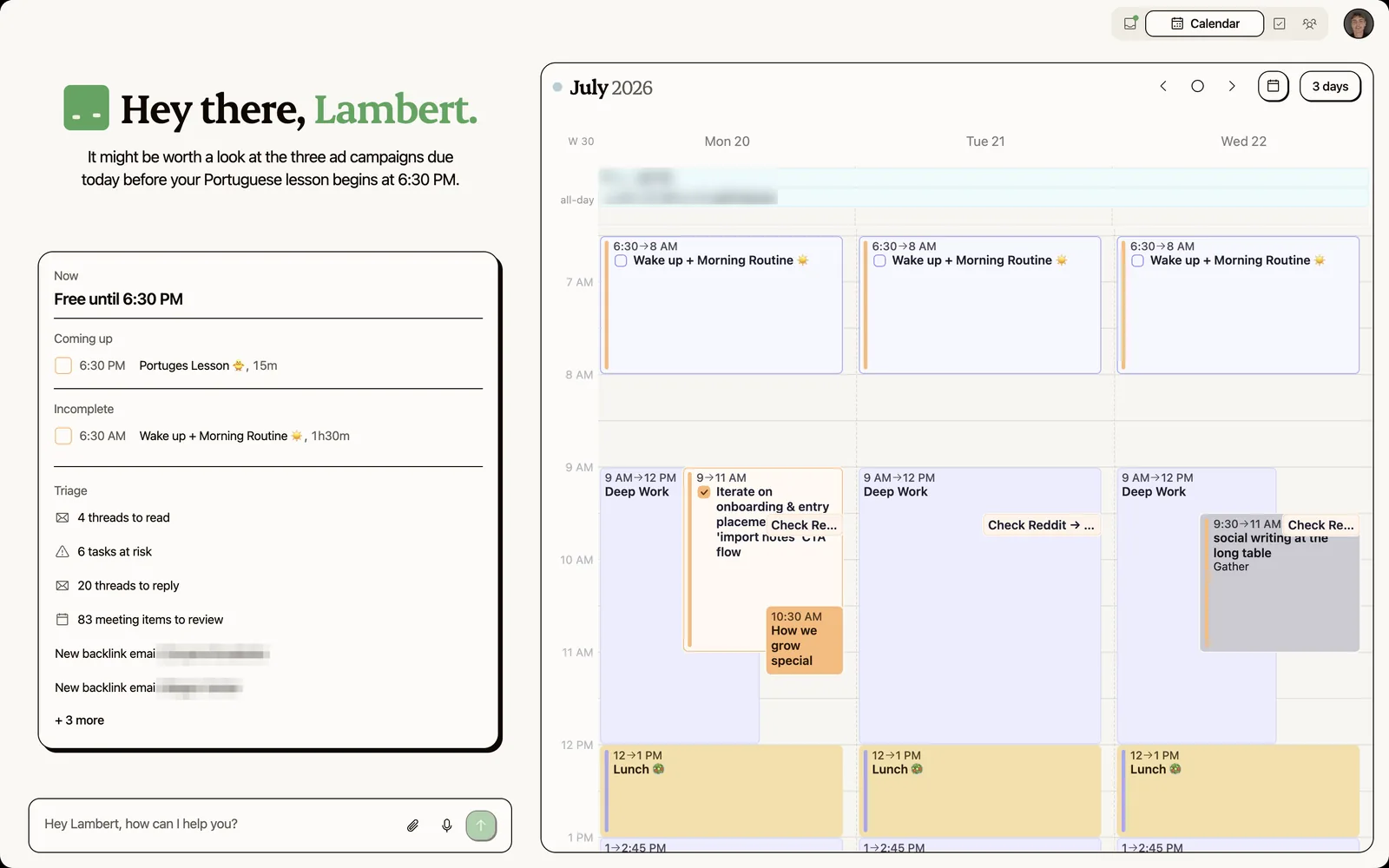 Kai analyzes your calendar, protects focus time, and proposes optimal meeting slots. It handles rescheduling and follow-ups, features Notion doesn't offer natively.
| Notion Free | Notion Business | Kai | |
|---|---|---|---|
| Price | Free | $20/user/mo | $20 or $50/user/mo |
| AI Features | Limited trial | Included | Included |
| Meeting Transcription | Not available | Included | Built-in |
| Email Integration | Notion Mail, no AI | Notion Mail with AI | Full integration |
| Automation billing | N/A | $10 per 1,000 credits | Included in the seat's monthly allowance |
| Proactive Assistance | No | No | Yes |
Where Kai Shines
- Every plan covers the whole assistant, including a monthly usage allowance, with no credit packs to buy
- Botless meeting capture built in, no integrations needed
- Email triage and calendar management in one assistant
- Proactive background monitoring flags issues before they grow
Where Kai Falls Short
- Newer product with fewer integrations than Notion
- No flexible database or wiki-building capabilities
- Costs more per seat than Notion Plus: Base at $20/user/mo matches Business billed annually, and Pro at $50 is more than any Notion tier
- No free plan, only a free trial

Is Notion worth the price, or is there better value?
Notion is a solid choice for teams who want a flexible workspace for documentation, wikis, and light project management.
The free plan works well for solo users, and it quietly got better with Notion Calendar and Notion Mail included. Small teams can get by on Plus.
The calculation changes the moment AI enters it. Plus is not an AI plan, so the real decision is $20/user/mo for Business, plus whatever your Custom Agents burn in credits. If your workflow centers on meetings, emails, and scheduling rather than building databases from scratch, that is a lot of workspace to buy for an assistant. For scheduling-focused alternatives, see our Motion app review or Akiflow pricing breakdown.
Kai gives you AI meeting notes, email triage, and scheduling in one app. Every plan includes all of it, from $20 per seat, with a monthly usage allowance and nothing extra to buy.
Try Kai's free trial and see if it fits your workflow better. If your workflow is more meeting-heavy, our Otter AI pricing guide and Fathom vs Otter comparison cover meeting-specific tools.
FAQs
Is There Still a Notion AI Add-On?
No. Notion retired the $10/user/mo AI add-on in May 2025 and folded Notion AI into the Business and Enterprise plans. Free and Plus users get a limited number of complimentary AI responses as a trial, and cannot purchase AI separately.
What Are Notion Credits and Do I Need Them?
Notion credits power Custom Agents, and will soon power Workers too. They cost $10 per 1,000 credits and are available only on Business and Enterprise. You only need them if you run team automations on a schedule or trigger. The personal Notion Agent is included in Business and does not consume credits.
Does Notion Offer Student Discounts?
Yes. Students and educators with a valid institutional email get the Plus plan free through Notion's education program. Note that Plus does not include Notion AI, so the free student plan covers documents and databases rather than AI features.
Can I Switch Between Monthly and Yearly Billing?
Yes. Switch anytime in workspace settings. Annual billing saves up to 20% compared to monthly.
What Happens if I Downgrade My Plan?
You keep your content, but features tied to higher tiers (extended history, AI, agents) become unavailable until you upgrade. Custom Agents stop running if you drop below Business.
Is the Free Plan Enough for Personal Use?
For most solo users, yes. Unlimited pages and blocks cover personal needs, and Notion Calendar and Notion Mail are included. Main limitations: 5MB file uploads, a 10-guest cap, and block limits that kick in once a second member joins the workspace.
Does Notion Charge Per User or Per Workspace?
Per user for seats. Notion credits are the exception: they are bought and shared at the workspace level, not per seat.

What to read next
Motion vs Notion: Which Tool Is Better? (2026)
Compare Motion vs Notion on AI scheduling, task management, and pricing to pick the right productivity tool for your workflow.
Notion Review 2026: Features, Pricing, Pros & Cons
Explore Notion's workspace features, AI capabilities, and real user feedback to determine if this all-in-one productivity tool fits your needs.
One Year of Building With AI
Issue #016 of How We Grow: Jim's first year at Morgen, told through the models we built with, what each new one changed, and how the growth job looks when one person can ship a project in a day.